Free tools Windows power users keep installed
One-click scans. No signup required.
Some links on this page are affiliate links: if you buy through them we may earn a commission, at no extra cost to you.
Google has made it easier for OpenClaw and other AI agents to work with Workspace data, but it has not integrated OpenClaw into Gmail, Drive, or Docs as a native consumer feature. In early March 2026, Google published a developer-oriented Workspace command-line interface, commonly referred to as gws, with guidance for connecting OpenClaw.
The tool provides a unified way to interact with services such as Gmail, Drive, Calendar, Docs, Sheets, Slides, and Chat. However, Google describes it as a developer sample rather than an officially supported Google product. It is therefore useful experimental infrastructure—not a Google endorsement, one-click setup, or enterprise guarantee.
The short version
Google’s new Workspace CLI reduces the engineering work required to connect an AI agent to multiple Workspace APIs. Its documentation reportedly includes more than 40 agent skills, structured output designed for scripts and agents, an MCP-server option, and specific OpenClaw setup guidance. Ars Technica reports that the project is not an officially supported Google product and may change over time.
Do these 3 things before closing this tab:
1Repair Windows errors before they cause bigger problems2Fix the driver behind crashes, sound loss and screen glitches3Clear out junk files and repair common Windows errorsThat distinction matters. OpenClaw is the agentic layer: it can interpret requests and invoke tools to search, read, create, modify, or send content. The CLI is the bridge to Google’s APIs. Depending on OAuth scopes and configuration, an agent could do substantially more than summarize information.
#1 Best Overall
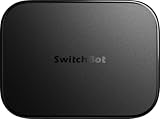
- OpenClaw Support Built In: AI Hub supports OpenClaw at home, connecting supported cameras and smart devices so compatible skills can use camera context, device actions, and chat-based control.
- Camera AI That Understands Context: Pair AI Hub with compatible SwitchBot cameras, Video Doorbell, or RTSP cameras to help describe visitors, pets, packages, and family activity. AI+ subscription required.
- Store Event Recordings at Home: Save camera events with the included 16GB MicroSD card, expand to a 1TB MicroSD card or up to a 16TB external hard drive, and manage up to 8 compatible cameras in one place.
- Faster Local Automations: AI Hub works as an edge hub for select SwitchBot BLE devices, with automations up to 4x faster under SwitchBot lab conditions; Home Assistant Pre-installed and Matter Bridge expand supported smart home setups.
- Built for Cameras and Smart Home Control: AI features require AI+ subscription and compatible cameras. AI Hub does not include IR control; for TVs or air conditioners, pair with a SwitchBot Hub that supports IR.
Users should think of this as an agent-to-API connection, not as OpenClaw appearing inside Google Workspace.
What Google released
Workspace already offers separate APIs for Gmail, Drive, Calendar, Docs, Sheets, Slides, Chat, and other services. The new CLI packages access to many of them behind a common command-line interface. Its structured results can be consumed by shell scripts, automation tools, or AI agents more reliably than unstructured web pages.
Google’s positioning is essentially “one CLI for Workspace,” with documentation intended for both humans and agents. The project also reportedly supports an MCP server, allowing compatible clients such as Claude Desktop or Gemini CLI to use the same general connection model. TechRadar and The Next Web describe the OpenClaw-specific guidance and broader agent-ready approach.
Rank #2

- ONE-CLICK HA INSTALL - Deploy Home Assistant in seconds, no coding. Unifies multi-brand devices into one control center. Includes one-click HACS, Add-on Manager, OTA, backup, and 30s auto-restore watchdog. Full Linux SSH and Docker access.
- AI HOME AUTOMATION - OpenClaw AI agent learns your routines to auto-adjust lighting, climate, and devices. Skip YAML—describe needs in plain language and AI creates automation instantly. Proactively recommends useful automations, evolving into a smart household manager.
- MATTER BRIDGE - Connects Zigbee, Wi-Fi, and other smart devices into Apple Home, Alexa, and Google Home. Generates a Matter pairing QR code—simply scan with your preferred app to add devices. Control everything by voice via HomePod, Echo, or Nest for a unified multi-platform smart home.
- FULL AI SERVER - A compact 24/7 OpenClaw AI server beyond smart home control. Handles writing, research, emails, and content generation as your everyday AI assistant. Saves hardware costs and power versus a separate PC/Mac. Affordable, low-maintenance local AI.
- MOBILE APP SETUP - Download the free LinknLink App, sign in, and add multi-brand devices via smartphone. All device info auto-syncs to HomeClaw—no repeated config or manual importing. Drastically reduces setup time and effort for first-time installation and future expansion.
It is not:
- a new Gmail, Docs, or Drive feature visible to ordinary users;
- a formal Google–OpenClaw partnership;
- a native OpenClaw panel in Workspace;
- a guarantee that every Workspace operation works through OpenClaw; or
- a supported production service with a Google service-level commitment.
How OpenClaw connects
The likely architecture is:
User request
    ↓
OpenClaw agent
    ↓
Workspace CLI or MCP interface
    ↓
Google OAuth credentials
    ↓
Gmail, Drive, Calendar, Docs, Sheets, Slides, Chat
Each layer has a separate responsibility. OpenClaw decides what to do; the CLI or MCP interface translates that intention into API calls; Google OAuth determines which resources and actions are permitted; and Workspace APIs execute the request.
In practice, a user generally needs a Google Cloud project, enabled Workspace APIs, OAuth credentials, Node.js, and a configured OpenClaw connection. Exact installation commands, repository paths, Node.js versions, OAuth-screen labels, and scopes can change, so follow the current Google Workspace CLI documentation rather than relying on copied commands.
Administrators may also restrict unverified applications, OAuth scopes, API access, external integrations, service accounts, or domain-wide delegation. A technically correct setup can still fail because of organization policy.
Rank #3
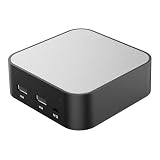
- LOCAL LLM DEPLOYMENT: Powered by RK3566/H618 ARM processor, enabling fully offline private AI computing without relying on cloud services.
- ULTRA-LOW POWER CONSUMPTION: Runs at just 5W, keeping energy usage minimal while staying online 24/7 as a home lab or personal web server.
- WHISPER-QUIET OPERATION: Fanless design operates at an ultra-silent 25dB, making it ideal for home or office environments without disruptive noise.
- PRIVATE DATA STORAGE: Keeps all AI workloads and data stored locally on-device, ensuring complete privacy with no data sent to external servers.
- VERSATILE CONNECTIVITY: Features dual USB ports and a TF card slot, supporting WeChat Claw-Bot integration and self-hosted AI assistant deployments.
What users could automate
Read-oriented tasks
- Summarizing new Gmail messages each morning.
- Searching Drive for a project document.
- Finding calendar conflicts.
- Summarizing meeting notes.
- Extracting information from a spreadsheet.
- Locating files needed before a meeting.
Drafting and recommendation tasks
- Preparing an email without sending it.
- Suggesting calendar times.
- Drafting changes to a document or presentation.
- Identifying files that could be archived.
External or destructive actions
- Sending email or Google Chat messages.
- Creating calendar invitations.
- Editing shared Docs, Sheets, or Slides.
- Moving or deleting Drive files.
- Updating records in a spreadsheet.
Drafting is not sending, and suggesting is not executing. Users should not assume OpenClaw will always request confirmation before an external action. The actual capability depends on the connected skill, OAuth scopes, account permissions, and agent configuration.
Capability versus risk
| Capability | Value | Risk | Recommended starting point |
|---|---|---|---|
| Search Gmail | High | Medium | Use narrow access and test data |
| Summarize Drive files | High | Medium | Limit access to a test folder |
| Draft email | High | Medium | Require human review |
| Send email | High | High | Require confirmation |
| Read Calendar | Medium | Low–medium | Usually suitable for initial testing |
| Create events | High | High | Confirm before saving or inviting |
| Edit shared files | Medium–high | High | Use dedicated test documents |
| Delete or move files | Variable | Very high | Disable initially |
Security risks are the central issue
Connecting an autonomous agent to Workspace creates a larger blast radius than a conventional chat session. An agent that can read mail and act under a user’s identity may expose confidential information or make changes that are difficult to reverse.
Important risks include:
- Prompt injection: an email or document may contain instructions designed to manipulate the agent.
- Wrong-recipient actions: a model may misunderstand a name, address, thread, or instruction.
- Data disclosure: sensitive content may be passed to the agent, an MCP server, a hosted service, or model provider.
- Destructive changes: files, events, messages, and shared documents can be altered or removed.
- Credential compromise: OAuth tokens may be exposed through insecure local storage, logs, plugins, or third-party skills.
- Overbroad access: broad scopes can give an experiment access to far more data than it needs.
Security reporting has described OpenClaw agents connected to Gmail, browser tools, and Workspace APIs being manipulated in phishing scenarios. That reporting is a warning about the architecture’s exposure, not evidence that Google’s CLI itself is malicious.
Rank #4

- Broad Compatibility with Raspberry Pi & Pironman Series. Fully compatible with Raspberry Pi 5 / 4B / 3B+ / 3B and seamlessly fits SunFounder Pironman 5, Max, Mini, and Pro Max cases. Also works with desktop PCs and laptops, making it a versatile audio input solution for DIY, AI, and development projects
- Plug-and-Play USB Microphone – No Drivers Needed. Simply plug it into a USB port and start using instantly. No driver installation required. Perfect for beginners, educators, and developers who want a hassle-free voice input solution for Raspberry Pi and computers
- Wide System Support for Maximum Flexibility. Supports Raspberry Pi OS (including Trixie/Bookworm/Bullseye), Linux, Ubuntu, and Windows. Recognized as a standard USB audio device, ensuring smooth integration across multiple platforms and development environments
- Built for AI Voice Interaction & LLM Applications. Ideal for speech recognition, voice control, and AI-powered projects. Works perfectly with LLM-based applications such as OpenClaw, ChatGPT voice interaction, and other AI assistants—bringing your projects to life with natural voice input
- Perfect for Voice Communication & Real-World Use. Suitable for online meetings, VoIP, remote communication, and voice recording. Works seamlessly with chatting applications such as Skype, MSN, Yahoo, YouTube, and Google voice recognition, as well as in-game voice communication. Whether for AI development, smart robotics, or everyday use, this compact microphone delivers reliable and convenient audio input
A safer setup sequence
- Create or select a dedicated Google Cloud project.
- Enable only the Workspace APIs required for the intended workflow.
- Configure OAuth consent and credentials according to the current documentation.
- Install and authenticate the CLI.
- Test read-only operations, such as searching a test Drive folder or reading a test calendar.
- Connect the CLI to OpenClaw using the documented integration path.
- Use the narrowest practical scopes and account permissions.
- Add confirmation gates before sending, inviting, editing shared files, or deleting.
- Review logs and revoke credentials if behavior is unexpected.
For experimentation, a separate Google account, test Workspace, or isolated Drive folder is preferable to a personal executive account or a company-wide shared drive. Keep backups and use version history before allowing bulk edits.
Who should use it?
Hobbyists and developers are the best candidates if they are comfortable with Cloud projects, OAuth, command-line tools, secrets, logs, and changing developer samples.
Small businesses may find it useful for carefully bounded retrieval and drafting workflows, but should isolate the agent identity and require approval for outbound actions.
Best Value

- OpenClaw AI, previously Clawdbot and Moltbot, is a free, self hosted AI agent that runs on your computer as a personal assistant. OpenClaw AI automation tool can organize files, process emails, run scripts and tasks, manage calendars using natural language
- OpenClaw AI is built for privacy focused AI workflows. OpenClaw stores memory and task history on your device, not the cloud. With a built in heartbeat scheduler and modular skill system, this autonomous AI agent can monitor folders and automate browsers
- Lightweight, Classic fit, Double-needle sleeve and bottom hem
Workspace administrators should evaluate OAuth controls, audit logs, API restrictions, data-retention implications, and whether third-party AI tools are allowed by policy.
Regulated organizations should be cautious with legal, financial, health, identity, customer, and intellectual-property data. An unsupported CLI should not be the sole foundation of a mission-critical workflow without testing, monitoring, rollback procedures, and human approval.
Nontechnical users are unlikely to get a genuinely one-click experience. A managed automation product or Google-native feature may be easier to govern, though it introduces its own vendor and data-processing trade-offs.
The Tool Desk
Outbyte PC Repair FREEClear out junk files and repair common Windows errorsFree Scan →Outbyte Driver Updater FREEFix the driver behind crashes, sound loss and screen glitchesFind Drivers →Alternatives
- Direct Google APIs: best for deterministic workflows, fine-grained permissions, testing, and monitoring; requires more engineering.
- MCP connectors: useful for MCP-compatible clients, but each additional connector creates another dependency and trust boundary.
- Workflow automation platforms: often provide prebuilt integrations, approvals, schedules, and logs, but may add cost, vendor lock-in, and data exposure.
- Google’s Gemini features: attractive to organizations prioritizing Workspace-native governance and vendor support, although they may offer less openness or customization than OpenClaw.
- Custom internal tools: suitable where the organization needs strict policy enforcement, narrow workflows, and complete operational ownership.
OpenClaw community documentation has also identified the lack of an equivalent Microsoft 365 integration as an ecosystem limitation. That does not mean Microsoft 365 integration is universally impossible; it means the current OpenClaw path is particularly relevant to Google Workspace users. See the OpenClaw discussion of its “gog” integration, which is OpenClaw-side terminology and should not be confused with Google’s gws CLI.
Bottom line
Google is signaling that Workspace can become more accessible to AI agents by publishing a unified API-facing CLI and OpenClaw-specific instructions. That lowers the barrier to building useful workflows across Gmail, Drive, Calendar, Docs, Sheets, Slides, and Chat.
But the current reality is experimental infrastructure, not native OpenClaw support. Treat the CLI as a changing developer sample, start with read-only access, isolate test data, and require explicit approval for every action that sends, edits, shares, invites, moves, or deletes.
Quick Recap
Product prices and availability are accurate as of the date/time indicated and are subject to change. Any price and availability information displayed on Amazon at the time of purchase will apply.
Quick wins for a faster PC:
Scan for outdated or missing drivers - takes under a minuteDriver Scan →Clear out junk files and repair common Windows errorsFree Scan →Fix the driver behind crashes, sound loss and screen glitchesFind Drivers →
