Some links on this page are affiliate links: if you buy through them we may earn a commission, at no extra cost to you.
The Gigabyte MD70-HB0 packs unusually capable networking and storage into a legacy dual-socket server motherboard: two Intel X540 10GBASE-T ports, an eight-lane LSI SAS3008 controller, ten SATA ports, 16 ECC DDR4 DIMM slots and an ASPEED BMC. That made it compelling when new. Today, it makes sense mainly as a low-cost used platform for a homelab or storage server—provided you can verify the board, already have compatible parts, and can accept its age, power draw and firmware limitations.
At a glance
- Best for: A tested, inexpensive storage or virtualization server when you need copper 10GbE, SAS3 connectivity and substantial ECC memory.
- Avoid if: You need a quiet, efficient system, modern NVMe and PCIe capability, current platform support, or a simple new build with a predictable warranty.
- Main strengths: Dual LGA2011-3 sockets, dual 10GBASE-T, onboard SAS3008, ten SATA ports, remote management and extensive memory capacity.
- Main risks: Legacy status, high power and cooling requirements, old BMC firmware, large chassis requirements, and used-board condition.
Gigabyte lists the MD70-HB0 Rev. 1.2 as Legacy, though firmware downloads remain on its product page. Treat this as a historical platform review and a present-day used-buying assessment—not as a recommendation for a current-generation server.
Gigabyte MD70-HB0 specifications
| Feature | Specification |
|---|---|
| CPU sockets | 2 × LGA2011-3; Intel Xeon E5-2600 v3 and v4 families (check board revision and firmware) |
| Chipset | Intel C612 |
| Memory | 16 ECC DDR4 DIMM slots; RDIMM, LRDIMM and 3DS LRDIMM support, subject to CPU, BIOS and configuration |
| Network | 2 × Intel X540 10GBASE-T copper ports; 1 × dedicated 1GbE management port |
| SAS | LSI SAS3008; two Mini-SAS HD connectors and eight SAS 12Gb/s lanes |
| SATA | 10 × SATA III 6Gb/s ports, including two with SATA DOM support |
| RAID modes listed | Intel SATA: RAID 0/1/5/10; LSI SAS: RAID 0/1/1E/10 |
| Expansion | PCIe Gen3 slots with alternative arrangements; one PCIe Gen2 physical x8 slot wired at x4 |
| Management | ASPEED AST2400 BMC, VGA and out-of-band management |
| Form factor | E-ATX / SSI-EEB, approximately 305 × 330 mm (12 × 13 inches) |
| Power | One 24-pin ATX connector and two 8-pin CPU power connectors |
Gigabyte’s specification page and manual are the references to use for the exact revision, memory population and slot layout. The board is a server platform, not a consumer ATX motherboard: plan around registered or load-reduced ECC memory and compatible server CPUs.
Why the onboard I/O stood out
The MD70-HB0’s original appeal was consolidation. A builder could avoid consuming expansion slots for a dual-port 10GbE adapter and an eight-port SAS controller, while still getting a BMC for remote administration. It also offered ten SATA connections and room for large ECC memory configurations. In a dense server build, saving slots, cabling and separate cards mattered.
#1 Best Overall
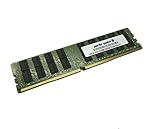
- Capacity: 32GB
- Speed: DDR4 PC4-17000 2133MHz
- Form Factor: 288 pin ECC RDIMM
- Halogen Free; ROHS; Warranty: Lifetime
That value proposition is still useful if the board itself is inexpensive and healthy. It is less persuasive if you must buy every supporting part. The total system may also require two processors, server DIMMs, coolers, a suitable PSU and chassis, SAS cables and perhaps a compatible backplane. Compare that complete cost and expected electricity use with a newer single-socket server, not just the motherboard listing.
Storage: ten SATA ports plus eight SAS lanes
The storage connections come from two different subsystems. The Intel platform provides eight SATA III 6Gb/s ports plus two additional SATA III ports with SATA DOM support. Separately, the LSI SAS3008 connects through two Mini-SAS HD ports, offering eight SAS lanes rated up to 12Gb/s each. In shorthand, that is ten SATA ports and eight SAS lanes—not 18 identical drive bays or a promise of a particular aggregate application throughput.
The SAS link rate describes the interface. Real storage performance depends on the drives, workload, queue depth, controller mode, cabling, expander topology and software. Gigabyte lists SAS RAID 0/1/1E/10, but do not mistake this onboard controller for a modern cache-equipped RAID card with battery-backed write protection.
What’s actually slowing this PC down?
Pick the symptom - the matching free tool is one click away.
Before using the SAS ports, establish whether the controller is configured in IR/RAID mode or IT/HBA mode, and whether that suits your operating system and storage stack. ServeTheHome reported that its review sample arrived in IR mode; that observation does not establish the mode on every used board. If you need direct disk access—for example, for a software-defined storage setup—confirm the controller mode, firmware and driver behavior rather than assuming it is already configured as an HBA.
For a backplane or external enclosure, verify that it is SAS3-compatible where required, that the SFF-8644 Mini-SAS HD cables are the correct type and orientation, and that any expander works with the controller firmware. Check that the intended OS sees every disk and supports booting from the controller if that matters. Mixing SAS and SATA drives depends on the backplane and enclosure wiring; confirm that topology before purchase. For SATA DOM use, check the manual for the correct port and power arrangement.
Rank #2
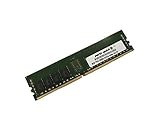
- Capacity: 8GB
- Speed: DDR4 PC4-19200 2400MHz
- Form Factor: 288 pin
- Halogen Free; ROHS; Warranty: Lifetime
Dual 10GbE: copper, not SFP+
The two data-network ports use Intel X540 10GBASE-T. They accept twisted-pair copper Ethernet; they are not SFP+ cages and cannot take SFP+ modules directly. This can be convenient where the switch and structured cabling are already 10GBASE-T, but it calls for compatible switch ports and suitable cabling. Cat6a is a sensible choice for a 10GbE copper run; the required cable and distance depend on the installation.
10GBASE-T also brings a thermal trade-off. The X540 is a comparatively warm controller, so airflow over the board matters, particularly in a server with busy CPUs and a populated drive array. If your network is SFP+-based, a newer platform with an SFP+ NIC may be a more suitable or efficient option than building around these onboard copper ports.
Processors, memory and PCIe expansion
The board supports Xeon E5-2600 v3 and v4 processors. The two sockets allow a high core count and a large memory footprint, but dual CPUs are not automatically the best choice for every build. Processor selection affects power consumption, clock speed, memory behavior and cooling. Gigabyte also notes that some memory, PCIe, network or I/O functions can be unavailable with only one processor installed, so check the manual’s CPU-population rules against the slots and devices you intend to use.
There are 16 DDR4 DIMM slots, arranged as four memory channels per CPU. Gigabyte lists support for RDIMMs up to 32GB, LRDIMMs up to 64GB and 3DS LRDIMMs up to 128GB per module, as well as speeds of 1600, 1866, 2133 and 2400MHz. These are conditional specifications, not a universal maximum-memory guarantee: the processor, BIOS, modules and population pattern all matter. Follow the manual’s channel order. Avoid mixing RDIMMs with LRDIMMs or combining unlike modules without checking compatibility. TweakTown observed memory downclocking to 1866MHz in its fully populated test configuration; that result should not be generalized to every configuration.
PCIe slot count can also mislead. Gigabyte documents a standard layout with three PCIe Gen3 x16 slots and one Gen2 physical x8 slot operating at x4, plus an alternative arrangement through the board’s PCIe switch: one Gen3 x16, two Gen3 physical x16 slots at x8, two Gen3 physical x8 slots at x8 and one Gen2 physical x8 slot at x4. CPU population, switch configuration and installed devices affect what is available. If you plan multiple GPUs, HBAs or NVMe adapters, use the manual’s slot map and block diagram rather than counting full-length connectors.
Rank #3

- Computer Memory Solutions guarantees compatibility with models provided in description.
- Memory Type: ECC Registered DIMM, 288-Pin
- Speed: DDR4-19200, 2400 MHz
- 2 Piece Kit
- Product appearance may vary. Picture for reference only. limited lifetime warranty when bought directly from computer memory solutions
Remote management: useful, but treat the BMC as legacy
The ASPEED AST2400 BMC provides a dedicated 1GbE management port, VGA output and remote-management features such as console access and virtual media. ServeTheHome praised the responsiveness of the Avocent MergePoint/IPMI implementation in its historical testing. That is useful context, but it is not evidence of current browser compatibility, modern security or ongoing support.
- Connect the dedicated management port to an isolated management network, not an untrusted public-facing network.
- Find its address in the BIOS or from the network’s DHCP lease, or configure it using the manual’s instructions.
- Use credentials supplied with the particular board or current vendor documentation; do not rely on credentials copied from an old review or listing.
- Change the password immediately, and update BMC and BIOS firmware where appropriate.
- Keep the BMC off the public internet. Check Gigabyte’s product page and linked security notices for firmware and security information relevant to the board.
Old management firmware can have browser, TLS and security limitations even when its remote console remains useful on a restricted network. Treat isolation and firmware review as part of deployment, not optional setup polish.
Chassis, cooling and power
At approximately 305 × 330mm, the MD70-HB0 uses an E-ATX / SSI-EEB footprint. Do not assume that an ordinary ATX case—or even every case labelled E-ATX—has the required mounting points, board clearance and rear-I/O alignment. Confirm the exact chassis support before buying.
The board takes a 24-pin ATX connector and two 8-pin CPU power connectors. A pair of high-core-count Xeons, many DIMMs, an array of SAS drives and 10GBASE-T all add to heat and power demand. Use coolers with the correct LGA2011-3 square-ILM mounting and clearance, and provide strong front-to-back airflow. A server chassis is generally a better fit than a compact, quiet desktop case; make sure airflow reaches the X540 heatsink as well as the processors and drives.
Independent reader supportYour contribution helps us test, update, and keep practical guides available for everyone.What the original reviews found
ServeTheHome’s review, published October 14, 2014, tested two Xeon E5-2690 v3 processors, 128GB of DDR4-2133 ECC RDIMM and SAS and SATA SSDs. Its software included Ubuntu 14.04, Windows Server 2012 R2, VMware ESXi 5.5 and CentOS 6.5. TweakTown also tested the board, using Xeon E5-2699 v3 processors and reporting strong general-purpose and multithreaded results for that period. These are historical platform tests, not evidence of performance against modern CPUs or current operating systems.
Recommended Free Tools
Rank #4
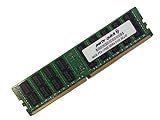
- Capacity: 64GB
- Speed: DDR4 PC4-17000 2133MHz
- Form Factor: 288 pin ECC Load Reduced DIMM
- Halogen Free; ROHS; Warranty: Lifetime
The contemporary appeal was feature density: the board combined dual 10GbE, SAS3, a BMC and extensive expansion without buying each controller separately. The old launch-era price comparisons in those reviews are not useful as present-day pricing. Gigabyte’s legacy designation and the condition-dependent nature of used inventory make a current total-cost check essential.
Used-buying checklist
Ask the seller to show the board working, ideally with the CPUs, memory and devices you plan to use. If that is not possible, price in the risk of a defective board and check the return terms carefully.
- Revision and firmware: Confirm the printed board revision and firmware, and verify Xeon v4 support for that revision.
- CPU sockets: Inspect for bent or damaged socket pins. Confirm both sockets work if you are buying for two CPUs; check the primary-socket and DIMM rules if starting with one.
- Memory: Confirm the modules are compatible ECC registered or load-reduced DDR4, then test the intended channels and capacity.
- PCIe: Verify the slots you need work with the planned CPU population and switch arrangement.
- Networking: Test both 10GBASE-T ports with compatible cabling and a suitable switch, rather than treating link lights as proof of stable operation.
- SAS and SATA: Confirm the SAS3008 appears in firmware or the OS, check its mode, and verify all required ports and disks are detected.
- BMC: Confirm access through the dedicated management port, and ask whether credentials and firmware are known.
- Physical completeness: Check for the I/O shield, chipset and controller heatsinks, and any required SAS cables. Confirm chassis fit and power-supply connectors before payment.
Who should buy it—and who should pass?
The MD70-HB0 is worth considering when the board is substantially cheaper than a complete newer server, you already own compatible LGA2011-3 Xeons and ECC DDR4 RDIMMs, and its eight SAS lanes, copper 10GbE and expansion slots solve a specific need. It can make a capable NAS, backup server or virtualization lab, and may suit older enterprise applications or multithreaded batch work.
Pass if low idle power, quiet operation, current firmware support, modern NVMe density or PCIe 4.0/5.0 expansion matters more. It is also a poor fit if the chassis is standard ATX or short-depth, the BMC would sit on an untrusted network, or the board’s total build cost approaches a newer single-socket Xeon, EPYC or workstation platform. A newer used Dell, HPE or Lenovo server can be attractive when you want a validated chassis, cooling and firmware ecosystem; a newer motherboard with separate HBA and NIC offers more modularity if a controller fails.
Do these 3 things before closing this tab:
1Clear out junk files and repair common Windows errors2Fix the driver behind crashes, sound loss and screen glitches3Repair Windows errors before they cause bigger problemsFor a current platform comparison, include CPUs, memory, coolers, chassis, PSU, cabling and backplane—not only the motherboard price. Also account for the electricity and airflow needed to run a dual-socket system. No dependable current new-retail price or stock level is established here, so compare the actual listing, seller testing and return policy at the time you buy.
Verdict
The Gigabyte MD70-HB0 remains a feature-rich server board, but its strengths are specific: dual copper 10GbE, SAS3 connectivity, many SATA ports, remote management and a large ECC memory footprint. Those features can be excellent value in a carefully tested used build. Its legacy status, older BMC, platform efficiency and chassis demands make it a poor default for a new server. Buy it only when the complete system is affordable, compatible and demonstrably working.
Quick Recap
Sources
- Gigabyte MD70-HB0 Rev. 1.2 specifications, support and status
- Gigabyte MD70-HB0/MD70-HB1/MD70-HB2 manual
- ServeTheHome’s 2014 review and test configuration
- TweakTown’s review and historical BIOS/BMC coverage
Product prices and availability are accurate as of the date/time indicated and are subject to change. Any price and availability information displayed on Amazon at the time of purchase will apply.

