Some links on this page are affiliate links: if you buy through them we may earn a commission, at no extra cost to you.
Flameshot 13.3.0 is a real release of the open-source screenshot and annotation app, published on October 28, 2025. Its headline fix addresses a macOS execution problem, and its wider 13.3-era changes include native Apple Silicon builds and improvements to redaction, resizing, and Wayland capture. It is not the latest version: the project’s releases page listed v14.0.0 as latest on August 18, 2026. Most new users should choose the current stable release; 13.3.0 makes sense when you need that exact version or its specific macOS fix.
What is Flameshot?
Flameshot is a desktop screenshot tool for Linux, Windows, and macOS. It lets you capture a region, screen, or window, then annotate the image with tools such as arrows, lines, shapes, text, highlighting, blur or pixelation, and color selection. Captures can be copied to the clipboard or saved as files; the application also offers optional image-upload workflows, including Imgur integration, and tools for pinning captured images on screen. See the project repository and Flameshot website for the project’s overview.

It is a fit for people who want to mark up screenshots immediately rather than capture an image and open a separate editor. Its platform support does not mean every shortcut or capture method behaves the same on every desktop: Linux desktop environments and Wayland compositors, in particular, can differ.
What changed in version 13.3.0?
The macOS execution fix
The 13.3.0 release, dated October 28, 2025, is described principally as a macOS execution hotfix. The project says it linked Qt D-Bus on macOS to address a problem that prevented the application from running. The notes also report fixes for multiple memory leaks in Region::process(). These are specific changes, not a promise that every macOS launch or screenshot problem is resolved. The details and release assets are on the official releases page.
#1 Best Overall

- CLEAR AND FINE-LINE HANDWRITING - Write and visualize your handwriting on the LCD pad in real-time to enhance your teaching quality and bring extra productivity to remote teaching.
- NATIVE INTEGRATION WITH VIDEO CONFERENCING - Zoom, Google Meet, MS Teams, Webex, on both Windows and Mac.
- ANNOTATE - Annotate live on the screen with built-in brushes and highlighters on websites, digital documents, applications, videos, and any application on PC or a tablet. Annotation can also be saved using the built-in video record feature or taking a screenshot.
- MATH FORMULA RECOGNITION - Recognize handwriting math formula and save it in LaTex, MathML or image format for further editing on MS Word.
- COMPATIBLE with Windows 10/8/7 and Mac 10.10 or above and Chrome OS 88 and above. We suggest installing the DocuINK web app on Chrome for the features described above bullet points with the LCD writing pad.
Features and improvements in the broader 13.3 line
The release listing also records changes from the wider 13.3 development line. They should not all be read as features introduced solely by the 13.3.0 hotfix.
- Redaction: the project replaced its previous pixelation behavior with a redaction implementation it describes as secure, using pixels outside the redacted area.
- Wayland: a grim-based screenshot adapter was added for some wlroots compositors. This is not universal Wayland support.
- Resize controls: hold Shift for symmetric resizing or Ctrl to preserve the aspect ratio.
- Capture and annotation: the capture widget can show interactive screenshot dimensions, and an optional annotation grid can snap drawing to the grid.
- Pinned images: users can rotate pinned images and apply transparency effects to them.
- macOS architecture: native aarch64 builds were added for Apple Silicon, avoiding the need for Rosetta for those builds. Choose an asset appropriate to the Mac’s architecture.
- Packaging and infrastructure: the Flatpak gained verified Flathub status; maintainers can disable the update checker with
-DDISABLE_UPDATE_CHECKER; and the project moved from SingleApplication to KdSingleApplication to work around a Qt shared-memory bug.
These items and the macOS hotfix are documented in the release history.
What “secure” redaction does—and does not—establish
The implementation change is intended to improve how obscured content is handled, but the release notes are not an independent security audit or a guarantee for every image. Before sharing a screenshot containing credentials, personal information, or financial details, inspect the exported image closely, confirm the entire sensitive area is covered, and do not share the unredacted original. Redaction also does not by itself remove metadata or other visible information elsewhere in the image.
Do these 3 things before closing this tab:
1Clear out junk files and repair common Windows errors2Scan for outdated or missing drivers - takes under a minute3Repair Windows errors before they cause bigger problemsIs 13.3.0 still the latest version?
No. The project’s official releases page listed v14.0.0 as the latest release on August 18, 2026. Version 13.3.0 is therefore a previous release, even if a package listing, guide, or existing installation still refers to it. Release status can change; check the official release page for the listing before downloading.
| Situation | Practical choice |
|---|---|
| Installing Flameshot for the first time | Prefer the current stable release rather than deliberately selecting 13.3.0. |
| Reproducing or testing an environment that requires 13.3.0 | Use the 13.3.0 release asset and verify the installed version. |
| An older macOS build will not execute | 13.3.0 may be relevant because its notes identify a macOS execution fix; a later release may also include it. |
| A distribution or organization standardizes on 13.3.0 | Keep to that version if compatibility requires it, and obtain it from a source that explicitly identifies the version. |
| Screen recording, OCR, scrolling capture, or managed enterprise deployment is essential | Compare tools built for those workflows; verify capabilities for the exact product and version rather than assuming Flameshot’s feature set. |
| Wayland capture is the deciding requirement | Confirm support for the specific desktop, compositor, and portal path before settling on a version. |
How to install Flameshot
Use the project’s installation hub for platform guidance. Package-manager commands typically install the version currently offered by that package source; they do not, by themselves, pin installation to 13.3.0. For an exact version, select the matching asset from the official releases page and check the installed version afterward.
Linux
On Debian- or Ubuntu-family systems, the project lists this package command:
Rank #2
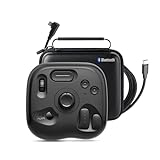
- What’s in the Box: TourBox Lite Bluetooth(2025), USB Cable, Storage Bag, Quick Start Guide. Compatible with macOS 10.13 or later and Windows 7 or later (64-bit) for flexible workflows. Please note: Not compatible with iPadOS or Android devices
- NOW EVEN BETTER—TourBox Lite Goes Wireless. Experience true creative freedom with Bluetooth connectivity - no more tangled cables or limited ports. Work seamlessly across your laptop, desktop, or Win tablet whether you're at your desk, in the studio, or on the go
- STREAMLINE EVERY WORKFLOW—A high-value creative console compatible with nearly all major software, including Adobe Photoshop, Lightroom, After Effects, Illustrator, Final Cut Pro, Premiere Pro, Capture One, PowerDirector, Filmora and more
- TIRED OF COMPLEX SHORTCUTS? —Don't be fooled by the compact size. Crafted for all creative workflows and daliy work, TourBox Lite gives you a smarter way to take control. More than just 8 buttons, custom combos unlock advanced control that outperforms your keyboard - relieve hand strain and stay focused on your creativity
- GET START, SO EASY!—98% of users master core functions within 7 days - no steep learning curve. Skip setup hassles! Our ready-to-use preset library automatically detects the software you're using and switches presets on the fly. No need to memorize complex shortcuts - TourBox HUD pops up on your screen to show your custom controls in real time
sudo apt install flameshotOther documented distribution and universal package options include packages for Arch, Fedora, openSUSE, Void, Solus, and NixOS, as well as Snap, Flatpak, and AppImage. See the Linux installation instructions for the applicable method. Repository versions vary, so check the package’s version if you need specifically 13.3.0.
What’s actually slowing this PC down?
Pick the symptom - the matching free tool is one click away.
Windows
The official Windows instructions list WinGet, Scoop, and Chocolatey:
winget install flameshotscoop bucket add extras
scoop update
scoop install flameshotchoco install flameshotFor a manual install, the release page provides Windows assets. The project describes the .msi as the installable package and the .zip as a portable package, which can be useful when you do not have administrator access. Package-manager installs may not be 13.3.0; choose an explicitly versioned release asset when exact versioning matters.
macOS
The official macOS instructions list Homebrew and MacPorts:
brew install --cask flameshotsudo port selfupdate
sudo port install flameshotDMG files are also available through the project releases. Check the asset’s architecture: the 13.3 release line includes native aarch64 builds for Apple Silicon. Homebrew, MacPorts, or a DMG may provide a version other than 13.3.0, so verify the version if that specific release is required.
The Tool Desk
Outbyte PC Repair FREERepair Windows errors before they cause bigger problemsFix Now →Outbyte Driver Updater FREEScan for outdated or missing drivers - takes under a minuteDriver Scan →Check which version you installed
After installation, consult the application’s version information or the package manager’s installed-package details and compare the result with the release you intended to install. If a standard repository command installed a different version, use the matching official release asset or a package source that explicitly identifies 13.3.0. The official release page is the reference for release names and assets.
Independent reader supportYour contribution helps us test, update, and keep practical guides available for everyone.How to launch a capture
On Linux, run flameshot gui to open the interactive capture interface. The project documents Windows shortcuts including Prt Sc and configurable Win + Shift + X; on macOS it lists Command + Shift + X. On Linux, you may need to bind a shortcut in your desktop environment. The project’s documentation includes desktop guidance, including KDE Plasma configuration.
If a Linux keyboard shortcut does nothing, first run flameshot gui manually. If that opens the interface, configure or repair the desktop shortcut rather than assuming the application failed to install. Shortcut settings and names differ among desktop environments.
macOS and Wayland troubleshooting
Flameshot will not launch on macOS
If an older build does not execute, the Qt D-Bus linking change in 13.3.0 is relevant. It is not a universal fix for all launch failures. If macOS instead reports that the developer cannot be verified, that is a security or quarantine warning, not necessarily the execution issue addressed by the release.
For an app obtained from the official project or a trusted package source, the project’s documented recovery path is to open Finder, go to Applications, right-click flameshot.app, and choose Open. If needed, use System Settings → Privacy & Security → Open Anyway. Do not bypass a warning for an application whose source you cannot verify. Refer to the macOS installation guide.
Capture fails or behaves differently on Wayland
Wayland capture depends on the compositor, desktop environment, screenshot portal, permissions, and whether the 13.3-era grim adapter applies to that wlroots compositor. A working X11 shortcut or multi-monitor setup does not establish that the same workflow will work under Wayland. Check the desktop’s portal and screenshot configuration, then test the relevant compositor-supported path. The release notes describe the adapter as applying to some wlroots compositors, not all Wayland systems.
Should you use Flameshot?
Flameshot is a strong candidate when the priority is a free, open-source capture-and-annotation workflow across desktop platforms. Built-in screenshot tools may be enough for basic capture with minimal setup; Linux users can also consider desktop utilities such as Spectacle or GNOME Screenshot. Other tools, including ShareX, Shutter, Ksnip, and commercial macOS applications, serve different workflows. Compare the specific features, platform behavior, and version you need rather than treating any alternative as a universal replacement.
For an ordinary new installation, choose the current stable version shown on the official releases page. Choose 13.3.0 when you have a concrete reason to reproduce or retain that release, or when you need its documented macOS execution fix. Its date, release notes, and exact download assets are listed at github.com/flameshot-org/flameshot/releases.
Recommended Free Tools
Quick Recap
Product prices and availability are accurate as of the date/time indicated and are subject to change. Any price and availability information displayed on Amazon at the time of purchase will apply.

