PC Slower Than It Used to Be?
A free scan shows the junk files, broken settings and background clutter dragging Windows down - then fixes them in one click.Free scan · Windows 10 & 11Outdated Drivers Are Slowing You Down
One free scan finds every outdated or missing driver and matches the right update for your exact hardware.Free scan · exact hardware matchSome links on this page are affiliate links: if you buy through them we may earn a commission, at no extra cost to you.
First determine whether only Outlook is failing or the entire Surface Pro 4 is rebooting. Outlook Safe Mode, add-in isolation, a new profile, data-file checks and Office repair address Outlook-only failures. A black screen followed by the Surface logo points instead to Windows, drivers, heat, power, storage or aging hardware. Back up local Outlook data before making profile, data-file or reset changes.
1. Identify what is actually restarting
| What you see | Most likely area |
|---|---|
| Outlook shows “Not Responding,” closes, or must be reopened while Windows remains usable | Add-ins, profile, PST/OST data, Office files, synchronization or a problematic integration |
| The screen goes black, the Surface logo appears and Windows boots again; other applications also fail | Windows, a driver, thermal or power instability, storage, memory or motherboard hardware |
Do not assume Office repair will fix a full-device reboot. Check whether the failure occurs on battery or while charging, when the device is hot, during video calls or synchronization, with a dock or USB device attached, or in other demanding applications.
2. Take the low-risk steps first
- If Outlook is processing a large move, auto-archive operation or attachment, wait briefly. It can look frozen while working.
- Press Alt+Tab to reveal a hidden confirmation dialog.
- For a genuinely stuck window, press Ctrl+Shift+Esc, select Microsoft Outlook in Task Manager and choose End task only after it fails to recover. Reopen it once; repeated force-closes can worsen data-file problems.
- Back up documents and any local Outlook archives before advanced repair.
3. Update Office, Windows and available Surface software
Office
In Word or another classic Office app, open File > Account > Update Options > Update Now. If shown, select Enable Updates first. See Microsoft’s [Office update guidance](https://support.microsoft.com/en-us/office/lifecycle/i-get-a-stopped-working-error-when-i-start-office-applications-on-my-pc).
Windows 10
Open Settings > Update & Security > Windows Update, install anything offered and restart. However, ordinary Windows 10 support ended on October 14, 2025; do not expect unlimited new consumer security or feature fixes in 2026. See Microsoft’s [Surface support notice](https://support.microsoft.com/en-us/surface-pro).
#1 Best Overall
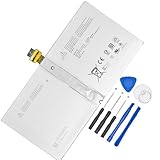
- 【Replacement Battery Type】Li-ion; Voltage:7.5V ; Capacity: 38.2Wh/5087mAh
- 【Compatible P/N】 DYNR01 G3HTA027H
- 【Compatible Models】Only FIT FOR Microsoft Surface Pro 4 1724 12.3 inch Series. (NOT FIT for Surface Go 1824, Surface laptop 1/2 1769, Surface Pro3 1631, Surface Pro5 1796, Surface Book 1832.)
- 【DG Quality】Grade A cells mitigate the risk of battery leakage and maximize output stability. Built-in circuit protection, enhances safety of usage and extends battery life
- 【DG TIPS】For the initial installation, please reinstall and check the interface fully connected, discharge the battery to 5%(not to 0%) and then charge to 95%, and cycle 3-4 times
Surface drivers and firmware
Use Surface app > Help & support > Check for updates, or Microsoft’s [Surface Pro 4 driver package](https://www.microsoft.com/download/details.aspx?id=49498). Microsoft says the Pro 4’s driver and firmware servicing period has ended, although previously released packages remain downloadable; normal firmware updates cannot be rolled back. Details are in the [Pro 4 update history](https://support.microsoft.com/en-us/surface/updates/surface-pro-4-update-history).
4. Test classic Outlook in Safe Mode
The following applies to classic Outlook (the version with File > Options), not the separate new Outlook application.
- Press Windows+R.
- Enter
outlook.exe /safeand press Enter. - Accept the profile prompt if it appears, then use Outlook for several minutes.
If it works in Safe Mode, an add-in or startup customization is a leading suspect. Safe Mode is a diagnostic test, not a universal fix. If Outlook still hangs, continue with profile, data-file, Office and system checks. If Safe Mode will not open, skip to Office repair and diagnostics.
Do these 3 things before closing this tab:
1Repair Windows errors before they cause bigger problems2Fix the driver behind crashes, sound loss and screen glitches3Clear out junk files and repair common Windows errors5. Disable and isolate COM add-ins
- In classic Outlook, select File > Options > Add-ins.
- At the bottom, set Manage to COM Add-ins and select Go.
- Clear every checkbox and select OK. Disable; do not select Remove.
- Restart Outlook normally. If stable, re-enable one add-in, restart and test. Repeat until the failure returns.
Leave the triggering add-in disabled or update it through its vendor. Common categories include Teams Meeting, antivirus email scanning, PDF software, CRM connectors, synchronization tools and older Outlook utilities; none is automatically responsible.
Rank #2

- Specification: Battery type:Li-ion ;Voltage:7.5VV; Capacity:38.2Wh; Cells: 2cell; Recharge cycles: 500; The battery is durable and has overcurrent protection, anti-overcharge, anti-overdischarge and temperature control functions.
- Compatible P/N: DYNR01 G3HTA027H G3HTA026H (Note: There are several different series for Surface tablet, the battery inside is not compatible for each other, please confirm your surface tablet model and then choose the right battery)
- Replacement for : Microsoft Surface Pro 4 1724 12.3 inch Series. (NOT FIT: Surface Go 1824, Surface laptop 1/2 1769, Surface Pro3 1631, Surface Pro5 1796, Surface Book 1832.)
- Security & Reliability: Our batteries are assembled from top quality material and circuit boards to ensure fast charges and low power consumption, 100% New from Manufacturer, Overcharge and Overdischarge Circuit Protection, Over-temperature and Short-circuit Protection, up to 500 recharge cycles over the life of the battery, meet OEM standard.
- Warranty & Support: Full refund in 30 days, 12 months warranty. If any issues about the product within 365 days, click the button "ASK A QUESTION" and CONTACT US, we will respond within 24 hours via emails and give you friendly after-sales service. Press [CTRL + F] to search your laptop model/part number.
Microsoft’s [Outlook hang guide](https://support.microsoft.com/en-us/outlook/getstarted/outlook-for-windows-not-responding-hangs-freezes-or-stops-working) documents this procedure.
6. Try a new Outlook profile
- Close Outlook, open Control Panel, search for Mail and open Mail (Microsoft Outlook).
- Select Show Profiles > Add, create a profile and add the account.
- Choose to be prompted for a profile or make the new one default, then start Outlook.
The old profile is not deleted. Verify mail, calendar, contacts, signatures, autocomplete and archives before relying on the new profile. You can also hold Shift while restarting classic Outlook to reach profile selection. A Microsoft 365 or Exchange .ost normally resynchronizes server data, but confirm important mail is visible in webmail first.
7. Treat PST and OST files differently
- .pst: Common for POP accounts and local archives. It may contain the only copy of messages. Back it up and use Microsoft’s Inbox Repair Tool (
SCANPST.EXE) when corruption is suspected; do not delete it as a first step. - .ost: Usually a cached Exchange, Microsoft 365 or IMAP mailbox. After confirming the mailbox is available through webmail, close Outlook and rename the OST rather than immediately deleting it. Reopen Outlook and allow a fresh cache to build.
Renaming or rebuilding an OST can remove unsynchronized local changes. A PST is not merely a cache, so never apply the OST procedure to a PST.
The Tool Desk
Outbyte PC Repair FREEClear out junk files and repair common Windows errorsFree Scan →Outbyte Driver Updater FREEFix the driver behind crashes, sound loss and screen glitchesFind Drivers →8. Repair Microsoft Office
- Open Settings > Apps > Apps & features.
- Select Microsoft 365 or Microsoft Office, choose Modify, then run Quick Repair.
- Restart and test Outlook. If it still fails, repeat the process and choose Online Repair.
Control Panel offers the equivalent path: Programs and Features > Office > Change. Quick Repair is faster and less comprehensive; Online Repair needs an internet connection and may reinstall or reset more components. Microsoft recommends Quick Repair before Online Repair.
Rank #3

- Specification: Battery type:Li-ion ;Voltage:7.5VV; Capacity:38.2Wh; Cells: 2cell; Recharge cycles: 500; The battery is durable and has overcurrent protection, anti-overcharge, anti-overdischarge and temperature control functions.
- Compatible P/N: DYNR01 G3HTA027H G3HTA026H (Note: There are several different series for Surface tablet, the battery inside is not compatible for each other, please confirm your surface tablet model and then choose the right battery)
- Replacement for : Microsoft Surface Pro 4 1724 12.3 inch Series. (NOT FIT: Surface Go 1824, Surface laptop 1/2 1769, Surface Pro3 1631, Surface Pro5 1796, Surface Book 1832.)
- Security & Reliability: Our batteries are assembled from top quality material and circuit boards to ensure fast charges and low power consumption, 100% New from Manufacturer, Overcharge and Overdischarge Circuit Protection, Over-temperature and Short-circuit Protection, up to 500 recharge cycles over the life of the battery, meet OEM standard.
- All ASUNCELL Products are CE- RoHS- FCC- Certified and Built-in circuit protection ensure both safety and stability; Strict guidelines for compatibility, and standards compliance for environmental safety
9. If the whole Surface restarts
Use Reliability Monitor first
- Press Windows+R, enter
perfmon /reland press Enter. - Inspect red failure marks at the restart time. Note whether the fault names Outlook, a driver, Windows or hardware.
Then inspect Event Viewer
Right-click Start, open Event Viewer, go to Windows Logs > System and inspect events around the reboot. Look for Kernel-Power, BugCheck, display-driver failures, disk errors and WHEA hardware errors. Kernel-Power usually proves only that shutdown was abnormal; a named bugcheck or driver is more actionable.
Check the physical conditions
- Use the appropriate original Microsoft charger and test without the dock or nonessential USB devices.
- Keep the Surface ventilated and check free storage.
- Test whether another demanding application also causes a reboot.
- Run Windows Memory Diagnostic when broader crashes suggest memory trouble.
- Back up immediately if disk, thermal or unexplained hardware events recur.
Do not diagnose a failed battery, SSD or motherboard from Outlook behavior alone.
10. Use a clean boot for stubborn software conflicts
- Press Windows+R, enter
msconfig. - On Services, select Hide all Microsoft services, then Disable all.
- On Startup, open Task Manager and disable nonessential startup items.
- Restart and test Outlook.
Record the original settings. Re-enable services and startup items in groups to locate a conflict, and restore normal startup afterward. A clean boot is a diagnostic state, not a permanent configuration.
Quick wins for a faster PC:
Repair Windows errors before they cause bigger problemsFix Now →Fix the driver behind crashes, sound loss and screen glitchesFind Drivers →11. Reset or recover only as a last resort
Before resetting, back up documents and local PST files, confirm account passwords, save application licences and obtain the BitLocker recovery key.
Rank #4
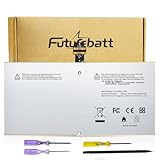
- Specifications:Model:G3HTA027H;Voltage:7.5V;Capacity:38.2Wh;100% brand new from manufacture. Grade A cells ensure fast charges and low power consumption.
- Compatible Part Number:DYNR01 G3HTA027H G3HTA026H
- Compatible Models:Microsoft Surface Pro 4 1724 12.3 inch Series.
- Multiple Safety Protections: Our batteries feature multiple protections including Overcharge and Overdischarge Circuit Protection, Over-temperature and Short-circuit Protection, Our batteries are assembled with high-quality materials and boards to ensure fast charging and up to 500 charge cycles over the life of the battery
- Support:Supported with 30 days Refund and 12 months Replacement.24h Email support.The Futurebatt brand provides friendly customer service.We are committed to providing our customers with the best possible service.
In Windows 10, open Settings > Update & Security > Recovery > Reset this PC > Get started. Keep my files retains personal files but removes installed applications, many settings and later drivers. Remove everything is destructive. Choose Cloud download or Local reinstall as appropriate. See Microsoft’s [reset and recovery instructions](https://support.microsoft.com/en-us/surface/drivers-firmware/reset-or-recover-your-surface).
If Windows will not start, Microsoft provides a [Surface Pro 4 recovery image](https://support.microsoft.com/en-us/surface-recovery-image). A USB recovery drive removes personal files and installed applications, so treat it as a final software remedy and follow the [recovery-drive guidance](https://support.microsoft.com/en-us/surface/3062b12b-0d6b-0017-5ebf-6b522cc4c5fd).
When repair is no longer the sensible investment
Seek professional assessment or consider a newer supported Windows device when the Surface reboots outside Outlook, Reliability Monitor shows recurring storage or hardware faults, it overheats or loses power, or recovery repeatedly fails. The Pro 4 has no ongoing firmware servicing, and Windows 10 is past normal support. Use Outlook on the web or provider webmail as a continuity option while deciding; buying Microsoft 365 or Office Home 2024 will not repair failing hardware.
Quick Recap
Printable troubleshooting order
- Separate Outlook-only failure from a full Surface restart.
- Back up local mail data.
- Update Office, Windows and available Pro 4 packages.
- Run
outlook.exe /safe. - Disable and isolate COM add-ins.
- Test a new profile.
- Back up and repair PST/OST data appropriately.
- Run Office Quick Repair, then Online Repair.
- Check Reliability Monitor and Event Viewer for device-wide failures.
- Reset or recover only after backups and BitLocker preparation.
Product prices and availability are accurate as of the date/time indicated and are subject to change. Any price and availability information displayed on Amazon at the time of purchase will apply.

