Some links on this page are affiliate links: if you buy through them we may earn a commission, at no extra cost to you.
Yes, you can build smart glasses—but the realistic first project is a tethered monocular HUD, not a home-made Ray-Ban Meta or Vision Pro. Start with a small near-eye display and external phone, Raspberry Pi, or computer. Add wireless input, a battery, and sensors only after the optical mount works. If your goal is computer vision rather than electronics, a hackable commercial platform is usually the more successful DIY route.
What “DIY smart glasses” can mean
The term covers several different devices. Defining the target first prevents an expensive mismatch between the project and the hardware.
| Type | What it does | Typical compute |
|---|---|---|
| Wearable display | Shows information, with little or no sensing | Phone, microcontroller, or video source |
| Monocular HUD | Places text or icons near one eye | ESP32, Raspberry Pi, or phone |
| AR glasses | Overlays content that can be aligned to the physical world | Spatial sensors and a capable computer |
| Audio or AI glasses | Uses microphones, speakers, and often a camera | Phone, edge computer, or cloud service |
| Standalone glasses | Carry their own compute, storage, networking, and battery | Embedded processor or SBC |
A scrolling notification, timer, or sensor readout is a legitimate smart-glasses project. It is not necessarily augmented reality: a fixed HUD without environmental tracking should not be described as spatial AR.
Quick wins for a faster PC:
Repair Windows errors before they cause bigger problemsFix Now →Fix the driver behind crashes, sound loss and screen glitchesFind Drivers →Clear out junk files and repair common Windows errorsFree Scan →The most realistic starting point
Build a monocular, tethered display first. It is lighter, easier to align, and far less power-hungry than binocular glasses with cameras and local AI. Let a phone or pocket computer handle networking, speech recognition, and inference while the glasses handle the user interface.
#1 Best Overall
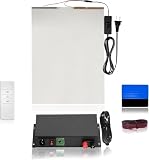
- THE 5-IN-1 SMART FILM KIT BOX: It is the essential product for your smart film installation. VR Smart Glass has simplified the process by providing all the necessary items in a single box.
- THE SMART FILM KIT BOX: It includes all the essential items needed for an easy installation. The box contains 50 watt transformer, a matched remote, a squeegee, red wires, and an A4 sample for practice before installing the actual film.
- USER-FRIENDLY DESIGN: Simplified instructions and pre-matched components make installation quick and accessible for professionals and DIY installers.
- VERSATILE APPLICATION: Perfect for testing and experiencing smart film technology on windows, partitions, or glass surfaces before full-scale projects.
- EFFICIENT CONTROL: A single 50W transformer and remote covers up to 70 sq. ft. No need to purchase a separate transformer for each piece control multiple films with one transformer and remote!
Choose an architecture
ESP32 monocular HUD
Use an ESP32, a small I²C OLED, a push button, a protected 3.7-volt battery, a charging/protection board, and an adjustable 3D-printed or laser-cut mount. A prism, transparent reflector, or angled optical plastic can form the combiner. This route suits clocks, notifications, hiking data, navigation prompts, and serial-console output.
Raspberry Pi plus purchased optics
A Pi Zero-class computer adds Linux, Wi-Fi, Bluetooth, Python, audio, and camera support, but it also adds boot time, heat, battery demand, and weight. Raspberry Pi’s PiGlass-style project uses a Raspberry Pi Zero W, DAC, and wearable display hardware (HackSpace project). Adafruit documents a related near-eye video-glasses enclosure that buys the optical display instead of engineering it (Adafruit guide).
Hackable commercial platform
Brilliant Frame integrates a 640×400 color OLED, 20-degree field of view, 720p low-power camera, microphone, Bluetooth 5.3, accelerometer, e-compass, tap detection, battery, and FPGA graphics acceleration. Its 32-bit Cortex-M4F runs at 64 MHz with 1 MB flash and 256 KB RAM (hardware documentation). The platform exposes a Lua-based environment, SDK, and customizable open-source firmware (SDK documentation). That makes it useful for computer-vision and AI experiments without requiring you to design optics, charging, and a wearable PCB.
Windows Errors? Fix Them Before They Spread
Repair common Windows errors and clear accumulated junk for a smoother, more stable PC - no reinstall needed.Free scan · no reinstallCrashes, No Sound, or Screen Glitches?
Random freezes, missing sound and display glitches usually trace back to one bad driver. Find and replace yours safely.Free scan · under a minute“Open” still needs a precise label: an open SDK or firmware is not automatically open mechanical CAD, optics, PCB files, bootloader, and manufacturing data.
Commercial display glasses
XREAL Air 2 is a finished display product: the official page lists 1080p per eye, up to 120 Hz, a 46-degree field of view, USB-C video connectivity, and 72 g weight. It explicitly has no camera for capturing the real world (official product page). It is therefore a strong shortcut for private screens, gaming, and software development—but not a substitute for camera-equipped AI glasses. XREAL documents Unity, AR Foundation, XR Interaction Toolkit, image tracking, and related workflows (developer documentation).
For spatial development, XREAL Air 2 Ultra lists dual 3D environment sensors, a 52-degree field of view, 1920×1080 per eye, up to 90 Hz in 3D, and 83 g. Its developer page says photography and video recording are not supported (developer page).
Rank #2

- 【3.5'' Smart Touchscreen & AlgoOS System】 Equipped with a built-in 3.5'' smart touchscreen and upgraded AlgoOS system, this laser engraver machine allows users to create, preview, and engrave without relying on complicated software or constant computer connection. The intuitive interface helps beginners start faster while providing smooth operation for DIY creators, hobby users, and small business.
- 【10000mW High-Speed Laser Engraving Performance】 Powered by a high-performance 10000mW laser module, this laser engraving machine delivers precise engraving and clean cutting on wood, coated metal, leather, acrylic, glass, and more. With speeds up to 12000mm/min, it produces fine details, sharp lines, and efficient engraving performance for personalized gifts, custom signs, and creative DIY projects.
- 【Rotary Roller & Riser for Expanded Engraving Projects】 Includes a rotary roller attachment and riser base for engraving tumblers, mugs, cups, bottles, and other cylindrical objects with improved stability and precision. The raised design also supports thicker materials, helping users expand into more advanced engraving applications and personalized customization projects right out of the box.
- 【Flexible Connectivity & LightBurn Compatibility】 Supports WiFi, USB cable, TF card, and APP control for more flexible engraving operation and convenient file transfer. Fully compatible with LightBurn and LaserGRBL on Windows and Mac OS, allowing users to manage engraving tasks, tabletop projects, hobby crafts, and DIY applications with smoother workflow control and stable software compatibility across multiple devices.
- 【Class 1 Safety Design & Enhanced Safety Features】 Built with Class 1 laser safety. Equipped with flame detection, an emergency stop button, and dual-lock authorization for safer daily use in home workshops, studios, classrooms, and maker spaces. Protective goggles are recommended during operation.
Community open projects
The Mentra Community’s OpenSourceSmartGlasses repository publishes firmware, parts information, and build material, but it also describes a move toward AugmentOS and existing hardware. Treat the older ESP32 design as a community reference, not automatically as a current, fully supported consumer product (repository; build guide).
Free tools Windows power users keep installed
One-click scans. No signup required.
A staged first build
Parts
- ESP32 development board and 128×64-class I²C OLED
- Protected 3.7-volt Li-ion or Li-polymer cell
- Suitable charger and battery-management board
- Momentary button, thin wire, strain relief, and lightweight enclosure
- Adjustable clip or temple mount and a prism or transparent combiner
Milestones
- Display static text on a bench.
- Add a button to change screens.
- Implement brightness control, timeout, and battery-voltage monitoring.
- Receive short messages over BLE.
- Mount the display with adjustment in every axis.
- Add the battery and charging circuit.
- Create a phone companion app or script.
- Test walking, head movement, indoor light, sunlight, and charging.
- Add a physical power cutoff.
- Only then consider a camera, microphone, or AI service.
Short BLE messages are appropriate for notifications; BLE throughput should not be assumed suitable for video.
The seven subsystems in a complete design
Optics
A raw OLED near the eye is not a usable HUD. You need a focused virtual image, adequate eye relief, correct pupil alignment, and an adjustable mount. A reflective combiner is simpler than a waveguide but more visible and less transparent; a purchased near-eye module removes much of the optical work while limiting customization. Start monocular and use static test patterns before miniaturizing.
Compute and software
Separate device firmware, phone companion software, display rendering, input events, camera processing, AI services, reconnection logic, and update mechanisms. A phone or pocket computer is normally the right place for speech recognition and vision inference in an early prototype.
Power and thermal design
Cameras, radios, displays, amplifiers, and SBCs create current spikes. Measure voltage at the load, provide regulator peak-current margin and local decoupling, and log brownouts. Move the battery and processor to a pocket, neckband, belt, or wired compute puck when the frame becomes heavy. Do not claim all-day operation without measured testing.
The Tool Desk
Outbyte Driver Updater FREEScan for outdated or missing drivers - takes under a minuteDriver Scan →Outbyte PC Repair FREEClear out junk files and repair common Windows errorsFree Scan →Mechanical design
Balance matters more than appearance. Provide strain relief, protect the cell from puncture, leave room for prescription lenses, and keep the optical mount adjustable. A design that presses weight onto the nose or temple is a functional failure.
Rank #3

- 💜 Complete & Exquisite Eyeglass Repair Kit: Our eye glass repairing kit includes 4pcs Phillips and 4pcs Flathead magnetic screwdrivers, 16 sizes of tiny eyeglass screws, 14 pairs of eyeglass nose pads(7 different sizes), 1 curved tweezer, 1 micro screwdriver, washers, nuts, screw caps, cleaning cloth and screw box for glasses repair. With this glasses repair kit, you can repair your glasses everywhere whether you want to change nose pad or your glasses screws are aging or missing.
- 🧡 Useful & Comfortable Precision Magnetic Screwdriver Set: We have PH0000/1.2, PH000/1.5, PH00/2.0, PH0/3.0 Phillips screwdriver set and 1.2mm, 1.5mm, 2.0mm, 3.0mm Flathead screwdriver set in our glasses repair kit that are great for tiny screws.
- 💛 Multi-functional Keychain Screwdriver: The 3 in 1 keychain screwdriver includes Phillips and Flathead screwdriver and nut holder, which is designed for eyeglasses repair, but you can also attach it to your key chain for standy applications.
- 💚 Various Nose Pads & Screws : Our eyeglass repair kit is also equipped with 11/13/15/17mm different nose pads. You can choose according to your needs. Besides, 16 sizes of tiny screws can also meet your requirement. You can use the curved tweezer included in this kit to grip these tiny screws. And they are all included in our screw box, which is quite convenient to collect and carry.
- 💙 Widely Applications: The Phillip and Flathead screwdriver covers a wide range of works and repairs in our daily life. This repair tool kit can used for eyeglass, sunglasses, watches, clocks and those small electronics with tiny screws.
Safety and privacy
Use a visible recording LED, physical capture control, and an indicator independent of application software. Process data locally where practical, disclose when images or audio leave the device, and never provide covert recording modes.
Common failures and fixes
Image disappears when worn
- Test one eye at a time and adjust eye relief and prism angle.
- Mark the clearest pupil position before locking the mount.
- Test indoor and outdoor brightness separately.
- Use a temporary larger mount before attempting a compact frame.
Blur, double images, or eye strain
Mis-matched focus, poor centering, or an attempt to fuse misaligned binocular images are common causes. Use a static pattern, reduce brightness and update rate, add a timeout, and stop if discomfort persists. Brilliant warns that bright flashing images may be unsuitable for people susceptible to light sensitivity (safety note).
Reboots during camera or radio activity
Check voltage at the load for battery sag, replace inadequate regulators, shorten thin leads, and add the decoupling specified by each module. Separate noisy audio or motor loads from display power.
What’s actually slowing this PC down?
Pick the symptom - the matching free tool is one click away.
Battery heats up
Stop testing immediately. Never enclose an unprotected Li-ion cell against the face. Use a protected cell, suitable charger, physical protection, strain relief, and appropriate over-current protection.
Bluetooth fails while walking
Head and frame placement can block the antenna, while mobile background restrictions can break reconnection. Implement reconnect and timeout states, show connection status, keep payloads small, and test with the phone in its intended pocket.
Independent reader supportYour contribution helps us test, update, and keep practical guides available for everyone.When buying is smarter than fabricating
| Your goal | Best route |
|---|---|
| Clock, notifications, or sensor data | ESP32 plus monocular OLED |
| Linux, Python, camera, or audio | Raspberry Pi plus purchased near-eye display |
| Computer vision or AI experiments | Brilliant Frame or a comparable developer platform |
| Virtual monitor or gaming | XREAL Air 2 or similar display glasses |
| Spatial AR development | XREAL Air 2 Ultra or equivalent |
| Fully open-hardware research | Community reference project, after checking its current maintenance |
Commercial hardware is not “cheating.” It lets you investigate the application instead of reinventing a display engine, lens mount, charger, and frame. Avoid DIY for safety-critical navigation, production waterproofing, ordinary-eyeglasses weight, or any project involving lithium batteries without appropriate experience.
Rank #4

- The 15-in-1 Smart Film Kit is all you need for your smart film installation. VR Smart Glass has elevated the process by including all necessary items in one convenient box.
- The Smart Film Kit is equipped with everything necessary for a hassle-free installation. The Pro Kit Box contains a 100-watt transformer, a compatible remote, a squeegee, 3 meter long wires, a Sliding Door Roller Wire Box, a Glass Razor Blade, Copper Foil, a Glass Cleaning Squeegee, a Utility Knife, two tubes of Glass Silicone, Pin Connectors, a pair of Black Gloves, and an A4 sample for practice before applying the actual film.
- With PDLC Film you will achieve the highest level of privacy protection. It transforms from an opaque barrier to a clear state, allowing architects and contractors to deliver creative design concepts on demand.
- EFFICIENT CONTROL: A single 100W transformer and remote covers up to 140 sq. ft. No need to purchase a separate transformer for each piece control multiple films with one transformer and remote!
Bottom line for makers
Build the smallest useful system: a monocular display, one input, and external compute. If that works, add wireless data, then sensors and audio. Buy optics when your research question is software or computer vision. Attempt a fully custom, standalone pair only after a tethered prototype proves the use case.
Frequently Asked Questions
Can an Arduino or ESP32 run smart glasses?
Yes, for text, icons, sensor values, buttons, and BLE notifications. Use a phone or computer for speech recognition, computer vision, and other demanding workloads.
Do DIY glasses need a phone?
No, but a phone or pocket computer usually makes the first design lighter, cooler, and easier to update. A standalone design must carry its own compute, storage, networking, and battery.
Can a normal OLED create transparent AR?
Not by itself. You still need a combiner or other optics, correct focus, eye relief, and alignment. A fixed HUD without spatial tracking is not true environmental AR.
How can I prevent covert recording?
Use a visible recording light, physical capture control, clear on-device status, local processing where practical, and a documented retention policy.
Do these 3 things before closing this tab:
1Scan for outdated or missing drivers - takes under a minute2Clear out junk files and repair common Windows errors3Fix the driver behind crashes, sound loss and screen glitchesQuick Recap
Product prices and availability are accurate as of the date/time indicated and are subject to change. Any price and availability information displayed on Amazon at the time of purchase will apply.

