Some links on this page are affiliate links: if you buy through them we may earn a commission, at no extra cost to you.
Yes, this is a real DIY Eurorack oscillator project—but it does not use a Linux Raspberry Pi computer. HAGIWO’s design uses the Raspberry Pi RP2040 microcontroller mounted on a compact Seeed Studio XIAO RP2040 board. The creator describes it as a multimode digital VCO with wavefolding, frequency modulation (FM), and amplitude modulation (AM).
It is best understood as a low-cost embedded-audio experiment, not a guaranteed plug-and-play replacement for a calibrated commercial VCO. The complete module also needs Eurorack-safe CV conditioning, analogue output circuitry, power regulation, a panel, controls, firmware, and calibration.
What you are actually building
The project is a microcontroller-based Eurorack oscillator. The XIAO runs oscillator firmware, reads controls and control voltages, and sends a digitally generated signal to an analogue output stage. The original project video presents wavefolding, FM, and AM as key features.
In a typical implementation, the signal path looks like this:
#1 Best Overall
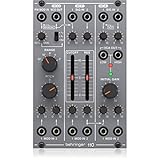
- amazing vco/vcf/vca module from the '80s
- "authentic reproduction of original "system 100m" circuitry"
- complete synth voice with internal patched signal flow for ease of use
- vco features 3 selectable waveforms (triangle, ramp and square with pwm)
- vco offers pitch control over a wide range plus 1 audio output and 2 cv inputs
Eurorack pitch CV
        ↓
Input protection and scaling
        ↓
RP2040 ADC
        ↓
Pitch calculation and oscillator engine
        ↓
PWM, DAC, or other digital output
        ↓
Low-pass filtering and buffering
        ↓
Eurorack audio output
The exact pin assignments, waveform algorithm, output method, component values, operating range, and calibration procedure must come from the creator’s current schematic and firmware. The project video is the primary reference for the advertised design and features: HAGIWO’s RP2040/XIAO VCO project.
Raspberry Pi does not mean a Raspberry Pi computer
A Raspberry Pi 4, Pi Zero, or similar computer runs an operating system. An RP2040 is a microcontroller intended for real-time embedded control. The Seeed Studio XIAO RP2040 is a small development board built around that RP2040 chip.
That distinction matters. This build does not run Linux, a desktop synthesizer application, or a conventional Raspberry Pi audio stack. It runs firmware directly on the microcontroller, making it compact and responsive but also dependent on the quality of its oscillator code, ADC handling, timing, filtering, and calibration.
What’s actually slowing this PC down?
Pick the symptom - the matching free tool is one click away.
Seeed’s documentation identifies the board as RP2040-based and documents Arduino, MicroPython, and CircuitPython support. It also provides board design resources through the XIAO RP2040 documentation.
Why use the Seeed XIAO RP2040?
The XIAO provides a compact, preassembled RP2040 board instead of requiring a larger Pico-style board or a custom RP2040 design. It is suitable for a small Eurorack module and exposes analogue-capable and digital I/O for controls, CV inputs, and signal generation.
Seeed’s product page listed the XIAO RP2040 at $3.99, with a displayed quantity price of $3.50 for orders of 10 or more when checked. Prices, stock, regional taxes, and shipping can change, so that figure should not be treated as a permanent worldwide price.
The XIAO family includes boards based on several different microcontrollers. Confirm that the board is specifically the XIAO RP2040, not a SAMD21, ESP32-C3, RP2350, or another XIAO variant. The family overview and official design resources are available from Seeed’s XIAO documentation.
Rank #2
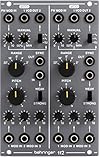
- amazing dual vco module from the '80s
- authentic reproduction of original system 100m circuitry
- each vco features 3 selectable waveforms: triangle, sawtooth and square with pwm
- pwm can be simultaneously controlled manually and via external cv input
- each vco offers pitch and range controls, 2 audio outputs and 3 cv inputs
Advertised features and what remains to be verified
The creator describes the module as a multimode VCO with:
- Digital sound generation on the RP2040.
- Wavefolding.
- Frequency modulation.
- Amplitude modulation.
- Eurorack-oriented controls and CV connections.
Those are project features, but the video title alone does not establish performance specifications. Do not assume a particular frequency range, sample rate, noise floor, octave accuracy, current draw, panel width, or waveform distortion unless the current project files document or measure it.
Likewise, “VCO” describes the intended modular function, not the internal circuit topology. An analogue VCO normally uses analogue integrators, comparators, exponential converters, and waveform-shaping circuits. This design calculates or times the waveform digitally and then needs analogue circuitry to make that signal usable in a Eurorack system.
The $9 claim needs context
The advertised low price is a useful indication that the controller and basic electronics can be inexpensive. It is not a reliable price for a complete, finished Eurorack module.
A full build may require:
- Seeed Studio XIAO RP2040.
- PCB, stripboard, or perfboard.
- Panel and mounting hardware.
- Potentiometers, switches, knobs, and 3.5 mm jacks.
- Resistors, capacitors, protection components, and decoupling parts.
- Op-amps or buffer stages.
- Output filtering.
- Eurorack power header and keyed cable.
- Voltage regulation and reverse-polarity protection.
- Shipping, tools, test equipment, and the Eurorack case or power supply.
The XIAO’s price is only one line in that bill of materials. Treat “$9” as a low-cost project headline, not as the guaranteed total cost of an assembled module.
The critical electrical warning: the XIAO is not Eurorack-ready by itself
The RP2040 operates with 3.3 V logic. Seeed warns that voltages above 3.3 V applied to general-purpose I/O pins may damage the chip. Eurorack signals can be higher than that and may also be bipolar.
Never connect a raw Eurorack CV, gate, or audio signal directly to a XIAO pin unless the project’s verified interface circuit explicitly makes it safe.
Rank #3

- 14HP Eurack Voltage Controlled Oscillator: Vintage-sounding 921 VCO module from the 70s
- Connectivity Technology: No connectivity technology
- Item Weight: 0.52 pounds
- Number of Channels: 6
- Item Type Keyword: Synthesizer module
The analogue front end generally needs some combination of:
The Tool Desk
Outbyte PC Repair FREEClear out junk files and repair common Windows errorsFree Scan →Outbyte Driver Updater FREEFix the driver behind crashes, sound loss and screen glitchesFind Drivers →- Resistor dividers to scale incoming voltages.
- Offset circuitry for negative or bipolar signals.
- Current limiting and clamping.
- Filtering and ADC protection.
- Buffering with an appropriate op-amp.
- A stable reference and a well-defined analogue ground.
Before connecting the XIAO, measure the voltage at the protected ADC pin with a multimeter across the entire expected input range. The safe input range, resistor values, CV polarity, and protection topology must match the current schematic. Seeed’s XIAO RP2040 hardware documentation should be treated as the board-level electrical reference.
1 V/octave pitch control
In a conventional Eurorack pitch system, a 1 V increase represents one octave. The oscillator therefore needs to convert incoming CV into exponential frequency changes:
frequency = reference_frequency × 2^(CV / 1 V)One semitone is approximately 83.33 mV. The RP2040 does not automatically understand that convention. The input circuit must scale and protect the CV, while firmware must convert the ADC reading into a calibrated pitch value.
Calibration should correct at least two separate errors:
- Offset error: the oscillator is wrong at the starting note.
- Scale error: the pitch becomes increasingly sharp or flat as octaves rise.
A practical calibration routine is:
- Apply a known pitch CV and tune the base note.
- Increase the input by exactly 1 V.
- Adjust the analogue gain or software scale until the frequency rises exactly one octave.
- Repeat at another octave.
- Check several octaves, then repeat after the module has warmed up.
This does not prove perfect tracking. ADC resolution, reference stability, resistor tolerances, firmware quantization, temperature, and the source CV can all affect accuracy.
Output method: verify the DAC or PWM circuit
The project’s output method should be confirmed from its current schematic and source code. Possible approaches include PWM followed by a low-pass filter, an external DAC, I²S hardware, or another digital-to-analogue arrangement.
Rank #4

- Two full oscillator voices
- Pulse, square, triangle, and sawtooth waves
- 2 LFOs with pulse, square, saw, triangle and ramp shapes
- Envelope, filter, sample and hold
- 1V/O input with course and fine-tune controls
If the design uses PWM, the carrier frequency and filter are important. Residual PWM ripple can produce audible whine, while an overly aggressive filter can attenuate high-frequency waveforms. Resolution and timing can also affect waveform shape, modulation, and aliasing.
The microcontroller output should not be treated as a complete Eurorack output stage. The final circuit may need filtering, gain, DC-offset management, buffering, short-circuit protection, and a defined output range. Check the output with an oscilloscope or audio interface before patching it into other equipment.
Recommended Free Tools
Hardware checklist
Use the original project files to replace this category-level checklist with verified part numbers and values:
- XIAO RP2040 board.
- Custom PCB, stripboard, or perfboard.
- Eurorack panel and mounting hardware.
- Jacks and front-panel controls.
- CV input scaling and protection components.
- Audio output filter and buffer.
- Power header, keyed cable, regulation, and protection.
- Decoupling capacitors and analogue passives.
Confirm the exact op-amps, power rails, input voltage limits, output amplitude, modulation polarity, AC/DC coupling, current draw, panel width, and calibration trimmers from the current schematic rather than copying assumptions from another RP2040 Eurorack project.
Firmware installation
The project video indicates that source code and schematics are available through its documentation links. Because project repositories and upload procedures can change, use the creator’s current instructions for the exact firmware, board package, libraries, pin definitions, license, and build commands.
A safe generic workflow is:
- Confirm that the board is a XIAO RP2040.
- Install the development environment specified by the project.
- Install the required RP2040 board support or toolchain.
- Select the XIAO RP2040 board variant.
- Connect the board with a known data-capable USB cable.
- Enter bootloader mode using Seeed’s documented procedure if required.
- Upload the firmware and verify the expected USB or serial behaviour.
- Bench-test the oscillator before attaching Eurorack power or external CV.
Do not assume that an Arduino upload procedure applies to a MicroPython or UF2-based build. Seeed documents programming and bootloader behaviour in the official board guide.
Quick wins for a faster PC:
Repair Windows errors before they cause bigger problemsFix Now →Scan for outdated or missing drivers - takes under a minuteDriver Scan →Recommended build and testing sequence
1. Verify the controller
Upload a minimal test program, confirm USB enumeration, identify the intended ADC and output pins, and verify that the board produces 3.3 V logic levels.
Best Value

- Authentic reproduction of original "System 100M " circuitry
- 2 lowpass filters feature cutoff frequency and resonance controls
- Each filter comes with 3 audio inputs and 3 CV inputs with attenuator
- Each VCF features a additional switchable 3-mode high pass filter
- Amazing Dual VCF module from the 80's
2. Test the oscillator on the bench
Run the firmware without connecting Eurorack CV. Observe the output with an oscilloscope or audio interface. Test waveform selection, frequency changes, controls, DC offset, clipping, and modulation.
3. Test the analogue interface separately
Apply known, current-limited voltages. Measure the voltage arriving at each XIAO input. Confirm that positive and negative input conditions remain within the protected range. Check the output filter, buffer, and jack wiring.
4. Integrate Eurorack power cautiously
Verify polarity, rail connections, regulation, grounding, and current draw. Use a current-limited supply for first power-up and stop immediately if a component heats unexpectedly or the supply current is excessive.
Do these 3 things before closing this tab:
1Fix the driver behind crashes, sound loss and screen glitches2Repair Windows errors before they cause bigger problems3Scan for outdated or missing drivers - takes under a minute5. Calibrate and document
Record the base tuning, octave scale, operating range, warm-up behaviour, and any limitations. A calibrated test result is more useful than a claim that the oscillator “tracks perfectly.”
Common problems
| Symptom | Likely checks |
|---|---|
| No USB connection | Try a data-capable cable, re-enter bootloader mode, confirm the board variant, and install the correct board support. |
| No audio | Check the firmware upload, output pin, filter values, op-amp supply, jack ground, jumpers, and solder bridges. |
| Weak or distorted audio | Inspect output gain, clipping, coupling capacitors, PWM ripple, filter values, and the load presented by the next module. |
| Pitch fails to track | Check CV scaling, offset, ground, ADC reference, calibration constants, input polarity, and whether the source really uses 1 V/octave. |
| Correct at one octave but wrong across several | This is usually a scale or gain error, not merely a base-tuning error. |
| Modulation clips or runs backward | Check CV polarity, attenuator wiring, input offset, ADC limits, and the firmware’s sign convention. |
| Digital whine | Investigate PWM leakage, inadequate filtering or decoupling, USB-ground noise, long wires, and shared digital/analogue return currents. |
Advantages and limitations
This project makes sense if you want a compact, inexpensive platform for learning embedded audio, Eurorack interfacing, firmware, modulation, and digital waveform generation. Firmware can add or change features more easily than a fixed analogue circuit, and wavefolding or modulation can be implemented without adding a complete analogue oscillator core.
The trade-offs are equally important:
- Digital oscillators can exhibit quantization, aliasing, timing limitations, or PWM artefacts.
- Pitch accuracy depends on analogue scaling, ADC behaviour, references, firmware, and calibration.
- The module’s output quality depends heavily on filtering and buffering.
- Documentation may be creator-specific rather than maintained like a commercial product.
- The final cost and build time are higher than the controller-board price suggests.
There is no evidence in the supplied project material to claim a particular noise floor, tracking range, sample rate, distortion figure, or studio-quality performance.
Alternatives
Allen Synthesis EuroPi
EuroPi is an open-source, reprogrammable Eurorack platform based on the Raspberry Pi Pico and programmed in MicroPython. It is not the HAGIWO VCO and does not automatically reproduce its wavefolding, FM, or AM implementation, but it may suit readers who want a broader programmable module. Its repository also makes clear that DIY recreation carries construction risk and points readers toward supported hardware and kits.
PC Slower Than It Used to Be?
A free scan shows the junk files, broken settings and background clutter dragging Windows down - then fixes them in one click.Free scan · Windows 10 & 11Crashes, No Sound, or Screen Glitches?
Random freezes, missing sound and display glitches usually trace back to one bad driver. Find and replace yours safely.Free scan · under a minuteCommercial digital oscillators
A finished commercial module is a better choice when you need documented performance, factory calibration, support, warranty coverage, and a ready-made panel and PCB. For context, 1V/OCT’s Centre is described as a 16 HP wavetable-based complex oscillator with multiple V/OCT inputs and DC-coupled outputs. It is not a direct substitute or sound-quality comparison, but it illustrates the greater integration available from a commercial design.
Verdict
HAGIWO’s XIAO RP2040 VCO is a compelling low-cost DIY project for technically comfortable builders. It demonstrates how an inexpensive microcontroller can become the core of a flexible Eurorack oscillator with wavefolding and modulation.
It is not, however, a complete $9 Eurorack module, a full Raspberry Pi computer project, or an automatically calibrated precision VCO. The most important work is around the XIAO: safe CV scaling, analogue output conditioning, power protection, firmware installation, measurement, and calibration. Build it if the learning and experimentation are part of the goal; choose a documented commercial oscillator if predictable performance matters more than construction.
Quick Recap
Product prices and availability are accurate as of the date/time indicated and are subject to change. Any price and availability information displayed on Amazon at the time of purchase will apply.
Free tools Windows power users keep installed
One-click scans. No signup required.

