Some links on this page are affiliate links: if you buy through them we may earn a commission, at no extra cost to you.
結論:Dell OptiPlex Micro Plus 7020は、Windows 11 Pro、管理機能、保守性、省スペース性を重視する法人・SOHO向けの小型デスクトップです。第14世代Intel CoreによるCPU性能は高い一方、内蔵GPUは控えめで、高負荷時の発熱やファン音も構成によって確認が必要です。
Office、ブラウザー、Web会議、開発、軽い仮想環境には向いていますが、ゲーム、3D制作、GPU処理、自由なパーツ増設を目的にするなら、ASUS NUCやミニタワーの方が合理的な場合があります。
OptiPlex Micro Plus 7020とは
OptiPlex Micro Plus 7020は、第14世代Intel Coreプロセッサーを搭載できる法人向けの超小型デスクトップです。Core i3からCore i9まで幅広いCPU構成が用意され、35WのTシリーズを選べる構成と、より高い電力枠のCPUを選べる構成があります。
What’s actually slowing this PC down?
Pick the symptom - the matching free tool is one click away.
ただし、「OptiPlex 7020 Micro」「OptiPlex Micro Plus 7020」という表記は販売ページや資料によって揺れます。同じ7020でも、CPU、メモリ、SSD、無線LAN、追加ポート、電源アダプター、保証内容が異なるため、型番だけで性能や拡張性を判断するのは危険です。購入時は注文画面の構成とサービスコードを確認してください。
#1 Best Overall

- DISCLOSURE - Brand New Computer has been resealed to upgrade Memory/SSD. 1 Year warranty by Issaquash Highlands Tech.
- TINY YET POWERFUL - The Dell Pro Micro Plus is the AI enhanced evolution of the OptiPlex 7020 Micro Plus, delivering efficient performance in an extremely small design. Weighing just 2.71 lbs, it is 1/4 the weight of its SFF version and 96% smaller than a traditional desktop, allowing it to fit where larger PCs cannot and helping save valuable workspace. Built for reliability, all Dell Pro desktops are tested to military grade standards to adapt to a wide range of office environments.
- HIGH-PERFORMANCE COMPUTING - Powered by an Intel Core Ultra 7 265 processor with integrated Intel Graphics, the Dell Pro Micro Plus delivers power‑efficient performance for demanding workloads, supported by built‑in AI acceleration for modern computing tasks. Configurable with memory options from 16GB to 64GB DDR5 RAM and storage options from 512GB to 2TB M.2 NVMe PCIe SSD, enabling smooth multitasking and fast loading across a wide range of applications.
- RICH CONNECTIVITY OPTIONS - Equipped with two USB‑C and six USB‑A ports, along with three DisplayPorts, Headset Jack and Ethernet for flexible device connections. Supports three external monitors via DisplayPort, max resolution up to 4K@60Hz. Built‑in Wi‑Fi 6E and Bluetooth ensure fast, stable wireless connectivity.
- OPERATING SYSTEM - Built with Windows 11 Pro 64‑bit with AI Copilot, it supports AI‑assisted workflows for everyday business operations, task organization, and collaboration. Advanced security features and enterprise‑level management tools help protect data and simplify device administration, delivering a secure and efficient computing experience for modern workplaces.
対応CPUの詳細は、Dell公式スペックシートで確認できます。
サイズと設置性
本機の最大の魅力は、ミニタワーより机上の占有面積を大幅に抑えられることです。縦置き・横置きのほか、対応スタンドを使えばVESA対応モニターの背面に固定でき、モニター一体型に近い設置も可能です。
一方で、外付け電源アダプターがあるため、必要なスペースは本体の体積だけではありません。モニター背面に取り付けると電源ボタンや前面USB端子へアクセスしにくくなる点、背面の排熱をふさがない点にも注意が必要です。スタンドやマウントの対応状況は、公式資料で確認してください。
The Tool Desk
Outbyte PC Repair FREEClear out junk files and repair common Windows errorsFree Scan →Outbyte Driver Updater FREEFix the driver behind crashes, sound loss and screen glitchesFind Drivers →CPU性能:事務作業から開発まで対応
Office、ブラウザー、Web会議といった用途では、Core i3でも十分な性能が期待できます。複数のアプリを同時に使う、コンパイルする、DockerやWSLを動かすといった用途ではCore i5以上と32GBメモリの組み合わせが現実的です。
StorageReviewが検証したCore i7-14700、DDR5 16GB、SSD 1TB構成では、Geekbench 6がシングルコア2,858、マルチコア17,116、Cinebench 2024がシングルコア120、マルチコア1,007でした。これは強力なCPU構成の実測値であり、Core i5-14500TやCore i7-14700Tなど別構成の結果としてそのまま使うことはできません。
StorageReviewのレビューでも、CPU処理では同世代の小型PCに対して優位性が確認されています。
| CPU構成の目安 | 向く用途 | 注意点 |
|---|---|---|
| Core i3-14100T | 文書作成、受付端末、軽いブラウジング | 長期的なマルチタスクでは余裕が少ない |
| Core i5-14500T | 一般業務、開発、複数アプリ | 価格と性能のバランスがよい候補 |
| Core i5-14600T | CPU負荷の高い業務 | 35W版より発熱・消費電力を確認 |
| Core i7-14700T | コンパイル、仮想マシン、重いマルチタスク | 冷却、ファン音、価格に注意 |
| Core i9-14900T | 小型筐体でCPU性能を優先する用途 | 持続性能を確認せず無条件には推奨しにくい |
この表はCPUの位置付けを示す目安であり、各構成の実測値ではありません。実際の購入可否は地域や販売時期によって変わります。
Recommended Free Tools
Rank #2
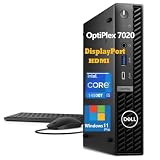
- ⚡ 14TH GEN INTEL POWERHOUSE: Intel Core i5-14500T processor with 14 cores (6 Performance + 8 Efficiency), 20 threads, 24MB cache, turbo boost up to 4.8GHz. Delivers exceptional performance for business applications, data analysis, video conferencing, content creation, and seamless multitasking. Perfect for professionals who demand desktop-class power in a compact form factor. Handles resource-intensive workloads with ease while maintaining energy efficiency at just 35W TDP.
- 🚀 LIGHTNING-FAST MEMORY & STORAGE: 16GB DDR5 RAM (upgradeable to 64GB) provides 50% faster speeds than DDR4 for superior multitasking and application responsiveness. 512GB PCIe NVMe Gen 4 SSD ensures sub-10-second boot times, instant application launches, and rapid file access. Ample storage for business-critical data, large files, and applications. Expandable storage options available. Experience zero lag when running multiple programs, browser tabs, and virtual machines simultaneously.
- 🔌 PREMIUM CONNECTIVITY & MULTI-DISPLAY: WiFi 6E (6GHz band) delivers 3x faster wireless speeds with reduced latency. Bluetooth 5.3 for wireless peripherals. Triple display support via Dual DisplayPort 1.4a + HDMI 2.0 for three 4K monitors simultaneously—ideal for traders, designers, and data analysts. Multiple USB-A 3.2 ports, USB-C 10Gbps (front), and Gigabit Ethernet ensure versatile connectivity. Connect all your devices without dongles or adapters for maximum productivity.
- 💼 ULTRA-COMPACT SPACE-SAVING DESIGN: Micro form factor (7.2"×7.2"×1.4", 2.4 lbs) saves 96% desk space versus traditional towers while delivering full desktop performance. VESA mountable behind monitors for invisible setup. Whisper-quiet operation (<22dB) won't disrupt meetings or focus. Energy-efficient design reduces electricity costs. Perfect for offices, home workstations, healthcare facilities, education labs, retail POS systems, and space-constrained environments. Tool-less access for easy upgrades.
- 🔒 WINDOWS 11 PRO BUSINESS READY: Enterprise-grade security with TPM 2.0, BitLocker encryption, Windows Hello, and Secure Boot protect sensitive data. Remote Desktop, Hyper-V virtualization, and advanced management tools for IT administrators. Dell commercial reliability with rigorous testing for 24/7 operation. Ideal for IT managers, SMBs, financial services, healthcare, education, government, and professionals requiring secure, manageable, and dependable computing. USB Black Wired Mouse and USB Black Wired Keyboard included.
内蔵GPUとゲーム性能
7020は専用GPUを搭載する一般的なデスクトップではなく、Intel内蔵GPUを使う構成が中心です。動画再生、軽い画像処理、複数ディスプレイ出力には対応できますが、最新の3Dゲーム、GPUレンダリング、ローカル生成AIには向きません。
StorageReviewでは、Intel UHD Graphics 770のGeekbench GPUスコアが8,317だったのに対し、ASUS NUC 14 ProのIntel Arc Graphicsは33,758でした。同じ小型PCでも、CPU処理はOptiPlex、GPU処理はNUCが有利という方向性の違いが明確です。
「Core i7だからゲームも快適」とは限りません。ゲームや3D用途が主目的なら、内蔵GPU性能の高いミニPC、または専用GPUを搭載できるSFF・ミニタワーを選ぶべきです。
メモリとSSDの交換・増設
メモリはDDR5 SO-DIMMを使用し、2枚構成と最大64GB級の仕様が確認されています。SSDはM.2 PCIe SSDに対応し、M.2 2280 SSDの搭載手順がオーナーズマニュアルに記載されています。
Do these 3 things before closing this tab:
1Fix the driver behind crashes, sound loss and screen glitches2Repair Windows errors before they cause bigger problems3Scan for outdated or missing drivers - takes under a minuteただし、空きスロット、SSD用ブラケットやケーブル、無線LANの搭載状況は個体や販売構成によって異なる可能性があります。「最大仕様」と「購入した個体で実際に増設できるか」は分けて確認してください。詳しい分解方法はDellオーナーズマニュアルに掲載されています。
- 8GB:軽作業専用。新規購入では避けたい容量です。
- 16GB:一般的な事務作業の最低ライン。
- 32GB:開発、ブラウザー大量起動、画像編集、仮想マシンに適しています。
- 64GB:業務用仮想環境や大量データ処理向け。ただし価格と冷却を確認します。
メモリは同容量2枚のデュアルチャネル構成が有利です。SSD交換前にはバックアップまたは回復ドライブを作成し、BitLockerを有効にしている場合は回復キーを保存しておきましょう。分解と保証の関係は地域・契約条件によって異なります。
ポートとディスプレイ出力
前面・背面にはUSB 3.2 Gen 2(10Gbps)を含む構成がありますが、USB Type-Cの機能、映像出力端子、追加ポートの有無は構成差があります。USB-Cが付いていても、映像出力、給電、Thunderbolt対応を意味するとは限りません。
Rank #3
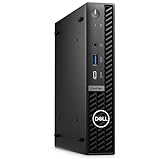
- Dell OptiPlex 7000 7020 Desktop Computer, Intel Core i5 14th Gen i5-14500 Tetradeca-core (14 Core) 1.70 GHz Processor
- 512GB SSD enables you to store thousands of files, 16GB DDR4 2933MHz Memory
- Intel HD Graphics 770, 802.11a/b/g/n Wi-Fi | Bluetooth, Built-in DisplayPort, HDMI, and VGA ports for lightning data movement speed output to connect to TVs or multiple displays for stunning HD entertainment
- Use 2 x USB 3.2 Gen 2, 3 x USB 3.2 Gen 1, 1 x USB Type-C 3.2 Gen 1, and 3 x USB 3.2 Gen 1 ports for lightning data movement speed, Dimensions (W x H x D) 7" x 7.2" x 1.4", Weight 7.5lbs
- Gigabit Ethernet, Windows 11 Pro
複数モニターを接続する場合は、注文時のDisplayPort、HDMIなどの端子数と、希望する解像度・リフレッシュレートを確認してください。無線LANとBluetoothも標準とは限らないため、中古品では特に注意が必要です。
Quick wins for a faster PC:
Scan for outdated or missing drivers - takes under a minuteDriver Scan →Repair Windows errors before they cause bigger problemsFix Now →Fix the driver behind crashes, sound loss and screen glitchesFind Drivers →ポート構成はDellのシステムガイドと購入予定構成を照合してください。
発熱・ファン音・長時間性能
高性能CPUを小型筐体に搭載できる反面、短時間のベンチマークだけで持続性能や静音性を判断することはできません。35WのTシリーズは発熱を抑えやすい一方、65W級CPUは短時間性能に優れる反面、長時間負荷で温度やファン音が問題になる可能性があります。
価格.comのユーザー投稿では、事務作業には十分という評価の一方、高負荷時の発熱や拡張性の少なさが指摘されています。Redditにも温度上昇やサーマルスロットリングに関する個人報告がありますが、CPU、室温、設置状態が統一された測定ではないため、全個体に一般化できません。
購入後やレビュー時に確認したいのは、アイドル時、Web会議中、Cinebench 2024を10分・30分実行したときの温度、ファン音、CPUクロック、スコア低下です。縦置きと横置き、吸気口をふさいだ場合、BIOSのサーマル設定でも結果は変わります。
したがって、「法人向けだから静か」「Core i7なら高負荷でも性能が続く」とは断定できません。
Independent reader supportYour contribution helps us test, update, and keep practical guides available for everyone.法人向け機能とセキュリティ
個人向けミニPCとの差は、CPU性能だけでなく運用面にあります。Windows 11 Pro、TPM、BIOS管理、Dellの管理ツール、ポート制御、筐体ロック、ドライバー配布、オンサイト保守などを構成や契約に応じて利用できます。
Rank #4
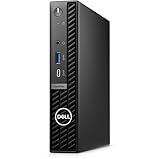
- Stay productive without taking up too much space with the Dell OptiPlex 7020 Micro Form Factor Desktop Computer. You can connect to 3 simultaneous displays with up to 4K resolution via 1 HDMI and 2 DisplayPorts. At the center of the OptiPlex is a 14th Gen Intel Core i5-14500T processor, 14C (6P + 8E) / 20T, P-core 1.7 / 4.8GHz, E-core 1.2 / 3.4GHz, 24MB, makes it easy to conduct your essential daily tasks at the office, at home, and anywhere else between.
- The Intel UHD Graphics 770 gives you clear and smooth visuals. You get incoming and outgoing video support with 2 DisplayPorts 1.4a, and 1 HDMI 1.4b ports. You can also connect a wide range of peripherals to the OptiPlex thanks to the USB-C 3.2 Gen 2x2, USB-A 3.2 Gen 2, and USB-A 3.2 Gen 1 ports.
- RAM: 16GB DDR5 Memory for effortless multitasking and handling multiple browser tabs; Hard Drive: 512GB (256GB + 256GB) M.2 PCIe NVMe SSD for quick boot times and speedy data transfers. Optical Drive: No.
- Wi-Fi 6E AX211, 2x2, 802.11ax and Bluetooth. Front: 1x Universal Audio Port, 1 USB 3.2 Gen 1 (5 Gbps) Type-A Port with PowerShare, 1 USB 3.2 Gen 2x2 (10 Gbps) Type-C Port; Rear: 1 RJ-45 Ethernet Port, 1 USB 2.0 Type-A Port (480 Mbps), 1 USB 2.0 Type-A Port (480 Mbps) with SmartPower On, 2 USB 3.2 Type-A Gen 1 (5 Gbps) Ports, 2 DisplayPort 1.4a Ports, 1 HDMI 1.4b Port, 1 Power Adapter Port.
- Operating System: Windows 11 Professional, English. The whisper-quiet and ultra-small OptiPlex 7020 MFF fits easily into most small bags, making it the right choice for desktop users who need to move between the home and office. Mount it behind a compatible monitor. can fit into tight workspaces, brought on location, and carried on commutes.
日本向け販売ページでは、Windows 11 Pro、Core i5-14500T vPro、ProSupport Plus、オンサイト保守を含む構成例が確認できます。ただし、vProは対応CPUと購入構成に依存し、7020の全モデルに標準搭載される機能ではありません。保証期間、対応地域、修理条件も契約内容で変わります。
同一構成を複数台導入し、BIOSやドライバー管理、保守窓口をまとめたい企業には、この運用価値があります。一方、これらを使わない個人にとっては、一般的なミニPCより割高になりやすいでしょう。
Crashes, No Sound, or Screen Glitches?
Random freezes, missing sound and display glitches usually trace back to one bad driver. Find and replace yours safely.Free scan · under a minuteWindows Errors? Fix Them Before They Spread
Repair common Windows errors and clear accumulated junk for a smoother, more stable PC - no reinstall needed.Free scan · no reinstall初期設定で確認したい項目
- Windows Updateを実行する。
- DellのサポートページやSupportAssistでドライバーとBIOSを確認する。
- デバイスマネージャーに不明なデバイスがないか確認する。
- BitLockerの回復キーをMicrosoftアカウントまたは組織の管理下に保存する。
- メモリ容量、SSD容量、Wi-Fi、Bluetoothを確認する。
- 複数ディスプレイ、音声、Web会議をテストする。
- 電源、スリープ、Wake on LANなどのBIOS設定を確認する。
画面名やBIOS項目はバージョン、Windowsエディション、組織ポリシーによって異なる場合があります。
競合製品との違い
| 製品カテゴリー | OptiPlex 7020との違い |
|---|---|
| ASUS NUC 14 Pro | 構成によって内蔵GPU性能が高く、個人向けの小型高性能PCとして有力。OptiPlexは法人管理・保守で優位。 |
| ASUS NUC 13 Pro | 旧世代でも価格と構成次第で競合。CPU世代、メモリ、SSD、GPU機能をそろえて比較したい。 |
| Lenovo ThinkCentre Tiny | 同じ法人向け小型PC。冷却、交換性、BIOS管理、保証、設置アクセサリーを比較する。 |
| HP Pro Mini | 法人サポートと小型筐体を重視する競合。ポート、保守、メモリ交換性を確認する。 |
| ミニタワー・SFF | 専用GPU、PCIeカード、大容量ストレージを増設しやすい。設置性や省電力ではMicroが有利な場合がある。 |
価格や販売構成は地域・時期で変動するため、単純な価格ランキングではなく、保証や管理機能を含めて比較してください。
メリットとデメリット
メリット
- 机上やモニター背面に設置しやすい。
- 第14世代CoreによるCPU性能を選べる。
- Windows 11 Proや法人向け管理機能を利用できる。
- メモリとM.2 SSDを交換・増設できる余地がある。
- 企業向け保証やオンサイト保守を選択できる。
デメリット
- Intel内蔵GPU中心で、ゲームや3D処理には弱い。
- 高性能CPU構成では発熱・ファン音・持続性能の確認が必要。
- 専用GPU、PCIeカード、複数の大型ドライブは増設できない。
- 同じ7020でも構成差が大きく、製品選びが難しい。
- 法人向けオプションや保守を付けると価格が上がる。
- 外付け電源アダプターの設置場所が必要。
おすすめ構成と購入時の確認事項
事務作業だけならCore i3またはCore i5で足ります。最も無難なのは、Core i5-14500Tと32GBメモリの組み合わせです。コンパイル、仮想マシン、重いマルチタスクを重視するならCore i7が候補になりますが、冷却とファン音の実測を確認してください。Core i9は価格と持続性能を確認できる場合に限って検討するのが安全です。
購入前には、CPUの型番、35Wまたは65W級か、メモリの枚数、SSD容量と規格、無線LAN、映像出力、電源アダプター、Windowsエディション、保証期間を確認します。中古・リース落ち品では、Windowsライセンス、電源アダプター、SSDの状態、Wi-Fiカード、保証残存期間も確認してください。
Free tools Windows power users keep installed
One-click scans. No signup required.
日本のDell販売ページでは構成や在庫が変動し、一部構成が品切れ表示になることもあります。固定価格で判断せず、確認日、CPU、メモリ、SSD、保証をそろえて比較するのが適切です。
最終評価
Dell OptiPlex Micro Plus 7020は、単に「最も速いミニPC」ではありません。評価すべき本質は、超小型筐体、法人向けの管理性、Windows Pro、保守契約、交換可能なメモリ・SSDを組み合わせられることです。
Office、ブラウザー、Web会議、開発、業務用仮想環境を省スペースで運用したい企業やSOHOには有力です。一方、ゲーム、GPU処理、完全に近い静音性、自由な拡張性を求める個人には、ASUS NUC系やミニタワーの方が適しています。購入時は「7020」という名称ではなく、実際のCPU・メモリ・SSD・ポート・保証構成で判断してください。
Quick Recap
Product prices and availability are accurate as of the date/time indicated and are subject to change. Any price and availability information displayed on Amazon at the time of purchase will apply.

