Some links on this page are affiliate links: if you buy through them we may earn a commission, at no extra cost to you.
Verdict: The Dell OptiPlex 3010 is still useful as an extremely low-cost office, web, media, retro-gaming, or Linux computer—especially with a Core i5 processor, 8 GB of RAM, and a SATA SSD. It is not a sensible long-term Windows PC, modern gaming system, or demanding workstation. The Mini Tower is the version worth considering for upgrades; the Desktop and Small Form Factor models are much more restrictive.
Itechguides’ review remains helpful as a snapshot of one Mini Tower configuration, but its conclusions need updating for 2026. The $155 price was reported in June 2021, not a current market value, and its graphics-card, storage, noise, and performance observations should not be applied automatically to every OptiPlex 3010.
What is the Dell OptiPlex 3010?
The OptiPlex 3010 is a business desktop platform from around 2012, based on Intel’s H61 chipset and second- or third-generation Intel processors. Dell sold it with Core i3, Core i5, Pentium, and Celeron CPUs, integrated Intel graphics or optional low-end AMD graphics, DDR3 memory, and Windows 7-era operating-system options. Dell’s original specification sheet confirms that the model was offered in Mini Tower, Desktop, and Small Form Factor chassis.
What’s actually slowing this PC down?
Pick the symptom - the matching free tool is one click away.
That distinction matters. “OptiPlex 3010” does not describe one exact computer. A used listing may contain a slow Celeron, a reasonable Core i5-3450, a mechanical hard drive, an SSD, 4 GB or 8 GB of RAM, and a very different expansion layout. Always identify the exact CPU, chassis, memory, storage, power supply, and operating system before judging the machine.
#1 Best Overall

- This Certified Refurbished product is tested and certified to look and work like new. The refurbishing process includes functionality testing, basic cleaning, inspection, and repackaging. The product ships with all relevant accessories, a minimum 90-day warranty, and may arrive in a generic box. Only select sellers who maintain a high-performance bar may offer Certified Refurbished products on Amazon.com.
- Dell Optiplex 3050 SFF Desktop computer PC, Intel Quad Core i5-6500 up to 3.6GHz, 16GB DDR4, 256GB SSD
- Includes: USB Keyboard & Mouse, USB WiFi adapter, Microsoft office 30 days free trail.
- Port: Front: USB 3.0(2), USB 2.0(2); Rear: DP, HDMI, USB 3.0(2), USB 2.0(2), RJ-45.
- Support 4K (3840x2160) Dual display, makes it easy to connect two monitors at the same time, and you can expand working Windows, mirror content, or expand a single window across multiple monitors.
Dell OptiPlex 3010 specifications
| Component | Specification or limitation |
|---|---|
| Release era | Approximately 2012 |
| Chipset | Intel H61 Express |
| Processors | Second- and third-generation Intel Core, Pentium, and Celeron options |
| Memory | Two non-ECC DDR3 DIMM slots; Dell specifies up to 8 GB |
| Storage | SATA, specified by Dell as 3.0 Gb/s; originally available with up to a 1 TB 7,200-RPM hard drive |
| Graphics | Intel HD Graphics 2500/4000 on relevant Ivy Bridge systems, older Intel graphics on some configurations, or optional AMD Radeon HD 7470/7570 |
| External USB | Eight USB 2.0 ports: two front and six rear |
| Video outputs | VGA and HDMI listed by Dell; exact capability depends on the installed graphics configuration |
| Chassis | Mini Tower, Desktop, and Small Form Factor |
Chassis comparison: Mini Tower versus Desktop versus SFF
| Chassis | Approximate dimensions | Upgrade outlook |
|---|---|---|
| Mini Tower | 14.2 × 6.9 × 16.4 inches | Best choice for full-height expansion cards, additional drives, and easier cooling |
| Desktop | 14.2 × 4.0 × 16.1 inches | More restricted; verify card height, length, airflow, and power requirements |
| Small Form Factor | 11.4 × 3.7 × 12.3 inches | Requires compatible low-profile cards and has the tightest power and cooling limits |
Itechguides primarily reviews a Mini Tower. Its comments about internal room and graphics upgrades therefore do not automatically apply to the slimmer Desktop or SFF versions.
The Mini Tower is the most attractive model for a DIY buyer, but it is still an old business chassis. Inspect the side panel, drive cages, front-panel tabs, expansion-slot covers, power-supply label, and internal dust. Missing brackets or proprietary drive hardware can make an apparently cheap system more expensive to complete.
The case is sturdy in the typical business-desktop sense, but describing the entire chassis as aluminum would be too broad. Dell’s official documentation confirms the formats and dimensions, not a universal aluminum construction claim.
Ports and connectivity
The 3010 has enough connectivity for basic office use: eight external USB 2.0 ports, wired Ethernet, VGA, HDMI, front headphone and microphone connections, and rear audio connections. Optional serial, parallel, or USB 3.0 expansion was available depending on the configuration and installed cards. See Dell’s setup and features guide for the documented layout.
In 2026, however, USB 2.0 is a major limitation for external SSDs and fast peripherals. Wi-Fi was not a standard feature in the base specification, so wireless networking normally requires a USB adapter or PCIe card. VGA is also an analog legacy output, and monitor compatibility depends on the installed graphics hardware.
Processor performance
The processor determines whether a used 3010 feels merely tolerable or reasonably usable. Celeron and Pentium versions are best reserved for simple kiosks, lightweight Linux, retro systems, or very basic browsing. A Core i3 can handle office work and ordinary browsing with an SSD, but multitasking is limited. A Core i5-3450 is the configuration to prefer, although it remains an old four-core Ivy Bridge processor by modern standards.
Rank #2

- Compact, Powerful Design – The ultra-small Micro Form Factor fits discreetly in any workspace while delivering dependable everyday performance.
- Efficient Intel i5 Processing – Powered by an Intel Core i5-7500T (2.7GHz, Quad-Core) for smooth multitasking, fast processing, and reliable performance.
- Optimized Memory & Storage – Includes 8GB DDR4 RAM for efficient multitasking and a 256GB SSD for fast boot times and application loading.
- Modern Connectivity – Equipped with USB 3.0, DisplayPort, WiFi, and Ethernet, offering flexibility for multiple monitors and online access.
- Preinstalled Windows 11 Pro – Fully activated and ready to use, giving you access to the latest features, enhanced security, and a clean, user-friendly interface.
None of these CPUs is a strong choice for current AAA games, modern video production, demanding software development, heavy virtualization, or content-creation workloads.
Free tools Windows power users keep installed
One-click scans. No signup required.
Itechguides recorded 3,291 single-core and 5,660 multi-core in Geekbench 4 on its tested Core i5 system. Those are results for that particular computer and software version, not a universal OptiPlex 3010 score. They should not be compared directly with results from newer Geekbench releases.
RAM: 8 GB is the practical ceiling
Dell specifies two non-ECC dual-channel DDR3 DIMM slots and a maximum of 8 GB, using 1,333- or 1,600-MHz memory depending on the configuration. Itechguides’ 8 GB maximum claim is consistent with Dell’s published specification.
The ideal used system has 2 × 4 GB of desktop DDR3 UDIMM memory. Confirm that a listing contains full-size desktop modules rather than laptop SO-DIMMs. A memory upgrade helps multitasking, but it will not make an HDD feel fast or transform the old CPU into a modern one.
Do not promise 16 GB compatibility as an official feature. Some old systems may behave differently with unsupported configurations, but Dell’s published specification is 8 GB.
Storage: replace the hard drive first
The original platform used SATA storage and was commonly sold with a 3.5-inch, 7,200-RPM hard drive of up to 1 TB. In 2026, an HDD-only OptiPlex 3010 should be viewed as an upgrade project rather than a ready-to-use performance PC.
Rank #3

- Model: Dell OptiPlex 7050 Small Form Factor (SFF)
- Processor: Intel Core i7-7700 3.60 GHz
- Memory: 32GB DDR4 Ram
- Storage: 1TB Solid State Drive (SSD) Fast Boot + Storage
- Operating System: Windows 11 Pro (64-bit)
A 2.5-inch SATA SSD, installed with a suitable mounting bracket, is usually the most noticeable improvement. It makes Windows or Linux boot faster, reduces application-launch delays, and removes much of the sluggishness associated with an aging mechanical drive. It does not turn the system into an NVMe platform: the 3010 is designed around legacy SATA storage, and an NVMe drive cannot simply be installed as a native replacement.
The number of usable drives depends on the exact motherboard connectors, chassis bays, cables, mounting hardware, power connections, and BIOS behavior. Dell technical material shows multiple SATA labels, but it is too broad to state that every 3010 universally supports a particular number of practical drives or has a universal 2 TB limit. Check the exact service documentation and chassis before buying additional storage. An old HDD should be checked with SMART tools before being trusted with data.
Graphics and gaming
Integrated Intel graphics are adequate for the desktop, video playback, older games, and many lightweight Linux environments. They are not appropriate for modern demanding games.
PC Slower Than It Used to Be?
A free scan shows the junk files, broken settings and background clutter dragging Windows down - then fixes them in one click.Free scan · Windows 10 & 11Outdated Drivers Are Slowing You Down
One free scan finds every outdated or missing driver and matches the right update for your exact hardware.Free scan · exact hardware matchItechguides tested a Mini Tower with a GeForce GTX 1650 and reported 45.9 frames per second in Grand Theft Auto V at 1080p and high settings. That result is useful historical evidence, but it belongs to the tested configuration. The article does not establish every variable needed for reproduction, including the exact card model, driver, game build, CPU, power supply, and thermal conditions.
A GTX 1650 is not automatically suitable for every OptiPlex 3010. Before installing any graphics card, verify:
- Mini Tower, Desktop, or SFF chassis;
- full-height versus low-profile bracket;
- card length and slot thickness;
- power-supply wattage and available connectors;
- whether auxiliary power is required;
- airflow and clearance around the card.
The Mini Tower offers the best chance of accepting a low-power full-height card. Desktop and SFF systems usually require more specialized low-profile hardware. Avoid unsafe proprietary-power-supply modifications. Because the old CPU can bottleneck newer GPUs, spending heavily on graphics hardware is rarely economical.
Rank #4

- Powerful 8th Generation Processor - The Dell OptiPlex 7060 desktop computer is powered by an Intel 6-core 8th Generation i7-8700 processor, which can reach up to 4.60 Ghz, enabling efficient multitasking.
- Microsoft Windows 11 Pro – This Dell small form factor desktop computer comes pre-installed with the Windows 11 Professional operating system. Microsoft has reimagined how the PC should work for you and alongside you, and this Windows 11-powered desktop is redefining productivity.
- Smooth Multitasking – The Dell OptiPlex is equipped with a blazing-fast new 512GB M.2 NVMe solid-state drive (SSD), which stores important files and applications while supporting faster boot speeds and higher data transfer rates.
- High-Performance Office Desktop – This business desktop computer serves as a reliable workstation, suitable for both home and business computing. The spacious desktop tower case allows for future expansion, making it an excellent fit for use as an office PC.
- Rich Ports – This Dell OptiPlex computer is equipped with 5 USB 3.0 ports, 2 USB 2.0 ports, and 2 DisplayPort ports, supporting dual-monitor connections. Additionally, a wireless keyboard and mouse are included.
The sensible conclusion is that the 3010 can be a cheap retro or light-gaming computer, not a general modern gaming machine.
Recommended Free Tools
Windows, Linux, and security in 2026
The original 3010 documentation lists Windows 7-era and Ubuntu-era options, not Windows 11. Dell’s current support resources should be checked for model-specific compatibility and driver information.
A technical workaround that installs Windows 11 is not the same as official support. An unsupported installation may have uncertain updates, driver behavior, and security implications, making it a poor choice for business deployment or sensitive data. Do not rely on an obsolete, unpatched operating system simply because the machine can boot it.
A supported Linux distribution can be a better way to extend the computer’s useful life, although the exact experience varies by distribution, hardware, drivers, and the user’s software needs. For a simple browser, office, media, or file-serving role, Linux may provide a more realistic long-term option than unsupported modern Windows.
Independent reader supportYour contribution helps us test, update, and keep practical guides available for everyone.Heat, noise, and reliability
Itechguides identifies intermittent heat and noise as disadvantages. Those observations should be treated as findings from its test unit, not as proof that every 3010 has a thermal defect.
Noise or heat in a used unit may come from dust-clogged heatsinks, old thermal paste, worn fan bearings, a failing hard drive, poor ventilation, an oversized graphics upgrade, or an aging power supply. Clean the system carefully, inspect the fans, monitor temperatures under load, and replace suspect storage before trusting it.
Best Value
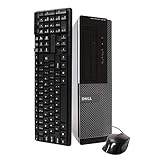
- Dell Optiplex 3010 SFF: High Performance Business Desktop Computer
- Intel Quad Core i5 3470 3.2GHz Processor: Provides Fast and Efficient Performance
- 16GB DDR3 Memory: Supports High Multitasking and Running Multiple Applications Simultaneously
- 240GB SSD Storage: Offers Rapid Data Access and Reduced Latency
- DVD Drive: Allows for Backup and Installation of Software and Drivers
Used-buy inspection checklist
- Confirm that the computer boots reliably and does not randomly shut down.
- Check BIOS for the exact CPU, memory amount, and installed drive.
- Inspect HDD SMART health and power-on hours, if a hard drive is included.
- Test every USB port and both listed video outputs where available.
- Listen for clicking drives, grinding fans, or unusually loud airflow.
- Inspect for dust, corrosion, damaged plastics, missing covers, and bent connectors.
- Verify the exact chassis type rather than relying on the seller’s title.
- Read the power-supply label and confirm its wattage and condition.
- Check that drive caddies, brackets, expansion-slot covers, and the side panel are included.
- Prefer a seller offering a return period or warranty.
Is the 2021 Itechguides price still relevant?
No. Itechguides stated a starting price of $155 in June 2021. That is a historical reference, not a reliable 2026 valuation. The correct price depends on the CPU, chassis, SSD versus HDD, RAM, operating-system condition, accessories, return policy, and the cost of upgrades.
Do not pay close to the price of a substantially newer refurbished system. Dell’s current refurbished desktop catalog focuses on much newer OptiPlex generations, which reinforces the 3010’s position as a very-low-cost used project rather than a current Dell product.
Better alternatives
Later used business desktops are usually better buys when the price difference is modest. OptiPlex 3020, 7020, and 9020 systems use newer Haswell-era processors. OptiPlex 3040, 5040, and 7040 systems move to Skylake-era hardware with better efficiency and a more modern platform. Newer refurbished OptiPlex systems are more likely to include Windows 11 support, SSD storage, DDR4 or newer memory, and a longer useful life.
Quick wins for a faster PC:
Clear out junk files and repair common Windows errorsFree Scan →Scan for outdated or missing drivers - takes under a minuteDriver Scan →A modern mini PC generally offers better efficiency, newer connectivity, and less noise, but usually provides less internal upgradeability. A current entry-level desktop costs more initially but brings better support, warranty coverage, performance, and security longevity.
Who should buy the OptiPlex 3010?
| Buyer | Recommendation |
|---|---|
| Basic office or web user | Buy only very cheaply, preferably with an SSD |
| Student | Acceptable for light work, but its lifespan is limited |
| Home-server user | Possible, but evaluate power use, drive support, and reliability |
| Retro gamer | A good inexpensive candidate |
| Modern gamer | Usually avoid |
| Business deployment | Avoid unless the operating system and security requirements are fully supported |
| DIY upgrader | Choose the Mini Tower |
| Plug-and-play buyer | Prefer a newer refurbished system |
Final verdict
The Dell OptiPlex 3010 remains worthwhile only when its price reflects its age. A Core i5 Mini Tower with 8 GB of RAM, a healthy SATA SSD, and a clean power supply can still provide a useful low-cost office, browsing, media, Linux, or retro-gaming experience. An HDD-only Celeron or Pentium model is much harder to justify unless it is nearly free.
Itechguides was right to identify the 3010’s durable business design and inexpensive upgrade potential, but its 2021 review needs important qualifications. The chassis changes the upgrade story, the GTX 1650 result is configuration-specific, the $155 price is obsolete, and unofficial modern Windows support should not be confused with a supported platform. In 2026, buy the 3010 as a cheap, repairable legacy computer—not as a future-proof PC.
Quick Recap
Product prices and availability are accurate as of the date/time indicated and are subject to change. Any price and availability information displayed on Amazon at the time of purchase will apply.
Do these 3 things before closing this tab:
1Clear out junk files and repair common Windows errors2Fix the driver behind crashes, sound loss and screen glitches3Repair Windows errors before they cause bigger problems
