What’s actually slowing this PC down?
Pick the symptom - the matching free tool is one click away.
Some links on this page are affiliate links: if you buy through them we may earn a commission, at no extra cost to you.
Delay line memory stored data as a stream of signals moving through a physical medium. Early computers most often used acoustic waves traveling through mercury; other designs sent mechanical waves through metal wire. Because a computer could read or change data only when it reached an access point, delay line memory was serial and timing-dependent—not random-access memory in the modern sense.
What delay line memory was
A delay line is a device that reproduces an input signal after a predictable interval. In a computer memory, that delay gave a stream of bits time to be used. The bits were not held in stationary cells: they existed as timed pulses moving through the storage medium.
The medium’s length and the speed of the waves traveling through it determined how long the signal took to return and how many bits could circulate. Early electronic computers used this approach because it could provide useful memory capacity without building a separate bank of active electronic storage circuits for every bit. The Computer History Museum’s overview describes the stored information as a circulating signal that was detected, restored, and sent back through the line.
How a mercury delay line worked
A typical mercury unit contained a mercury-filled tube, a transmitting transducer at one end, and a receiving transducer at the other. The transmitting transducer—often a piezoelectric crystal—converted electrical pulses into acoustic waves. The waves traveled through the mercury to the receiver, which converted them back into electrical signals.
#1 Best Overall

- Operating Voltage: DC 12V; Quiescent Current: 5.5mA; Max. Load Voltage: DC 28V or AC 125V; Max. Load Current: 10A
- Multifunction: 18 programmable working modes, on/off delay, infinite/finite loop, with/without high level voltage trigger, you can select the mode as needed; Delay time range from 0.1s to 270h.
- No Hassle: All options settings could be saved automatically, the content will not be lost even power down; Reverse protection, avoid burning down the module as connecting the wrong terminals.
- Designed Enclosure: The metal is customized for the timer module, cuts for every terminal block, display, press button and LED, provides enough protection, as well as convenient for you to use.
- Applications: This module works as a switch with time delay on and off function, highly recommended for car circuit modification, LED lights, DC motors, pump and other electronic control systems.
Those signals were amplified and reshaped into clean pulses, then fed back to the transmitter. This regenerative loop kept the bit stream circulating. Without that active feedback, signal loss would eventually erase the data. The Smithsonian’s description of a SEAC memory component illustrates the transducer-based arrangement.
It is common to say that the bits were “stored in mercury,” but that is shorthand: mercury did not hold them as a chemical or magnetic state. The information was encoded in acoustic pulses traveling through it. Mercury’s role was to provide a medium for those waves and their coupling to the transducers—not to act as an electrical conductor storing bits.
Not every delay line used mercury
“Delay line memory” names a family of designs, not one specific material. Magnetostrictive delay lines used a wire in which an electromagnet induced a mechanical twist or strain. A torsional wave traveled down the wire, was detected, and could be regenerated in a loop. These designs avoided long mercury-filled tubes and could be more compact. The Computer History Museum describes both acoustic and magnetostrictive approaches.
Free tools Windows power users keep installed
One-click scans. No signup required.
Rank #2
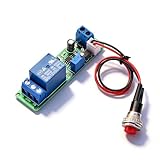
- Precision Timing Control: The DC 12V Adjustable Timer Delay Turn OFF Module offers high precision with stable and Sturdy performance. Its accuracy ensures that your projects operate seamlessly, making it best for both amateur and professional applications. With the adjustable delay time ranging from 1 to 10 seconds, you can achieve the exact timing needed for your specific requirements, supporting various automation endeavors effectively
- Versatile Applications: This timer relay module is designed to fit various use cases including timer-operated devices, robotics, smart home automation, and PLC development. Its wide application range means it can effectively be used in electronic projects and intelligent product development, making it an invaluable tool in both personal and professional environments. You can easily integrate it into your existing systems or use it to enhance the functionality of new designs
- Easy with Trigger Switch: The module features a convenient trigger button switch that simplifies the process of activating your connected load. By powering on and pressing the trigger switch, you can turn on the load, which will then automatically switch off after the preset delay time. This user-friendly design makes it easy for anyone to implement timer functions without complicated wiring or routines, streamlining your workflow
- Customizable Timing Duration: This timer module allows for customization of the timing range. While it comes with a default adjustment range of 1 to 10 seconds via a potentiometer, you can easily extend this duration by replacing the capacitor or potentiometer with larger counterparts. This flexibility ensures that the module can cater to a diverse array of timing needs, allowing for more complex applications without requiring additional modules
- Sturdy Input Featuring reverse input protection, this timer module ensures enhanced safety for your devices. This significant feature protects both the module and the connected load from potential damage due to incorrect power connections. Such reliability allows you to use the module with confidence in various setups, reducing the risk of equipment failure due to electrical mishaps, and contributing to longer-lasting project performance
The distinction matters: a mercury delay line carried acoustic waves through liquid, while a magnetostrictive line carried mechanical waves through metal. Radar equipment also used delay lines to delay and replay signals; use in radar was related to, but not automatically the same as, a computer memory implementation.
Why it was serial, not random access
Every bit passed a read/write point in turn. A computer could use a word when it arrived there, but it could not instantly select an arbitrary physical location. If the desired word had just passed the receiver, the machine had to wait for it to travel around the loop again. The Computer History Museum’s account of early memory explains this circulation-related access constraint.
For a simplified example, imagine 1,000 bits circulating past one access point. A bit that is about to arrive requires little waiting; one that just passed may require almost a full circuit. If requests are spread evenly through the stream, the average wait is roughly half a circulation. This is an illustration of the principle, not a specification for any particular computer.
Rank #3

- Trigger Time Delay Switch Relay Module Adjustable Time Delay Control Swtich
- MicroUSB 5.0V power supply with an input port, easy to use, 5 ~ 30V wide supply voltage.
- Adjusting the potentiometer can set the length of time.
- Anti-interference ability, the relay at various interference will not misoperation, suitable for industrial control.
That waiting shaped both hardware and programming. Designers had to synchronize the processor with the stream, know when words would arrive, and keep track of word boundaries and timing. Programmers could arrange instructions and data to reduce delays; an instruction sequence that looked efficient on paper could still stall if the next needed word was not yet at the access point. “Sequential” here does not mean reading only from beginning to end, as with offline tape: any word could be used, but only when it came around.
transmitter → delay medium → receiver → amplifier and pulse restorer
     ↑                                             ↓
     └────────────── regenerated data ────────────┘
Because the loop needed active amplification and reinsertion, ordinary delay line memory was volatile. If power, feedback, or timing failed, the circulating data could be lost or corrupted. Its regenerative operation resembles refreshing only in the broad sense that the stored signal had to be continually maintained; it was not the same mechanism as refreshing charge in modern DRAM.
Why early computers used it
In the 1940s and early 1950s, designers needed practical electronic memory, but the alternatives each imposed costs. Building a large bank of flip-flops took many vacuum tubes and substantial power. Magnetic drums could hold more data but relied on rotation, so access depended on the drum’s position. Williams-tube memory offered fast electronic access, but could be difficult to maintain reliably. Magnetic-core memory had not yet become the widely established option it later was.
Rank #4

- PROGRAMMABLE TIMING CONTROL: Features a timing range of 0.1 seconds to minutes, continuously adjustable for precise delay, cycle, and loop timing control.
- WIDE VOLTAGE COMPATIBILITY: Supports DC 6-30V input and also accepts Micro USB 5.0V power supply, making it versatile and convenient for various setups.
- ANTI-INTERFERENCE & MEMORY: Built with optocoupler isolation and industrial-grade PCB; all set parameters are retained in memory even after a power failure.
- EMERGENCY STOP & PROTECTION: One-key emergency stop (STOP key) function included, with reverse connection protection to prevent damage from incorrect wiring.
- LCD DISPLAY & SLEEP MODE: Clear LCD screen shows settings at a glance; sleep mode auto-turns off the display after 5 minutes of inactivity, with any key to wake.
Delay lines offered a workable compromise: useful capacity with fewer active components than a large register bank, at the cost of waiting and careful timing. Judged against the components and manufacturing available then, that trade-off was often reasonable. The Computer History Museum describes early designers’ search for memory that balanced speed, dependability, and affordability.
From radar to stored-program computers
Delay-line techniques were developed for radar applications during World War II, where delaying and replaying signals could support display and signal-processing needs. The underlying idea could then be adapted to digital storage. J. Presper Eckert was associated with adapting delay-line principles for computer memory and, with John Mauchly, with the memory system covered by U.S. Patent 2,629,827. That is different from claiming Eckert invented delay lines themselves. The Computer History Museum’s history of EDSAC storage points to the patent and the distinction between the broader technique and its computer application.
Do these 3 things before closing this tab:
1Repair Windows errors before they cause bigger problems2Scan for outdated or missing drivers - takes under a minute3Clear out junk files and repair common Windows errorsComputers that used delay line memory
Delay lines served a range of first-generation computers. The machines differed in architecture, word format, memory configuration, and implementation, so figures from one system should not be treated as universal.
Best Value

- PARAMETER --- operating voltage range DC 6-30V, support micro USB 5V power supply; timing range 0.01s~9999mins continuously adjustable.
- TRIGGER --- support 3.0v-24v high level trigger, 0v-0.2v low level trigger, switching value control.
- INDEPENDENT PARAMETERS --- able to set different OP, CL, LOP parameters which are independent and saved separately.
- SLEEP MODE --- without any operation for 5 minutes, the backlight of the relay board will turn off automatically. Press any button can wake it up.
- OTHER FEATURES --- LCD display; power-off auto storage data; support UART data uploading and parameter setting; with pause button, support one-button pause; with automatically sleep mode; with input reverse connection protection.
| Computer | What the example shows |
|---|---|
| EDSAC | Built at Cambridge under Maurice Wilkes, EDSAC used mercury delay lines and became an early stored-program computer providing regular computing service. Historical accounts describe its memory figures differently by configuration and by how words and bits are counted; those totals should not be combined as if they described one unchanging layout. Computer History Museum: EDSAC |
| UNIVAC I | Used mercury delay-line memory in a major commercial computer family. The Computer History Museum describes seven memory units in a particular configuration, each with roughly 1.5 KB, and an average access time of about 222 microseconds. These are configuration-specific historical figures, not universal specifications for every installation or revision. Computer History Museum: delay-line storage |
| EDVAC and SEAC | These early computers are among the other systems associated with delay-line storage. The Smithsonian’s SEAC collection includes a mercury delay-line memory component. Stanford Encyclopedia of Philosophy: computing history; Smithsonian collection |
| Pilot ACE and DEUCE | British computing examples that used delay-line storage, demonstrating the technology’s use beyond the best-known American and Cambridge systems. Stanford Encyclopedia of Philosophy |
| Ferranti Sirius | A later example associated with magnetostrictive delay-line storage, showing that the wider technology family continued beyond mercury memories. Computer History Museum |
How delay lines compared with other early memories
| Technology | How it stored data | Main trade-off |
|---|---|---|
| Delay line | Circulating acoustic or mechanical signal | Economical for its era, but access depended on when a word reached the read/write point. |
| Williams tube | Charge patterns on a cathode-ray tube | Could provide fast electronic access; reliability and maintenance were challenges. The Computer History Museum timeline identifies the Williams-Kilburn tube as an early high-speed, entirely electronic memory tested in 1947. |
| Magnetic drum | Magnetic patterns on a rotating cylinder | Could provide larger storage, but access depended on rotation and head position; drums could complement faster memory. |
| Magnetic core | Magnetized cores representing bits | Provided reliable high-speed random access and scaled into a widely used main-memory technology. It remained common into the 1970s, according to the Computer History Museum. |
| Modern RAM | Addressable electronic storage cells, such as SRAM or DRAM | A processor can select an address directly rather than waiting for data to circulate. Random access does not mean all operations take exactly equal time; it means the address is selectable without waiting for a physical sequence to return. |
Why it disappeared from mainstream computer memory
Delay lines exchanged hardware economy for time and programming complexity. As magnetic-core memory matured, it offered a better balance for general-purpose main memory: reliable high-speed access, more direct selection of data, and greater suitability for larger systems. Semiconductor memories later became the standard. Delay lines did not vanish immediately, however. Magnetostrictive versions and related applications persisted in some systems and calculators into the 1960s, including products cited by the Computer History Museum.
The mercury assemblies could be large and heavy, and their operation depended on well-controlled physical conditions and dependable signal electronics. Their limitations were therefore not simply that they were “slow” by modern standards: the decisive issue was that newer memories offered a more useful combination of access flexibility, performance, reliability, and scaling.
Is delay line memory still used?
The mercury and magnetostrictive forms discussed here are historical technologies, not mainstream memory in modern computers. Research may revisit delay-line concepts for specialized applications, but those developments should not be confused with the circulating acoustic memories of early stored-program machines.
Quick wins for a faster PC:
Clear out junk files and repair common Windows errorsFree Scan →Scan for outdated or missing drivers - takes under a minuteDriver Scan →Repair Windows errors before they cause bigger problemsFix Now →Quick Recap
Product prices and availability are accurate as of the date/time indicated and are subject to change. Any price and availability information displayed on Amazon at the time of purchase will apply.

