Some links on this page are affiliate links: if you buy through them we may earn a commission, at no extra cost to you.
The Cooler Master XG850 Plus Platinum is a capable, fully modular 850 W power supply with strong 12 V regulation, low ripple, a 10-year warranty, and unusual extras: an integrated display and an ARGB fan. Its main drawback is not basic electrical performance but its age and price. Cooler Master lists this Plus model as ATX12V 2.53, not ATX 3.1, and it is not positioned with a native 12V-2×6 cable. For a new high-end GPU build, a current ATX 3.1 unit is usually the more practical buy; consider the XG850 Plus when its display and lighting will be visible and its price is meaningfully lower.
What is the XG850 Plus Platinum?
This review covers the Cooler Master XG850 Plus Platinum, model family MPG-8501-AFBAP-X. It is easy to confuse with the newer, non-Plus XG850 Platinum: the Plus is specified for Intel ATX12V 2.53, while Cooler Master lists the newer XG850 Platinum as ATX 12V 3.1. Check the full model number and included cables before buying, especially if a listing abbreviates the name. Cooler Master’s product page identifies the Plus model and its specifications.
| Specification | XG850 Plus Platinum |
|---|---|
| Rated output | 850 W |
| Efficiency label | 80 PLUS Platinum |
| ATX specification | Intel ATX12V 2.53 |
| Modularity | Fully modular |
| Fan and display | 135 mm ARGB fan; integrated information display |
| Input | 100–240 V, 50–60 Hz |
| Dimensions | 160 × 150 × 86 mm |
| Operating temperature | 0–50 °C |
| Manufacturer efficiency claim | At least 92% at typical load |
| Manufacturer noise claim | At most 25 dBA at 100% load |
| Manufacturer hold-up specification | At least 16 ms |
| Warranty | 10 years; confirm regional terms |
| Model identifiers | MPG-8501-AFBAP-X family; regional suffixes vary |
Cooler Master also lists protections including over-voltage, over-power, over-current, under-voltage, short-circuit, over-temperature, surge, and inrush protection. Its product description says the unit uses 100% Japanese in-line capacitors; that component claim is not, by itself, a guarantee of long-term reliability. Regional models can differ in certification, package contents, and warranty handling.
What’s actually slowing this PC down?
Pick the symptom - the matching free tool is one click away.
Design, display, and installation
The display is useful only if you can see it
The LCD is built into the PSU housing; it is not a detachable monitoring module. Hardware Busters reports MasterPlus+ software support, but the available product information does not establish a complete menu of display telemetry or whether every readout works without software. Treat it as a visual feature rather than a reason to buy the PSU for detailed monitoring.
#1 Best Overall

- Designed For Durability: The MWE Gold V3 sets a new benchmark for durability and efficiency, now with ATX 3.1 support.
- 90° Durable Cables: Featuring a 90° 12V-2x6 PCIe 5.1 connector, for improved electrical durability and safety.
- ATX 3.1 Cables: The ATX 3.1 delivers up to 600W power to your GPU.
- Advanced thermal performance: Hexagonal fan cover with 80% airflow intake and dedicated heat sink enhance thermal performance.
- 80+ Gold Efficiency: With Gold-level performance at 90% efficiency, it ensures effective power transfer from the wall to your components.
Case layout determines whether it earns its space. In a case with an exposed PSU compartment or a window that shows the PSU, the display and lighting can be part of the build. In a basement compartment behind a shroud—or with the tower tucked under a desk—the screen may be invisible. Check the case’s PSU orientation and viewing angle before paying extra for it. Hardware Busters likewise notes that the integrated display can be concealed in many cases.
ARGB and modular cabling
The ARGB fan is decorative; it does not improve efficiency or electrical performance. Cooler Master’s software compatibility is reported by the independent review, but verify the control method and any motherboard synchronization requirements for the exact SKU and software version. If the PSU is hidden, the lighting is likely to matter little.
Cooler Master lists one 24-pin ATX cable, one EPS 4+4-pin connector, one additional EPS 8-pin connector, six PCIe 6+2-pin connectors, twelve SATA connectors, four peripheral 4-pin connectors, and a USB-related connection for digital features. Hardware Busters describes two EPS cables, three PCIe cables carrying six 6+2-pin connectors, three SATA cables with twelve connectors total, and one peripheral cable with four connectors. Cable lengths and package details should be checked against the actual regional retail package.
Free tools Windows power users keep installed
One-click scans. No signup required.
Rank #2

- Mighty ITX Design: As the leading SFX PSU, the V SFX Gold delivers high-performance power in a mini design, perfect sized for mini-ITX builds.
- 90° Durable Cables: Featuring a 90° 12VHPWR PCIe 5.1 connector, for improved electrical durability and safety
- ATX 3.1 Cables: The PCIe 5.1 ready delivers up to 450W power to your GPU
- Enhanced Dissipation: The integrated design of the transformer, rectifier, full-bridge LLC, and EMI-inhibited amorphous metal ensures top performance and cooling.
- Customized Cable Length: Customized short cables with the latest ATX 3.1 connector reduce clutter; extended cables may be needed for larger cases
Never use a modular cable from another PSU unless the manufacturer explicitly confirms compatibility. A plug that fits can still have a different pinout and damage hardware. The unit is 160 mm deep, so confirm PSU clearance alongside the room needed for cable bends and storage drives.
Electrical performance: strong where it matters most
Regulation and ripple
Hardware Busters found tight load regulation, particularly on the 12 V rail, and measured 12 V ripple below 30 mV at full load above 45 °C on its sample. Cultists Network’s tables show about 29.49 mV on 12 V at 110% load with 115 V input, and about 27.19 mV at full load with 115 V input. Its full-load 12 V result under 230 V input was about 25.42 mV. The displayed ripple results passed the relevant limits in those tests. These are measurements from specific samples and methods, not guarantees for every retail unit.
Low ripple is a good result, especially on 12 V, which supplies the CPU and graphics card, but passing a limit does not automatically make a PSU best-in-class. The 80 PLUS Platinum label concerns efficiency, not ripple quality or voltage behavior.
Rank #3
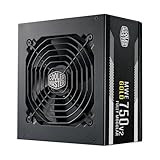
- 3 EPS Connectors : 2 EPS connectors included with all models for universal current generation motherboard compatibility.
- High Temperature Resilience: The new gen offers an increase in operating temperature to its predecessor to a maximum of 50 degrees Celsius.
- Fully Modular: Modular flat black cables reduce clutter, increase airflow, and improve overall efficiency and thermal performance.
- Hydro Dynamic Fan: The 120mm HDB fan creates less friction, for a smoothly and low RPM operations, while keeping the noise level down.
Transient response, hold-up, and temperature
Hardware Busters found very good 12 V and 5 V transient response but described the 3.3 V result as mediocre. Cooler Master specifies at least 16 ms of hold-up time; the reviewer measured more than 20 ms on its sample and reported accurate power-good timing. The measured figure should not be treated as a production-wide guarantee. The review also reported that the PSU delivered full rated power at 47 °C.
Protections and platform details
The independent review found unusually high over-current and over-power protection thresholds, as well as high inrush current on 115 V input. Those findings are reasons to treat the platform as a competent but not flawless design, not evidence that the unit is unsafe in ordinary operation. Hardware Busters identifies XHY/Fusion Power as the manufacturer and describes the platform as designed in-house by Cooler Master. OEM identity alone is not a quality rating, and neither fact establishes reliability across every production revision.
Efficiency: good at ordinary gaming loads, less impressive near idle
Cooler Master claims at least 92% efficiency at typical load, while 80 PLUS Platinum is an efficiency certification rather than a promise that the PSU always operates at 92%. Efficiency changes with load and input voltage. In Cultists Network’s measurements at 115 V, efficiency was approximately 91.36% at 20% load, 91.73% at 50% load, and 88.49% at full load. Hardware Busters found strong efficiency at normal operating loads but a noticeable drop at light and very light loads. It also reported highly efficient 5VSB operation and low standby consumption.
Rank #4

- GPU Shield Intelligent Management: GPU Shield Intelligent Current Management responds to abnormal power behavior and provides LED alerts to help protect high-performance GPUs. 80 Plus GOLD Efficiency with Digital Control IC: Certified for more than 90% efficiency at typical loads in 115V testing.
- 80 Plus GOLD Efficiency with Digital Control IC: Certified for more than 90% efficiency at typical loads in 115V testing.
- Wave Heatsink Design: Designed to guide internal airflow and improve heat dissipation inside the PSU for better temperature management under load.
- Native Dual Color 12V2x6 GPU Cable: Dual color visual cue ensures are full insert. Tactile aligned cables for streamlined management.
- Fully Modular Cabling: Fully modular cabling connecting only the cables you need.
A gaming system drawing several hundred watts is more likely to use the PSU in a favorable part of its efficiency curve. A low-power desktop or a PC that spends most of its time idle should not assume that the Platinum badge produces a meaningful advantage at every moment. Test results vary with input voltage and methodology; the published figures are not a forecast of an individual system’s electricity bill. Cultists Network’s test tables provide the detailed efficiency and ripple figures.
Noise and fan behavior
Cooler Master specifies a maximum of 25 dBA at full load. Hardware Busters rated average noise as satisfactory rather than class-leading; the reported Cybenetics rating was A-, roughly 25–30 dBA, and Cultists Network measured an average around 27.01 dBA. Different labs and conditions mean these figures are not directly interchangeable with the manufacturer’s claim.
Quick wins for a faster PC:
Clear out junk files and repair common Windows errorsFree Scan →Scan for outdated or missing drivers - takes under a minuteDriver Scan →Hardware Busters observed fan operation near 700 RPM through much of its tested range and described the default fan behavior as unusual, with no semi-passive operation reported. MasterPlus+ fan-profile control is reported, so users may be able to adjust behavior, but this is not a zero-RPM PSU by default. Whether you hear it in a complete PC also depends on GPU and CPU cooling, case airflow, ambient temperature, and PSU orientation.
Best Value

- ATX 3.1 and PCIe 5.1 Support: Fully compatible with Intel ATX 3.1 specifications, with native PCIe 12V-2x6 (12+4 pin) connectors for modern GPUs.
- 80 PLUS Gold Efficiency: Provides up to 90% efficiency, reducing energy consumption and heat output during operation.
- Smart Zero Fan Technology: Automatically adjusts fan speed based on load, minimizing noise during low-load operations.
- Fully Modular Design: Includes low-profile flat black cables, making cable management easier and improving airflow inside your case.
- High Amperage Single +12V Rail: Provides reliable and stable power delivery, optimized for high-end gaming and workstation builds.
Can it power a modern graphics card?
The XG850 Plus has six PCIe 6+2-pin connectors, but Cooler Master lists it as ATX12V 2.53 rather than an ATX 3.0/3.1 supply with a native 12V-2×6 connection. It may work with a graphics card that uses an adapter, provided the card maker permits that setup and the PSU’s included cable arrangement meets the card’s requirements. An 850 W rating alone does not settle compatibility: check the exact GPU’s power recommendation, connector, and cable instructions.
- Use the GPU manufacturer’s approved adapter and the PSU’s supplied PCIe cables.
- When the card maker requires separate PCIe cables, do not power a high-draw card from a single daisy-chained cable.
- Confirm the exact regional model and cable set; do not assume every listing includes identical accessories.
- For a new high-end build, prefer a current ATX 3.1 PSU with a native 12V-2×6 cable if that matches the GPU’s requirements.
The absence of a native connector does not automatically make the XG850 Plus unusable, but it makes it a less forward-looking choice for a new system. Do not infer universal compatibility with every current or future GPU.
Is 850 W enough for your system?
850 W is generally a sensible capacity for mainstream and upper-midrange gaming PCs, and for many single-powerful-GPU builds paired with a conventional desktop CPU. Judge the whole system rather than matching PSU wattage to a GPU name alone.
- Check the graphics-card maker’s PSU and connector recommendations.
- Consider CPU power limits, overclocking, drives, add-in cards, and sustained combined CPU/GPU consumption.
- Allow for transient behavior, high ambient temperatures, PSU age, and planned upgrades.
- Use a reputable PSU calculator only as a rough estimate; it does not replace component-maker guidance or measured system power.
Price, warranty, and alternatives
Hardware Busters reviewed the unit at an approximately $260 launch-era price and judged the value weak for the performance. That is not a current street price. Newegg marketplace listings observed on August 16, 2026 ranged from about $239.96 to $299, with varying sellers and shipping origins; an older Newegg-sold listing around $249.99 was out of stock. These are snapshots, not a dependable authorized retail price. Check seller, condition, shipping, included cables, and whether the warranty applies in your region before purchase. The 10-year warranty is valuable only if the unit and seller qualify under the applicable terms.
Compare it with current ATX 3.1 850 W options at the price you can actually buy. Hardware Busters named the Cooler Master XG850 Platinum, EVGA 850 G7, Corsair RM850x, Seasonic GX-850, and Thermaltake Toughpower GF1 850 W as alternatives in its review; that list is not a current ranking or confirmation of present availability. Check the exact generation and native connector support, especially for products sharing a family name. A conventional PSU without an LCD or ARGB may offer better value if visual features are not a priority. Newegg’s listing illustrates why marketplace pricing and seller details need to be checked rather than treated as a stable MSRP.
Who should buy it?
It makes sense when
- You specifically want the integrated display and ARGB look, and your case will show them.
- You find a substantial discount against newer ATX 3.1 units.
- Your GPU can be powered with the supplied cables and an approved adapter where needed.
- You are buying new from a trustworthy seller with the full regional warranty and all modular cables.
Choose something else when
- The price is close to or above the launch-era premium, or a newer ATX 3.1 unit costs about the same.
- Your case hides the display and fan, or you need native 12V-2×6 cabling.
- You prioritize very low-load efficiency, passive operation, or the latest platform positioning.
- The listing is used, missing cables, sold by an uncertain marketplace vendor, or unclear about warranty support.
Overall, the XG850 Plus Platinum is electrically strong and well featured for its generation, but the integrated display and RGB do not erase the ATX 2.53 limitation or inconsistent pricing. Buy it for those visible features only when the deal and warranty are sound; for most new high-end GPU builds, a similarly priced ATX 3.1 PSU with a native 12V-2×6 cable is the more sensible choice.
Quick Recap
Product prices and availability are accurate as of the date/time indicated and are subject to change. Any price and availability information displayed on Amazon at the time of purchase will apply.
The Tool Desk
Outbyte Driver Updater FREEScan for outdated or missing drivers - takes under a minuteDriver Scan →Outbyte PC Repair FREEClear out junk files and repair common Windows errorsFree Scan →
