The Tool Desk
Outbyte PC Repair FREERepair Windows errors before they cause bigger problemsFix Now →Outbyte Driver Updater FREEScan for outdated or missing drivers - takes under a minuteDriver Scan →Some links on this page are affiliate links: if you buy through them we may earn a commission, at no extra cost to you.
Notebookcheck’s Clevo W550EU page is not a conventional in-house laptop review. It is an archival external-review index with one linked review: AnandTech’s May 2013 evaluation of the Mythlogic Callisto 1512, a boutique laptop built around the W550EU chassis. The page also shows a representative configuration, not necessarily the hardware AnandTech tested.
What is the Clevo W550EU?
The Clevo W550EU was a relatively thin 15.6-inch Ivy Bridge-era notebook platform sold primarily as a configurable barebones system through boutique brands. Depending on the reseller and order, it could be equipped with different processors, memory, storage, wireless cards, displays, and optical-drive options.
Notebookcheck’s English database entry was published and updated on May 31, 2013. It lists a representative Intel Core i7-3635QM processor, Intel HD Graphics 4000, a 15.6-inch 1920×1080 non-glossy display, approximately 2.2 kg of weight, and a historical price of €1,400. These details should not be treated as the exact specification of every W550EU.
See the Notebookcheck W550EU external-review page.
Is Notebookcheck’s page a full review?
No. It is a database entry and external-review collection. The page links to one review, AnandTech’s Mythlogic Callisto 1512 review. AnandTech used the term “Ultrabook” in its title, but the machine is more precisely described as a relatively thin 15.6-inch boutique notebook using standard-voltage Ivy Bridge processors.
#1 Best Overall

- X710S Battery for CLEVO 6-87-X710S-4271 6-8-X710S-4272 6-87-X710S-4J7 6-87-X710S-4J72 for CLEVO P170EM P170HM 14.8V 5200mAh
- Type: Li-ion
- Voltage: 14.8V
- Capacity: 5200mAh/76.96Wh
What laptop did AnandTech test?
The reviewed Mythlogic Callisto 1512 was a W550EU-based configuration with:
- Intel Core i5-3340M processor
- 8 GB of Patriot DDR3-1600 memory, installed as two 4 GB modules
- Intel HD Graphics 4000 integrated graphics
- 15.6-inch matte 1920×1080 IPS display using an LG LP156WF4-SLB5 panel
- 256 GB Samsung 840 Pro SATA 6 Gb/s SSD
- 62 Wh six-cell battery
- DVD writer
- Intel Dual Band Wireless-AC 7260 and Bluetooth 4.0
- Windows 8 Pro 64-bit
- Approximately 2.2 kg, or 4.85 lb
AnandTech reported a starting price of $1,063 and an approximately $1,334 as-tested price in May 2013. Those are historical review-era prices, not current used-market values.
Why the processor specifications differ
The apparent mismatch between Notebookcheck’s i7-3635QM listing and AnandTech’s i5-3340M sample is explained by the W550EU’s configurable design. Notebookcheck’s specification block represents one possible or representative configuration, while AnandTech tested a different reseller-selected system.
Rank #2

- Capacity: 8GB
- Speed: PC3-12800 DDR3 1600MHz
- Form Factor: 204 pin SODIMM
- Halogen Free; ROHS Warranty: Lifetime
The platform could support several Ivy Bridge processors, including quad-core options. However, AnandTech cautioned against choosing a quad-core CPU because of cooling concerns. Processor compatibility alone does not prove that a particular W550EU has adequate thermal capacity, BIOS support, or power-delivery headroom for sustained quad-core operation.
Configuration overview
| Component | Notebookcheck entry | AnandTech sample | Qualification |
|---|---|---|---|
| Processor | Core i7-3635QM | Core i5-3340M | Configuration-dependent |
| Graphics | Intel HD Graphics 4000 | Intel HD Graphics 4000 | Integrated graphics only in the cited configurations |
| Display | 15.6-inch 1920×1080 | 15.6-inch matte 1920×1080 IPS | Other W550EU units may have a 1366×768 TN panel |
| Memory | Not specified as the tested setup | 8 GB DDR3-1600 | Platform documentation lists two SO-DIMM slots and up to 16 GB |
| Storage | Not specified as the tested setup | 256 GB SATA SSD | Platform has a 2.5-inch SATA bay and mSATA slot |
| Weight | 2.2 kg | 2.2 kg | Approximately 4.85 lb |
The memory and storage expansion details come from a third-party archive reproducing W550EU platform documentation. It lists DDR3-1333/1600 support, two SO-DIMM slots, a removable 2.5-inch SATA drive, an mSATA slot, and an optical-drive bay that could accommodate different factory options. Because this is not a current official Clevo support page, verify compatibility against the individual machine before buying parts.
AnandTech’s main findings
CPU performance
The W550EU’s use of standard-voltage mobile processors gave it a performance advantage over many contemporary low-voltage ultrabooks. That made it better suited to sustained CPU-heavy work than typical 17-watt Ivy Bridge systems of the same period. The benefit must be judged historically, however: Ivy Bridge performance is limited by modern standards.
Rank #3
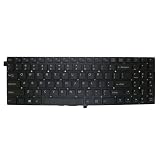
- Item Description:Laptop Keyboards
- Warranty:90 days
- In order to purchase the correct product, please carefully check your laptop model or product part number before purchasing. If you have disassembly pictures, please send them to us.
Display quality
The matte Full HD IPS panel was the strongest feature of the tested Callisto 1512. Its 1920×1080 resolution and viewing characteristics were substantially preferable to the low-resolution TN panels common in many notebooks at the time.
Crashes, No Sound, or Screen Glitches?
Random freezes, missing sound and display glitches usually trace back to one bad driver. Find and replace yours safely.Free scan · under a minutePC Slower Than It Used to Be?
A free scan shows the junk files, broken settings and background clutter dragging Windows down - then fixes them in one click.Free scan · Windows 10 & 11That advantage does not apply automatically to every W550EU. Platform documentation lists both HD and Full HD panel choices, so a used listing must be checked for its actual resolution and panel type.
Storage flexibility
The combination of a 2.5-inch drive bay and an mSATA slot was unusually useful. A buyer could retain a conventional hard drive in the main bay while adding an mSATA SSD, or use SSDs in both locations if the required mounting hardware was present. The optical bay also provided a removable component, although the exact factory options varied.
Rank #4

- Laptop/All-in-One Memory RAM compatible for the Clevo models: P370SM, P655SA, P670SG, W230ST, W25CSV, W311CZ, W548CZ, W550EU, W650EH
- Single 4 GB Module | DDR3 1600 MHz ( PC3-12800 / PC3-1600 ) | DDR3 SO-DIMM ( 204-Pin ) | Non-ECC Unbuffered | 1.5V - DDR3 Standard Voltage
- Non ECC; JEDEC standard 1.5V
- Improves performance by expanding your system's memory (RAM) capacity, allowing your system to take on more while maintaining a fast and smooth experience
- Quick and easy to install at home, no expertise required (Please refer to your system's manual for seating and channel guidelines)
Wireless and optical drive
The AnandTech sample included 802.11ac wireless and Bluetooth 4.0. The reviewer reported apparently weak wireless range through two walls, while noting that this was not a comprehensive wireless test. Treat it as an observation about that unit rather than a universal W550EU fault.
AnandTech also criticized the lack of a Blu-ray option in the reviewed ordering process. Platform documentation indicates that DVD, Blu-ray combo, or other optical-bay configurations could exist, so the drive should be verified on a specific machine.
What’s actually slowing this PC down?
Pick the symptom - the matching free tool is one click away.
Strengths and weaknesses
Reasons to consider the W550EU
- A standard-voltage Ivy Bridge CPU can still handle basic desktop work and some sustained CPU tasks.
- The Full HD matte IPS option is far better than the lowest-resolution panel configurations.
- Two memory slots, a 2.5-inch bay, and an mSATA slot provide useful serviceability.
- The chassis is more repairable and configurable than many newer thin laptops.
- It can make sense as an inexpensive secondary computer, Linux project, or older-games machine if its condition is good.
Reasons to avoid it
- Intel HD Graphics 4000 is not suitable for modern demanding games, 3D work, or many GPU-intensive applications.
- The Ivy Bridge platform, DDR3 memory, and SATA-era storage are now obsolete.
- Battery cells in surviving units may be heavily degraded or completely dead.
- Parts, firmware, drivers, and reseller support may be difficult to source.
- Display, wireless card, storage, keyboard, and warranty terms vary by reseller configuration.
- A quad-core upgrade may create thermal problems even if the platform technically supports the processor.
Buying a used W550EU today
In 2026, the W550EU is a conditional purchase rather than a general recommendation. It is appropriate mainly when the price is very low, the machine is known to work, and the buyer accepts its age and limitations.
Best Value
- Item Description:Laptop Parts
- Warranty:90 days
- To make sure that you get the right goods, please check your register E-mail after your payment.
Inspection checklist
- Identify the exact chassis. Clevo systems were sold under brands such as Mythlogic, Sager, and other boutique labels. Check the chassis, BIOS information, motherboard identifier, and service labels rather than relying only on the seller’s brand description.
- Confirm the processor. Do not assume an advertised W550EU has the i7-3635QM listed by Notebookcheck. Ask for the exact CPU model.
- Verify the display. Check the operating system’s reported resolution or request a clear display test. Confirm whether it is 1920×1080 IPS or 1366×768 TN.
- Test memory and storage. Confirm that both memory slots work, inspect SSD or hard-drive health, and verify whether the mSATA slot, screw, and bracket are present.
- Check battery and charger. Test battery runtime and charging. Verify the charger’s voltage, connector, polarity, and wattage; do not rely solely on a generic compatibility claim.
- Inspect cooling. Listen for fan problems, check for overheating or throttling, and look for dust or damaged hinges. Quad-core installations deserve particular caution.
- Test every peripheral. Check Wi-Fi, Bluetooth, USB ports, video outputs, optical drive, keyboard, touchpad, webcam, speakers, and the display hinge.
- Check firmware and software. Look for a BIOS password or firmware lock and confirm whether the operating system is activated. The reviewed unit ran Windows 8 Pro 64-bit; that does not establish current Windows support or security compatibility.
Is the Clevo W550EU suitable in 2026?
Only for narrow use cases. A healthy unit can remain usable for basic office work, light browsing subject to modern browser and operating-system limitations, local media playback, older games, Linux experimentation, or repair practice. It is not a sensible primary laptop for current gaming, demanding creative applications, long battery life, modern security requirements, or guaranteed software and parts support.
Upgradeability improves the ownership experience but cannot overcome the platform’s old CPU architecture, integrated graphics, aging batteries, dated connectivity, and uncertain current driver support. A 2.5-inch SATA SSD can make an old hard-drive configuration feel more responsive, but it remains limited by the older SATA platform. mSATA upgrades are possible only when the specific unit has the slot and mounting hardware.
Bottom line
The Notebookcheck page is valuable as a historical reference, but it should not be mistaken for a Notebookcheck lab review. The most relevant tested machine is AnandTech’s Mythlogic Callisto 1512: a W550EU-based notebook with an i5-3340M, 8 GB RAM, 256 GB SSD, Intel HD 4000 graphics, and an excellent matte Full HD IPS display.
The W550EU was a capable and unusually flexible boutique notebook platform in 2013. Today, its value depends almost entirely on the exact configuration, battery and cooling condition, screen quality, included charger, and purchase price. Consider it a cheap secondary or tinkering machine—not a modern all-purpose laptop.
Quick Recap
Product prices and availability are accurate as of the date/time indicated and are subject to change. Any price and availability information displayed on Amazon at the time of purchase will apply.

