Quick wins for a faster PC:
Clear out junk files and repair common Windows errorsFree Scan →Scan for outdated or missing drivers - takes under a minuteDriver Scan →Repair Windows errors before they cause bigger problemsFix Now →Some links on this page are affiliate links: if you buy through them we may earn a commission, at no extra cost to you.
Yes—Matrix can give a community substantially more control than Discord, but installing a Matrix homeserver is not the same as owning the whole community stack. Real sovereignty also depends on who controls the domain, accounts, media, backups, federation, moderation, bridges, and the ability to keep the service running if its administrator leaves. Matrix is best treated as a communications protocol and ecosystem, not a single Discord-like app.
That distinction points to a practical choice: use a public or managed homeserver if your group lacks operations capacity; self-host if you can maintain it; and consider private federation when you need controlled links between organizations. A bridge can ease a Discord migration, but it adds a dependency and changes privacy assumptions. The right design starts with deciding what you need to control—and what work you are prepared to own.


What Matrix changes
Discord is a centralized service: Discord operates the platform, account system, and infrastructure under its own policies. Matrix is an open protocol with multiple homeserver operators, clients, and services. A Matrix user account belongs to a homeserver and is identified by a Matrix ID such as @alice:community.example. The homeserver is the server component that hosts accounts and participates in rooms; a client is the app a person uses to connect to it. Users on different homeservers can communicate through federation, much as people using different email providers can exchange messages. See the Matrix concepts overview and Matrix’s getting-started page.
Recommended Free Tools
In Matrix, persistent conversations take place in rooms. Rooms can be public or private, encrypted, moderated, and linked to other services. Spaces organize rooms into a hierarchy, making them the closest counterpart to a Discord server’s collection of channels and categories. A homeserver manages local accounts and participates in rooms; federation lets it exchange room events with other participating homeservers. A bridge connects Matrix to an outside network such as Discord or IRC.
#1 Best Overall
This is a more composable model than Discord, but not necessarily an easier one. Members may need to choose a client, select or enter a homeserver, verify devices, and learn how the community has organized its Spaces and rooms. Multiple client choices—such as Element, Element X, FluffyChat, Cinny, and Nheko—are a sovereignty advantage, but supporting all of them can make onboarding harder. Pick one default client for your community and document alternatives.
Define sovereignty before choosing a server
“Sovereign” is useful only if it describes specific powers and responsibilities. A community can control one part of its communications stack while depending on an outside operator for another.
- Client sovereignty: Members can choose among compatible apps. This avoids dependence on a single interface, but choosing a different client does not transfer control of accounts or data.
- Provider sovereignty: The community chooses who runs its homeserver—an outside provider, a managed service under its own domain, or infrastructure it operates itself. A domain-based identity can be meaningful only if the community controls the domain and plans how it would retain access to it.
- Network sovereignty: The homeserver can allow open federation, restrict federation to trusted servers, or disable it. These choices determine whom members can reach and what additional abuse and administration work the operator takes on.
- Data and recovery sovereignty: The community understands where room data, media, logs, backups, and bridge copies live; who can access them; how long they are retained; and how restoration works.
- Governance sovereignty: The community decides who can create accounts and rooms, appoints moderators and administrators, sets rules and retention policies, handles appeals, and plans how infrastructure or provider ownership can change.
A self-hosted server can still be fragile or unaccountable if one volunteer holds the domain, credentials, backups, and moderation authority. Conversely, a well-governed managed service can provide meaningful control over community identity and policy without making volunteers responsible for every server patch.
Free tools Windows power users keep installed
One-click scans. No signup required.
Matrix and Discord: compare the operating model
| Question | Discord | Matrix |
|---|---|---|
| Who operates the platform? | Discord operates the service. | A chosen homeserver operator does; the community may use a provider or self-host. |
| Who controls the account namespace? | Discord controls its account system. | Accounts are associated with a homeserver and its server name. |
| How do communities interoperate? | Primarily within Discord’s ecosystem. | Homeservers can federate, subject to their configuration and policy. |
| Which client can members use? | Discord’s clients. | A range of Matrix-compatible clients. |
| Where does data reside? | Under Discord’s infrastructure and policies. | It depends on the homeserver, federating servers, media, bridges, and backups involved. |
| Who handles operations? | Discord manages the underlying service. | The provider or community must handle homeserver operations, support, and policy. |
| What is the main trade-off? | A managed, more uniform product with limited platform control. | More choice and control, with more decisions and possible operational work. |
Federation distributes participation; it does not make every server equally reliable, eliminate the importance of each user’s homeserver, or guarantee that room data is controlled by just one community. A homeserver’s availability, storage, signing keys, administrators, and policies remain important. Matrix is not “data stored nowhere.”
Choose an operating model
There is no single right deployment for every community. Choose based on operational capacity and the kind of control you actually need.
Rank #2

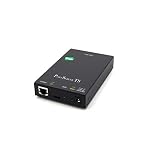
- Small size for easy installation
- Real COM and TTY drivers for Windows, Linux, and macOS
- Standard TCP/IP interface and versatile operation modes
- Easy-to-use Windows utility for configuring multiple device servers
- SNMP MIB-II for network management
| Model | Good fit | What to weigh |
|---|---|---|
| Public homeserver | A pilot, small group, or community that values quick setup over a branded namespace. | You depend on another operator’s account policies, limits, storage, and service availability. Matrix.org currently lists a free tier with a 10 MB maximum attachment size and 100 MB of data per day, and a premium tier with a 100 MB attachment limit and 1 GB per day; check its current page for the live terms and availability. |
| Managed hosting under your domain | A community that wants a recognizable domain and administrative control without staffing a server. | Confirm quotas, backups, federation policy, bridge support, data location, migration and export options, support, and the provider’s continuity plan. Matrix.org lists several managed providers, but offerings vary; compare their current terms rather than assuming they are interchangeable. |
| Self-hosted homeserver | A technically capable community or organization able to maintain infrastructure and respond to incidents. | You take on patching, monitoring, storage, backups, abuse handling, and administrator succession. Synapse is listed as a stable homeserver; other implementations exist at different maturity levels. Check the current homeserver directory and the documentation for the implementation you choose. |
| Restricted or private federation | A coalition, institution, or private network that needs communication across a defined set of organizations. | Allowlisting or disabling federation reduces reach and some exposure to outside servers, but also narrows interoperability. Define how trusted servers are added, removed, and maintained. |
| Air-gapped deployment | A disconnected or high-assurance environment with specialized security and support needs. | This is an enterprise deployment model, not a practical default for an online public community. Element advertises air-gapped options in its Server Suite Pro offering; assess it against actual requirements. |
A managed provider is often the best first step for a small volunteer organization: it keeps server operations with a provider while giving the community a route to a distinct domain and governance model. Self-hosting makes sense when someone is accountable for the service, not simply when someone can install it.
A community reference architecture
A dependable deployment is a set of decisions and components, not just a homeserver process. The details depend on the chosen implementation and release, so follow its current installation guidance rather than copying unpinned commands from an unrelated guide.
- Control the domain. Use a domain the organization owns, with more than one authorized person able to renew and administer it. Document DNS access and transfer procedures.
- Select the homeserver and hosting model. For a mainstream self-hosted route, Synapse is a common option; evaluate alternatives against their maturity, feature support, and operational requirements.
- Plan the host, database, and network edge. Provision them according to the selected homeserver’s current documentation. A reverse proxy commonly terminates TLS and routes client and federation traffic; confirm its handling of long-lived connections and WebSockets where required.
- Set the Matrix server name and DNS. The server name determines the domain portion of Matrix IDs. In Synapse’s standard federation guidance, federation commonly uses TLS on port
8448; DNS delegation can route federation traffic to a different host or port. Verify the exact setup against the current Synapse federation guide. - Choose federation policy before launch. Decide whether the server will federate openly, only with an allowlist, or not at all. Test inbound and outbound federation if it is enabled.
- Choose identity and registration rules. Decide whether users register locally, join by invitation, or authenticate through a system such as OIDC or LDAP where supported. Open registration needs abuse controls; enterprise identity options should be checked against the selected product and license.
- Set media, retention, and storage policy. Set upload limits and retention expectations. Images, video, files, thumbnails, duplicate bridge copies, and backups can use more storage than chat text.
- Establish moderation and administration. Create separate administrator and moderator roles, document escalation and appeal paths, and grant bots and integrations only the permissions they need.
- Build backups and recovery. Include the database, media, configuration, secrets, signing keys, and identity-provider configuration as applicable. Test restoration; a backup that has never been restored is an assumption, not a recovery plan.
- Monitor the service. Watch disk usage, database health, media growth, federation failures, latency, error rates, and capacity. Alert before storage exhaustion disrupts service.
- Pilot and test failure modes. Test account creation, device verification, room joins, uploads, federation, moderation, restoration, and what happens when a bridge or provider becomes unavailable before inviting the full community.
These are operational checkpoints, not universal configuration values. Pin the homeserver release and consult its documentation for version-specific installation, database, proxy, worker, and maintenance instructions.
Design a usable community, not a maze of rooms
Spaces can reproduce familiar categories while leaving room for a more deliberate structure. Start small; empty rooms are not a feature.
Community Space
├── Start Here
│   ├── Welcome
│   ├── Rules
│   ├── FAQ
│   └── Device Help
├── Announcements
├── General
├── Topic Rooms
├── Events
├── Support
└── Staff
    ├── Moderation
    └── Operations
Make rules and onboarding visible before members reach general discussion. Separate announcements from chat, use stable room aliases, and keep staff spaces restricted. Decide deliberately whether each public room should be encrypted: room purpose, moderation needs, and the client experience all matter. Explain how invitations, history visibility, permissions, and encryption differ by room.
Rank #3
Pick a recommended client and provide a short joining guide, including how to verify a new device and where to find account-recovery information. Matrix.org’s client directory can help members explore alternatives, but the community should not make each newcomer decide among several apps before they can participate.
PC Slower Than It Used to Be?
A free scan shows the junk files, broken settings and background clutter dragging Windows down - then fixes them in one click.Free scan · Windows 10 & 11Outdated Drivers Are Slowing You Down
One free scan finds every outdated or missing driver and matches the right update for your exact hardware.Free scan · exact hardware matchEncryption, recovery, and moderation
Matrix supports end-to-end encryption in eligible rooms, but “Matrix is encrypted” is too broad to guide a community. Encryption protects room content in transit and at rest from access by parties that lack the relevant keys; it does not make all metadata invisible, guarantee that every room is encrypted, or automatically secure backups, devices, bridges, and administrative systems.
Members need to understand device verification and the recovery key or security phrase their client provides. If someone loses every verified device and their recovery material, regaining access to encrypted history may be impossible or limited, depending on the account and setup. Explain this before it becomes an emergency. Operators should document how encrypted media and backups are handled and be clear about what moderators can and cannot inspect. Do not promise that a homeserver operator can automatically read encrypted room content.
Encryption also changes moderation, auditing, retention, and compliance. It is not a simple choice between privacy and safety: a private support room may have different needs from a public discussion room, while a staff incident room may need restricted membership and explicit retention rules. Some commercial deployments advertise auditing and retention controls for encrypted communications, but those capabilities are product-specific; they should not be assumed to exist in every Matrix client or self-hosted deployment. Element describes enterprise offerings on its pricing page.
Federation likewise changes moderation. A community may encounter users, rooms, and servers it does not administer. Prepare both room-level tools and homeserver-level policies:
Do these 3 things before closing this tab:
1Fix the driver behind crashes, sound loss and screen glitches2Repair Windows errors before they cause bigger problems3Scan for outdated or missing drivers - takes under a minuteRank #4

- Used Book in Good Condition
- Restrict registration or use invitations, and add identity checks where appropriate.
- Set room permissions and clear moderator succession so enforcement does not depend on one account.
- Use bans, server ACLs, and federation allowlists or denylists according to the community’s policy.
- Set media limits and rate limits; offer a visible abuse-reporting route and an appeal process.
- Review bots and integrations for permissions, data access, and maintenance before adding them.
- Keep evidence only as long as needed and define who can access it.
- Treat bridged rooms as a distinct trust boundary, not as private rooms with an extra feature.
Open public rooms can prioritize discoverability but require strong moderation. Community rooms can require invitations or approval; staff rooms should be restricted, and may be encrypted where appropriate. State these differences in room descriptions and community policy.
Bridges: useful migration layer, not a transparent pipe
A bridge can let Matrix members exchange messages with Discord users during a transition, helping a community avoid a sudden switch. Matrix documentation describes bridges as integrations that may represent external users as “ghosts” and, in some cases, act through “puppet” accounts. They can require powerful permissions to create or control users and rooms, so keep bridge access narrow and review it carefully. See the Matrix concepts documentation.
Before adopting one, find out whether it is hosted by your community, a provider, or a third party; which messages and actions it translates; how it handles identity, edits, reactions, replies, threads, files, moderation, and history; where credentials are stored; and who can disable it during an incident. Do not assume that messages, moderation actions, or history will map cleanly between platforms. A bridge can fail when an external API or policy changes, credentials are revoked, rate limits intervene, or the operator abandons it.
Privacy needs special care. If a bridge must decrypt Matrix content and retransmit it to another service, bridged messages do not have the same confidentiality properties as messages kept within a Matrix-native encrypted room. Treat the bridge endpoint and destination as additional parties that may process the content. A bridge is therefore best viewed as a governed compatibility layer—temporary or permanent—not evidence that Discord has been replaced.
The Tool Desk
Outbyte Driver Updater FREEFix the driver behind crashes, sound loss and screen glitchesFind Drivers →Outbyte PC Repair FREEClear out junk files and repair common Windows errorsFree Scan →Voice and video: test the exact setup
Do not choose Matrix for a voice-heavy community solely on a promise of Discord parity. Matrix clients and deployments offer different calling options, including one-to-one calls, Jitsi-based calls, and MatrixRTC support, but availability and behavior depend on the client, homeserver, call infrastructure, and network conditions. Group-call scale, NAT traversal and TURN, screen sharing, mobile background behavior, admission controls, recording, and federation behavior all need evaluation for the specific deployment. For a gaming group, Matrix may be a good home for identity, announcements, and text while a separately selected service handles voice.
Best Value
- A quality product by DIGI INTERNATIONAL
- A quality product by DIGI INTERNATIONAL
- A quality product by DIGI INTERNATIONAL
- A quality product by DIGI INTERNATIONAL
- A quality product by DIGI INTERNATIONAL
A staged Discord migration
- Map how people use Discord. Identify essential channels, moderation practices, bots, voice habits, integrations, and the community’s most important content. Do not migrate every category by default.
- Choose a homeserver model and run a pilot. Test with a small group that includes moderators and less technical members. Check sign-in, client support, device verification, mobile use, and recovery guidance.
- Build the core Space. Publish rules, welcome information, announcements, support, and a few active topic rooms. Make Matrix’s new structure easy to understand.
- Set the canonical home for high-value activity. Move announcements, governance, and new long-lived discussions to Matrix so members know where authoritative information lives.
- Add a bridge only if it solves a real transition problem. Decide what it may relay, who operates it, how credentials are protected, and how it will be disabled or retired.
- Teach the new routine and measure friction. Offer account and device help, keep a visible support route, and ask where members are getting stuck.
- Reduce dependency gradually. Once participation stabilizes, narrow the bridge or retain Discord only for a clearly stated compatibility purpose. Keep a migration and communications plan rather than relying on an abrupt shutdown.
A bridge can ease the change, but it cannot erase differences in identity, permissions, message features, history, or voice. Plan for those gaps instead of promising a seamless mirror.
Who should self-host—and who should not?
Self-hosting is a reasonable choice when the community has a stable domain, named administrators, someone responsible for security updates and incident response, tested backups, a moderation plan, and enough operational knowledge to troubleshoot federation and storage. It is especially valuable when control of infrastructure, authentication, or data handling is a concrete organizational requirement.
Start with managed hosting instead if the service matters but no one can reliably patch it, restore it, handle abuse reports, monitor disk space, or take over when the current administrator is unavailable. A server run by a single volunteer with no succession plan is not operational independence; it is a new single point of failure.
For an organization with IT staff, compliance requirements, or a need for vendor support, compare a supported enterprise deployment with self-hosting and managed providers. Element Server Suite Pro advertises features including identity integration, auditing, retention and federation controls, and air-gapped options; availability and terms depend on the product. Its product page is a starting point, not a substitute for validating requirements and pricing.
A decision framework
- Small volunteer group, low operations capacity: Start with a public or managed homeserver; use a pilot to learn what the group needs.
- Technical open-source community: Self-hosting Synapse can be reasonable if responsibility for patching, backups, moderation, and succession is explicit.
- Organization needing its own identity without a server team: Consider managed hosting under an organization-controlled domain.
- Coalition or institution with defined trust boundaries: Assess restricted federation and document how trusted servers will be governed.
- Regulated, supported, or disconnected environment: Evaluate enterprise offerings and confirm their actual operational and compliance fit.
- Discord migration with active users still there: Make Matrix the canonical home over time and use a bridge only with clear scope and privacy expectations.
- Gaming group centered on voice: Validate calling with your actual clients, devices, network, and group size; consider a hybrid arrangement.
Include the full cost of ownership in that decision. Hosting and storage are visible expenses; administrator time, support, abuse response, bridge maintenance, outages, recovery, and migration work are costs too. Open-source software does not make those responsibilities disappear.
Operational maintenance is part of the design
Matrix rooms and integrations are not frozen once launched. Room upgrades can create a new room linked to the old one and may require attention to aliases, permissions, bots, and integrations. Matrix.org’s administration guidance documents room version 12 as an upgrade consideration and recommends planning public-room upgrades; its guidance also notes that integrations may need migration. Treat an upgrade as a change to test and coordinate, not an ordinary button press.
Before launch, assign at least two people responsibility for the domain, administrator access, moderator succession, backups, and recovery documentation. Record the current homeserver version, federation policy, bridge owner, retention rules, and restoration procedure. Review that record after major changes and ensure a replacement administrator could use it.
Pre-launch checklist
- Does the community control the domain and have a documented renewal and transfer plan?
- Is the homeserver provider or administrator accountable for updates, security incidents, and service availability?
- Are federation and registration policies explicit and tested?
- Are room permissions, moderation roles, reporting, appeals, and succession documented?
- Do members know how to verify devices and retain recovery information?
- Are media limits, retention, backups, and data access understood?
- Has a restoration test succeeded, rather than merely producing backup files?
- Are bridges limited, permission-reviewed, and understood as a privacy and reliability boundary?
- Have the chosen clients, mobile use, calls, uploads, and federation been tested with the actual community?
- Is there a plan for room upgrades, provider changes, administrator departure, and migration back or onward?
Matrix can replace Discord for some communities, and it offers choices Discord does not: a controllable account namespace, federated participation, client choice, and the option to set local infrastructure and network policy. But the payoff comes from taking responsibility for those choices. If a community cannot staff that responsibility, managed hosting is often more genuinely sovereign than an unattended server; if it can, Matrix can serve as a durable communications foundation rather than merely a new chat app.
Quick Recap
Product prices and availability are accurate as of the date/time indicated and are subject to change. Any price and availability information displayed on Amazon at the time of purchase will apply.

