What’s actually slowing this PC down?
Pick the symptom - the matching free tool is one click away.
Some links on this page are affiliate links: if you buy through them we may earn a commission, at no extra cost to you.
For writing a melody and hearing lyrics sung, start with VOCALOID6 or Synthesizer V Studio 2 Pro; for a lower-cost first draft, LyricToMelody AI has a free plan. The key distinction is whether you need a virtual singer built from notes and lyrics, a guide vocal from your own performance, or a voice conversion tool that changes recorded singing. These options vary sharply in price and computer requirements, so check whether your device is supported before committing.
How These Singing Tools Differ
Vocaloid-style synthesis starts with a melody and lyrics, then generates a sung voice you can shape. That suits writing a chorus before hiring or recording a singer. Voice conversion starts with recorded vocals and changes their voice; it can help with demos, but it is not the same workflow as entering notes and lyrics. Some tools cover both paths, while others focus on one.
| # | Preview | Product | Price | |
|---|---|---|---|---|
| 1 |

|
IA ROCKS -ARIA ON THE PLANETES- | $87.84 | Buy on Amazon |
| 2 |
|
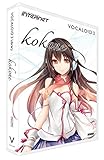
Vocaloid3 Library Kokone | $70.00 | Buy on Amazon |
| 3 |

|
Vocaloid2 Character Vocal Series 01: Hatsune Miku | $180.00 | Buy on Amazon |
| 4 |

|
VOCALOID2 Character Vocal Series 03: Megurine Luka (Japan Import) | $164.34 | Buy on Amazon |
For a phone-first workflow, confirm mobile browser or app compatibility with the vendor. The information available here establishes desktop support for some products and web access for others, but does not establish that every web tool works on a smartphone. If you plan to finish a track in a DAW, check export formats and integration with your setup before paying.
Best Vocaloid Text-to-Speech and AI Singing Voice Tools
1. VOCALOID6 — Best Dedicated Vocaloid Starting Point
VOCALOID6 is the most direct fit for a reader looking for Vocaloid-style singing synthesis: enter a melody and lyrics, then shape the vocal performance. It supports lyrics mixing Japanese, English, and Chinese in a single voicebank, and includes more than 100 style presets, from main and chorus vocals to robot styles. Its trial includes all features for 31 days; the one-time purchase is $225 before tax, with no free plan.
#1 Best Overall
It runs on Windows and macOS, so it is a substantial purchase for a desktop workflow rather than a phone-only setup. For covers or voice likenesses, get consent and check the applicable voicebank and product terms before release.
2. Synthesizer V Studio 2 Pro — Best for Detailed Vocal Editing
Synthesizer V Studio 2 Pro is a strong choice when you want fine control over pitch, timing, pronunciation, timbre, and expression. It supports MIDI and cross-lingual singing across six languages; its voices are natively available in English, Japanese, Mandarin, Cantonese, and Korean. It works as a standalone desktop app or with VST3, AU, AAX, and ARA plug-ins.
The product page lists Synthesizer V Studio Pro at $89 one-time and offers a 14-day trial. It runs on Windows and macOS, has no perpetual free plan, and does not provide voice cloning. Check the voice and software terms for your intended release, especially if using a voice to imitate a real person.
The Tool Desk
Outbyte Driver Updater FREEFix the driver behind crashes, sound loss and screen glitchesFind Drivers →Outbyte PC Repair FREEClear out junk files and repair common Windows errorsFree Scan →3. LyricToMelody AI — Best Free First Draft From Lyrics
LyricToMelody AI can generate a melody around lyrics and let you hear it with an AI singing voice. You can also upload a MIDI vocal line, add lyrics, and make an AI guide vocal. Its free Starter plan gives 20 credits to start, requires no card, and retains projects for 7 days; Creator starts at $10 per month when billed annually and includes 1,200 credits refreshed monthly with 30-day project retention. Paid plans include commercial rights.
Rank #2
It exports MIDI, audio, and separate stems for DAW work, and is available as a web application rather than a desktop app. Check whether the web app works on your phone before relying on it there. If you upload or record a voice for custom training, use audio you have permission to use and check the vendor’s terms for the resulting voice and release.
4. SoulX-Singer — Best Research Tool for MIDI-Conditioned Singing
SoulX-Singer is a research-oriented open-source toolkit for generating and converting singing voices. It can generate singing for unseen singers using melody or MIDI conditioning, and supports Mandarin, English, and Cantonese. Its singing voice conversion workflow can work directly from raw singing audio without lyric or MIDI transcription.
This is a better fit for technically comfortable users than someone seeking a polished phone app: full local control centers on Linux and self-hosted deployment. The directory lists commercial use as allowed, but still check the project and model terms and get permission for any voice you use or imitate.
5. Applio — Best Free Voice Conversion With Custom Models
Applio is a free, cross-platform voice conversion suite for creators and developers. It supports real-time and uploaded-audio conversion, custom model training, voice blending, TTS, batch inference, and CLI automation. It can run on a machine or in the cloud, according to the project site, but the available details do not establish a simple phone workflow.
Rank #3
- The Character Vocal Series is the first step to generate a realistic singing voice by simply typing the lyrics and melody. Vocaloid (Vocal+Android) is the speech synthesis software that was researched and developed by the Yamaha Corporation Center.
- Hatsune Miku, was built up on the basis of the character voices and cute pop by voice actress Saki Fujita
Applio is most relevant when you already have a sung performance to transform, rather than when you want to write notes and lyrics for a virtual singer. The project says it may be used, modified, and redistributed for personal, research, or commercial work. That does not establish rights to a voice or model you supply: get consent and check the relevant model’s terms.
6. UtaiSynthesizer — Best Free Local Singing Workstation for Windows
UtaiSynthesizer combines singing synthesis, voice conversion, separation, and model training in a free, open-source Windows workstation. Its node workflows and multitrack timeline give it a broader local production setup than a simple text-to-speech page. The project describes a dual backend, with RVC for speed and SoVITS for quality, plus shallow diffusion and voice blending.
It is Windows-only, and working locally means managing models and processing on-device. Commercial use is restricted across some model weights, so check the specific model terms and obtain permission for voices before releasing work.
Free tools Windows power users keep installed
One-click scans. No signup required.
7. Kits AI — Best Web Toolkit for Vocal Conversion and Production
Kits AI is a web-based vocal-production toolkit that includes voice cloning, conversion, blending, separation, and mastering; it is also available on Windows and through an API. Its free plan provides 15 conversion minutes, one voice slot, and zero download minutes per month. Paid plans start at $10 per month, and advanced features are spread across tiers.
Rank #4
- Specification : Software which can generate a realistic singing voice only by inputting a melody and words
- CPU: Pentium 4 Two or more GHz and Athlon XP 2000+ or subsequent ones Memory: Not less than 512MB HDD: Not less than 6 GB DVD-ROM drive and a sound card -- required at the time of activation, environment connectable with the Internet is required
This is aimed more at changing or producing vocal audio than entering a score for a virtual singer. Kits says its model voices are ethically licensed and sourced via the artists themselves, but artist-model outputs may need approval for commercial release. Check the current plan and the particular model’s terms before building a release around it.
8. Audimee — Best for Harmonies and Vocal Conversion
Audimee is a web-based vocal converter with voice isolation, pitch editing, stem splitting, and a harmony maker that supports up to five harmony tracks. Its free tier offers an initial 15 minutes of conversions as a one-off introduction, 11 royalty-free voices, and 31 instruments; it has no custom voice model slots on that tier. Paid plans start at $9 per month, with conversion-time caps on Starter and Pro.
Audimee’s described workflow starts from vocal recordings, so it suits transforming a performance or building harmonies more directly than typing lyrics into a singing synthesizer. Check the terms for the voice and intended use, and get permission for any custom voice you train. Access is limited to the web platform; phone compatibility is not established here.
Quick wins for a faster PC:
Scan for outdated or missing drivers - takes under a minuteDriver Scan →Repair Windows errors before they cause bigger problemsFix Now →9. IK Multimedia ReSing — Best for Vocal Transformation in a DAW
IK Multimedia ReSing replaces scratch vocals with modeled voices and offers controls for timbre, phonetics, expression, transpose, and stacking. It supports English, Spanish, and Japanese models, creates custom voice models locally, and works standalone or as a plug-in with compatible DAWs. A free tier is available; paid plans start at $129.99 one-time, and the vendor describes the license as perpetual with no subscription.
ReSing is for transforming vocal tracks, not generating a complete performance from typed lyrics and a melody. It runs on Windows and macOS. Get consent for voices used in custom models, and check the product and model terms before commercial release.
Independent reader supportYour contribution helps us test, update, and keep practical guides available for everyone.Choose by Workflow and Budget
| Tool | Best fit | Price information | Established platform |
|---|---|---|---|
| VOCALOID6 | Lyrics and melody to styled singing | $225 one-time before tax; 31-day trial | Windows, macOS |
| Synthesizer V Studio 2 Pro | Precise editing of synthesized vocals | $89 one-time; 14-day trial | Windows, macOS |
| LyricToMelody AI | Lyric-led drafts and MIDI guide vocals | Free Starter; Creator from $10/mo billed annually | Web application |
| SoulX-Singer | Research and MIDI-conditioned generation | Free, open source | Linux and self-hosted; web deployment listed |
| Applio | Free voice conversion and custom models | Free | Windows, macOS, Linux; self-hosted |
| UtaiSynthesizer | Local singing workstation | Free, open source | Windows desktop |
| Kits AI | Voice conversion and vocal production | Free plan; paid from $10/mo | Web, Windows, API |
| Audimee | Vocal conversion and harmonies | One-off introductory free conversions; paid from $9/mo | Web |
| IK Multimedia ReSing | Voice transformation with DAW workflow | Free tier; paid from $129.99 one-time | Windows, macOS |
For a first melody from lyrics, the free LyricToMelody AI plan avoids an upfront purchase, though its starter credits and project retention are limited. For detailed note-level shaping, compare the desktop trials from VOCALOID6 and Synthesizer V Studio 2 Pro with your computer and DAW before spending. If you have a recorded vocal to convert, compare free plans and local tools by their conversion limits, supported device, and model terms. Check vendors directly for any feature, language, genre, phone support, or licensing detail not specified here.
Quick Recap
Product prices and availability are accurate as of the date/time indicated and are subject to change. Any price and availability information displayed on Amazon at the time of purchase will apply.

