What’s actually slowing this PC down?
Pick the symptom - the matching free tool is one click away.
For print-oriented reports and templated documents, start by evaluating WeasyPrint. Its Python API converts HTML directly to PDF, but it is not a full browser and has documented CSS and environment limits. Choose Playwright when your output depends on browser rendering, JavaScript-driven content, or page state. Keep wkhtmltopdf mainly for legacy integrations whose existing output depends on it; its project lists stable release 0.12.6 from June 11, 2020, and warns against rendering untrusted HTML.
There is no documented head-to-head benchmark establishing one universal winner. Test candidate engines against your actual templates, fonts, page breaks, and deployment environment before committing.

Which Python HTML-to-PDF converter should you choose?
Pick based on how the document is rendered, rather than on a claim that one library is best for every job:
- Choose WeasyPrint to evaluate first for structured print documents such as reports, invoices, and certificates. It has a direct Python API and print-focused HTML/CSS support.
- Choose Playwright when you need browser behavior, application-driven page state, or JavaScript-rendered content. Its Python Page API produces a PDF from a browser page and uses print CSS media by default.
- Retain or assess wkhtmltopdf cautiously when a legacy integration relies on its output. Verify its current maintenance and your platform compatibility, and do not feed it untrusted HTML or JavaScript.
These are fit-based recommendations, not comparative performance findings. The consulted official documentation does not establish a benchmark winner.
The Tool Desk
Outbyte Driver Updater FREEFix the driver behind crashes, sound loss and screen glitchesFind Drivers →Outbyte PC Repair FREEClear out junk files and repair common Windows errorsFree Scan →#1 Best Overall
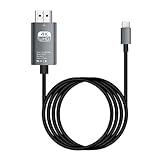
- HD Entertainment Quality: Experience realistic visuals with 4K60Hz quality via Type C to HDTV cable for immersive film and television entertainment. Improves efficiency
- Widely Compatible: Simplifies screen brighting from Type C smartphones to larger displays like TVs and monitors, supporting varied setups while increasing functional efficiency naturally
- Convenient to Use: Modernize your workflow using plug-and-play technology that ensures stable transmission, faster screen casting, and instant device recognition without requiring extra software
- Stable Audio Video Support: Features advanced shielding to reduce interference, ensuring smooth picture quality and wonderfully synchronized audio video through stable signal transmission supported by a dependable chip
- Diverse Utility: Supports game displays teaching shared screens improved workflows and impactful presentations delivering consistent adaptability for different use cases and improving overall user engagement naturally
How the options differ
| Converter | Best fit to evaluate | Documented strengths | Constraints to check |
|---|---|---|---|
| WeasyPrint | Print-oriented generated documents | Direct Python API; documented PDF links, bookmarks, attachments, forms, and font embedding. | Requires compatible Python and native dependencies, including Pango. Supports a defined feature set rather than full browser behavior. Its default HTTP fetcher does not support advanced cookies or authentication. |
| Playwright for Python | Browser-rendered pages and JavaScript-driven content | Print CSS is the default for PDF generation. Options include paper format, margins, headers and footers, page ranges, backgrounds, and CSS page sizing. | Requires a browser-based workflow and lifecycle management. Test the target page’s loading and print behavior; the consulted API documentation does not provide a head-to-head benchmark. |
| wkhtmltopdf | Existing legacy integrations dependent on its rendering | The project describes a headless Qt WebKit command-line renderer and provides platform binaries. | The project lists stable 0.12.6, released June 11, 2020. Verify maintenance status and deployment support. Its project page warns about untrusted HTML. |
Compare the HTML and CSS you use, JavaScript needs, fonts, page-format controls, native dependencies, deployment footprint, trust boundaries, and team familiarity. A short test using representative documents is more informative than choosing by library name alone.
Convert HTML to PDF with WeasyPrint
Install and check the environment
WeasyPrint’s current first-steps documentation lists Python 3.10 or later and Pango 1.44 or later among its requirements. It documents installation in a virtual environment with pip install weasyprint, but also notes system requirements and operating-system package considerations. A successful pip install does not by itself establish that the native libraries are available in your deployment image.
- Confirm the Python version and install the required native libraries for the operating system and deployment image.
- Create and activate a virtual environment, then install WeasyPrint with
pip install weasyprint. - Run a small conversion in the same environment that will generate production PDFs, and verify fonts, images, and other external resources.
Minimal runnable conversion
This creates a PDF from an HTML string:
from weasyprint import HTML

HTML(string="<h1>Report</h1>").write_pdf("report.pdf")
The documented API accepts HTML as a string, file, URL, or file-like object. For relative asset paths in an HTML string, provide an appropriate base_url so the renderer can resolve them. For custom @font-face configuration, WeasyPrint documents constructing and passing a FontConfiguration.
Generate several documents in a long-lived process
If your application generates multiple PDFs, the WeasyPrint documentation suggests using its Python API in long-lived processes to avoid repeated startup costs. Keep the rendering environment and resource locations consistent, and check each output against the intended template.
Know the rendering boundaries
WeasyPrint supports many HTML and CSS features, including much of CSS 2.1, but its documentation lists unsupported or limited areas. Examples include right-to-left or bidirectional text and particular table and page-margin behavior. Check its feature documentation against your own templates; do not assume that browser output and WeasyPrint output will match exactly.
Use Playwright when a browser page is the input
With Playwright, the basic workflow is to create a page, load the desired content, and call the Python Page API’s page.pdf(). The official API documentation states that PDF generation uses print CSS media by default. If you specifically need screen styles, call page.emulate_media(media="screen") before generating the PDF.
The API exposes paper format, margins, header and footer templates, page ranges, background printing, and an option to use CSS page sizing. Set only the options your output requires, then inspect page breaks, background colors, and headers in the resulting PDF. The correct page-loading and browser lifecycle depend on your application; the Page API description alone does not guarantee that a dynamic page has finished rendering before capture.
Choose this route when the content genuinely needs browser rendering or JavaScript-driven state. For static, print-oriented templates, compare its operational setup with WeasyPrint rather than adding a browser automatically.
Do these 3 things before closing this tab:
1Clear out junk files and repair common Windows errors2Fix the driver behind crashes, sound loss and screen glitches3Repair Windows errors before they cause bigger problemsWhen does wkhtmltopdf make sense?
wkhtmltopdf is a command-line HTML-to-PDF renderer based on headless Qt WebKit, and it is often called from Python through a wrapper. It can remain practical when an existing system depends on its particular output and migration would require revalidating documents. It is not the default new-project recommendation here: the project’s downloads page lists stable version 0.12.6, released June 11, 2020. That date is a reason to verify current maintenance, security posture, and platform compatibility; it is not evidence of a particular end-of-life date.
The project explicitly warns against using wkhtmltopdf with untrusted HTML and JavaScript unless the input is sanitized. Treat that warning as a security concern, not as a statement about comparative rendering quality.
How to evaluate converters with your own documents
Before selecting an engine, create a small representative test set and run it in the deployment environment. This is an evaluation method, not a claim that any converter has been tested here.
- Include real templates. Use the actual report, invoice, or web page structure, not only a heading and paragraph.
- Exercise difficult layout cases. Check page breaks, long tables, margins, print styles, and backgrounds that matter to your output.
- Check fonts and language needs. Include custom fonts and right-to-left or bidirectional text if your product requires them, particularly when evaluating WeasyPrint’s documented feature boundaries.
- Test the complete resource path. Verify how images, stylesheets, and fonts resolve in production, including URL access, authentication, and relative paths.
- Run inside the real deployment image. Confirm native library availability for WeasyPrint, or browser setup and page lifecycle behavior for Playwright.
- Inspect the PDFs visually and functionally. Check page count, text layout, links, and any required forms or bookmarks; a process that exits successfully is not proof that the document is correct.
Security, reliability, and cost considerations
Do not treat customer HTML as harmless input
WeasyPrint’s documentation warns that untrusted HTML or CSS can create security problems. The wkhtmltopdf project warns that untrusted HTML and JavaScript can enable complete server takeover unless user-supplied input is sanitized. If your service renders customer-controlled content, constrain access to network and local-file resources, sanitize or isolate input, and test the security boundaries of the deployment. These are prudent implementation implications of the warnings; the cited project materials do not prescribe one universal sandbox design.
Windows Errors? Fix Them Before They Spread
Repair common Windows errors and clear accumulated junk for a smoother, more stable PC - no reinstall needed.Free scan · no reinstallOutdated Drivers Are Slowing You Down
One free scan finds every outdated or missing driver and matches the right update for your exact hardware.Free scan · exact hardware matchPlan dependencies and loading behavior
WeasyPrint needs compatible native libraries as well as Python packages, so build and test the production image rather than relying on a developer machine. With Playwright, the output depends on the page and browser workflow: explicitly validate that content has loaded and that print styles produce the intended result. No comparative speed, reliability, or cost figures are established by the official documentation considered here; measure the workload and infrastructure you actually plan to run.
Account for access to assets
WeasyPrint’s standard HTTP fetcher does not provide advanced cookies or authentication. If your source documents depend on authenticated resources, account for that constraint before choosing the default fetch path. Its API documents URL-fetcher customization, but the appropriate access design depends on your application and should be reviewed for security.
Or skip the browser setup
If your job is to capture a website as an image or PDF rather than generate a document from your own HTML template, ScreenshotNeo is an alternative to try. It is a website screenshot API and MCP server, not a Python HTML layout engine. Its one-call API can return a screenshot or PDF. The example below requests a screenshot of Stripe; see the ScreenshotNeo API documentation for the available request options.
curl -G "https://api.screenshotneo.com/v1/shot" -d access_key=YOUR_API_KEY --data-urlencode url=https://stripe.com -o shot.webpIt accepts cookie or consent banners and removes more than 60 known consent platforms, newsletter popups, and chat widgets before capture; each step can be turned off. Bot checks and CAPTCHAs, blank pages, timeouts, failed loads, and cache hits are not billed, and responses identify the page verdict and billing status in headers. Its MCP server gives AI agents tools for screenshots, page information, and PDF capture. The free plan includes 1,000 shots per month with no card; paid plans start at $5 for 3,000 shots.
Sign up for 1,000 free screenshots a month, with no card required.
Common conversion problems and fixes
- WeasyPrint installs but fails in deployment: check that the system libraries required by the installed version are present in the deployment image, including the documented Pango requirement. Verify Python and operating-system package compatibility.
- Images or styles are missing: inspect the source paths and resource access. For HTML supplied as a string, set a suitable
base_urlfor relative references. Check whether assets require authentication that the default fetcher cannot provide. - A font or layout differs from expectation: confirm the font is installed or configured and test against WeasyPrint’s documented feature support, especially for page margins, tables, and bidirectional text.
- Playwright output uses unexpected styles: remember that
page.pdf()uses print media by default. If screen styling is specifically intended, emulate screen media before calling it, then verify the resulting pagination. - Dynamic page content is absent: validate the page-loading workflow and ensure the content is ready before PDF generation. The PDF API call does not itself establish that application-specific asynchronous content has finished.
- Rendering untrusted input: do not treat sanitization alone as a universal security boundary. Restrict resource access and isolate rendering according to your application’s threat model; heed the explicit warnings in the WeasyPrint and wkhtmltopdf documentation.
Frequently asked questions
Can WeasyPrint convert a URL directly?
Yes. Its documented API accepts a URL as input in addition to strings, files, and file-like objects. Consider asset resolution and access requirements when choosing the input form.
Can I switch from WeasyPrint to Playwright without changing output?
Do not assume identical rendering. They use different rendering approaches, and the documented feature sets do not establish pixel-for-pixel or pagination equivalence. Validate your actual templates before migrating.
Is ScreenshotNeo a replacement for WeasyPrint?
No. WeasyPrint converts HTML documents into PDFs from Python; ScreenshotNeo is intended for website screenshot and PDF capture through an API or MCP server. Choose based on whether you need document generation or website capture.
Quick Recap
Product prices and availability are accurate as of the date/time indicated and are subject to change. Any price and availability information displayed on Amazon at the time of purchase will apply.

