Do these 3 things before closing this tab:
1Fix the driver behind crashes, sound loss and screen glitches2Repair Windows errors before they cause bigger problems3Scan for outdated or missing drivers - takes under a minuteSome links on this page are affiliate links: if you buy through them we may earn a commission, at no extra cost to you.
The ASUS TUF Gaming VG258QM is still a capable 280Hz monitor for competitive 1080p PC gaming, but its age and TN panel make the price decisive. It makes sense when you can use its high refresh rate and buy it well below comparable IPS alternatives. At a similar price to a modern 240Hz or 280Hz IPS monitor, the IPS option is usually the better all-round choice.
ASUS TUF Gaming VG258QM at a glance
The VG258QM is a 24.5-inch, 1920 × 1080 TN gaming monitor built around high refresh rates rather than cinematic image quality. ASUS specifies a maximum 280Hz refresh rate over DisplayPort, Adaptive-Sync, ELMB Sync, and DisplayHDR 400. It also has an adjustable stand and a matte screen. The design dates to the 2020-era generation; RTINGS published its independent review in 2021, so its measurements are useful evidence of the model’s behavior, not a fresh 2026 test.
| Specification | What to know |
|---|---|
| Screen and panel | 24.5-inch TN |
| Resolution | 1920 × 1080 |
| Maximum refresh rate | 280Hz over DisplayPort with overclocking; HDMI supports up to 240Hz |
| Response-time rating | ASUS lists 1ms GTG on its U.S. specifications page; some regional marketing lists 0.5ms GTG. These are manufacturer claims, not directly comparable independent measurements. |
| Brightness and contrast | 400 cd/m² typical brightness and 1000:1 typical contrast, according to ASUS |
| HDR | DisplayHDR 400 |
| Variable refresh | Adaptive-Sync; ASUS lists G-SYNC Compatible support |
| Connections | 1 × DisplayPort 1.2, 2 × HDMI 2.0, headphone jack |
| Audio | Two built-in 2W speakers |
| Stand and mounting | Height, tilt, swivel, and pivot adjustment; 100 × 100mm VESA mounting |
Specifications and included accessories can vary by region. Check the ASUS specification page for your market.
Gaming performance: excellent at 280Hz, less impressive at 60Hz
At its maximum refresh rate, the VG258QM’s combination of quick motion performance and low input lag makes it well suited to competitive shooters and other fast PC games. RTINGS found it particularly effective at high refresh rates. A high-refresh screen cannot create frames your PC does not render, though: if a game usually runs at 100–160fps, you will not consistently see the full benefit of 280Hz.
#1 Best Overall

- Safety: This item is up to nationally recognized standards for high-level electronic safety
- Fit for Asus Tuf Gaming VG279Q VG278Q VG275Q VG245Q VG258Q VG258QR VG258QM VG248QG VG278QR VG278QE VG278QF Monitor [Do not buy if your laptop requires more than 2.37A]
- 24 months manufacturer warranty
- Package includes:1 X power adapter, 1 X power cord
- Output:19V 2.37A 45W Input:100-240V
The interval between refreshes shrinks as the refresh rate rises: roughly 16.67ms at 60Hz, 6.94ms at 144Hz, 4.17ms at 240Hz, and 3.57ms at 280Hz. The move from 240Hz to 280Hz is a real but modest reduction—about 0.60ms per refresh interval. It matters most to players pursuing very high frame rates and competitive consistency, not to every gamer.
There is an important counterpoint: independent testing found substantially worse response time and input lag at 60Hz than at the monitor’s maximum refresh rate. That does not mean every unit is defective; it means “fast” needs a refresh-rate qualifier. A PC player who regularly uses 280Hz is a better match than someone who mostly plays at 60Hz on a console or older PC.
TN image quality and everyday use
The matte screen, strong brightness, and good reflection handling help in bright rooms. RTINGS also found the SDR color gamut performed well. Gamut coverage, however, is not the same as accurate color: it does not guarantee faithful calibration or consistent appearance when you shift position.
The Tool Desk
Outbyte PC Repair FREERepair Windows errors before they cause bigger problemsFix Now →Outbyte Driver Updater FREEScan for outdated or missing drivers - takes under a minuteDriver Scan →Rank #2

- High-Performance Display: 24.5-inch Full HD (1920x1080) Fast IPS gaming monitor with overclock to 310Hz refresh rate designed for professional gamers and immersive gameplay
- Ultra-Fast Response Time: ASUS Fast IPS technology enables a 0.3ms (GTG) response time(min.) for sharp gaming visuals with high frame rates
- Adaptive Sync Technology: FreeSync Premium and G-Sync compatible delivers a seamless, tear-free gaming experience
- Advanced Motion Blur Reduction: ASUS Extreme Low Motion Blur Sync (ELMB SYNC) technology enables ELMB together with variable refresh rate, eliminating ghosting and tearing for sharp gaming visuals with high frame rates
- Convenient Monitor Control: DisplayWidget Center enables easy OSD access and monitor settings adjustments with a mouse
The TN panel’s most obvious trade-off is its narrow practical viewing angle. Colors and gamma can shift as you move your head or look from the side. ASUS lists 170° horizontal and 160° vertical viewing angles, but those specification figures should not be read as a promise of color-accurate viewing across those angles. Independent testing found the picture washes out off-center. This makes the monitor a poor choice for shared viewing or color-critical creative work.
Its typical 1000:1 contrast is ordinary, and independent testing describes contrast as mediocre. Dark scenes therefore lack the depth that a stronger-contrast display can provide, so the VG258QM is less convincing for dark-room films and immersive single-player games. At 1080p on a 24.5-inch screen, it is a sensible esports format, but it does not provide the extra desktop space or fine detail of a 1440p display.
DisplayHDR 400 is not a reason to buy it
The VG258QM accepts HDR content and carries DisplayHDR 400 certification, but that label does not make it a high-impact HDR display. RTINGS found weak HDR color gamut, insufficient highlight impact, and low contrast. Treat HDR as a compatibility feature or bonus, not a central buying reason.
Rank #3

- 23.8-inch Full HD(1920x1080) gaming monitor with 146Hz (OC) refresh rate designed for professional gamers and immersive gameplay
- ASUS Extreme Low Motion Blur Sync (ELMB Sync) technology enables ELMB and variable-refresh-rate technologies to work simultaneously to eliminate ghosting and tearing for sharp gaming visuals with high frame rates
- DisplayWidget Center enables easy monitor settings adjustments with a mouse
- Shadow Boost enhances image details in dark areas, brightening scenes without over-exposing bright areas
- What’s in the box: HDMI cable, Power cord, Quick start guide, Warranty Card
There are also practical control restrictions: the manual says HDR operation disables or limits a number of settings, including ELMB Sync, brightness, contrast, GameVisual, Shadow Boost, color temperature, saturation, and several other picture controls. If an option disappears while HDR content is active, that can be expected behavior rather than a fault.
Quick wins for a faster PC:
Clear out junk files and repair common Windows errorsFree Scan →Scan for outdated or missing drivers - takes under a minuteDriver Scan →Repair Windows errors before they cause bigger problemsFix Now →How to enable 280Hz and configure motion features
Enable 280Hz
- Connect the PC to the monitor with DisplayPort. HDMI is limited to 240Hz; the full 280Hz mode is DisplayPort-only.
- Open the monitor’s on-screen display (OSD) and go to Gaming → Overclocking. Enable overclocking.
- Set Max Refresh Rate → 280Hz and confirm.
- In Windows display settings and your graphics control panel, select 1920 × 1080 at 280Hz.
If 280Hz is unavailable, check the connection, OSD overclock setting, and refresh-rate selection in both Windows and the GPU control panel. A cable or graphics output can also limit available modes. ASUS warns that overclocking may cause flicker; if it does, use the OSD to select a lower maximum refresh rate.
Adaptive-Sync and ELMB Sync
For variable refresh, connect over DisplayPort and open Gaming → Adaptive-Sync (DP), then enable Adaptive-Sync. Enable the corresponding variable-refresh option in your graphics-driver control panel. The manual specifies an Adaptive-Sync range of 48–280Hz over DisplayPort and 48–240Hz over HDMI.
Rank #4

- High-Resolution QHD Gaming Display: 27-inch QHD (2560 x 1440) gaming monitor with 180Hz refresh rate designed for professional gamers and immersive gameplay
- ASUS Extreme Low Motion Blur Sync Technology: ELMB Sync technology enables ELMB and variable-refresh-rate technologies to work simultaneously to eliminate ghosting and tearing for sharp gaming visuals with high frame rates
- Advanced Synchronization Technologies: FreeSync Premium, G-Sync compatible and AdaptiveSync technology delivers a seamless, tear-free gaming experience by enabling VRR (variable refresh rate) by default
- High Dynamic Range Support: HDR technology supports HDR-10 format to enhance bright and dark areas for improved visual depth and contrast
- Package Contents: DisplayPort cable, L-shaped Screwdriver, Power cord, Power adapter, Quick start guide, Warranty Card
ELMB Sync combines Adaptive-Sync with backlight strobing to reduce perceived motion blur. Find it under Gaming → ELMB/ELMB SYNC. Ordinary ELMB requires Adaptive-Sync to be off and is available only at certain refresh rates listed in the manual; ELMB Sync is the mode intended for use alongside Adaptive-Sync. HDR disables ELMB Sync. Strobing can also reduce brightness or introduce flicker and artifacts, so turn it off if the result is uncomfortable or distracting.
Overdrive: judge it at your refresh rate
The OSD calls overdrive Variable OD and offers levels 0 through 5. There is no single level to recommend without testing the display at the refresh rates you actually use. Compare levels in a moving game or test pattern and look for inverse ghosting—bright or dark halos trailing moving objects. Check both high-refresh and lower-refresh play. Variable OD is unavailable while ELMB or ELMB Sync is active, so those features cannot be tuned independently at the same time.
Connectivity and console use
Use DisplayPort when 280Hz is the goal. HDMI’s ceiling is 240Hz, and the manual gives separate Adaptive-Sync ranges for the two connection types. ASUS advertises 1080p at 120Hz support for PS5 and Xbox Series X/S. That is useful for compatible console games, but consoles do not use the monitor’s 280Hz mode. For console owners who often play at 60Hz, the VG258QM’s weaker measured 60Hz behavior is a significant reason to compare other screens.
Best Value
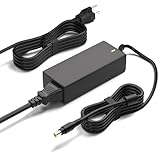
- Monitor Power Adapter Specifications: Output 65W 19V 3.42A, Input AC 100V - 240V, Cable Length 8FT, Connector size 5.5*2.5mm
- Charger for Asus Monitor: Replacement Tuf Gaming Monitor VX228D VX228N VX229N VX228H VX229H VX238N VX238T VX238H VX238T VX239H VX239N VX248 VX248H VX248N VX279H VX279N VX279Q VG245 VG245Q VG245H VG245HE VG248 VG248QG VG255H VG258 VG258Q VG258QR VG258QM VG259 VG259Q VG259QR VG275Q VG278 VG278Q VG278QR VG278QE VG278QF VG279 VG279Q VP279HE VG289Q VG27AQ VG27BQ VG27VQ VG32V VG32VQ VG27B VG27W VG27A VG24V VG24VQ
- 19V AC Adapter Compatibility: Compatible with Asus 22 inch 23 inch 24 inch 27 inch Screen ROG Swift PG278Q PG279Q VC239H VC239N VC239N-W S202N VC279H VC279N VC279N-W MX259H VG245 VG245H VG279Q VG278Q VG275Q VG245Q VG258Q VG258QR VG258QM VG259QM VG248QG VG27AQ VG278QR VG278QE VG278QF VG32VQ VG32VQ1B VP278QG VP279HE VA27EHE 27 inch G-SYNC Freesync Gaming LED Monitor
- Security and Protection Features: Power Adapter Charger has CE FCC RoHS Safety Certification with Overvoltage Protection, Overcurrent Protection, and Short Circuit Protection
- Premium Quality Construction: Made with ABS+PC flame-retarded material case and pure copper wire core for stable output, low heat generation, and efficient continuous power delivery with over 10 years lifespan
Stand, speakers, and practical details
The stand offers height, tilt, swivel, and pivot adjustment, which is more flexible than a basic tilt-only stand. There is also 100 × 100mm VESA support for an arm or wall mount. Built-in 2W × 2 speakers and a headphone jack cover basic audio needs, but the listed speaker power is modest; buyers who care about sound should plan on separate speakers or a headset. Check the seller’s listing for the included power adapter, cables, stand, and warranty, as accessories can differ by market and listing condition.
How it compares with alternatives
- ASUS TUF Gaming VG259QM: The closest comparison, with a 24.5-inch 1080p IPS panel and similar 280Hz positioning. RTINGS found it better in several all-round areas, including viewing angles, 60Hz response performance, and HDR color gamut. If prices are close, it is the safer general-purpose choice; the VG258QM makes more sense when materially cheaper and used mainly for high-refresh competition. See the RTINGS comparison.
- Dell G2524H: A newer 24.5-inch, 1080p high-refresh competitor worth checking against the VG258QM. Compare the exact panel behavior, features, and current local price rather than assuming either is better from the headline refresh rate alone. See the RTINGS comparison.
- BenQ ZOWIE XL2546K: Another competitive TN-oriented option with its own esports feature set. RTINGS found the ASUS brighter and somewhat better overall, while the BenQ handled 60Hz better. Both share TN limitations such as narrow viewing angles and low contrast.
- ASUS ROG Swift PG259QN: A more premium 360Hz IPS alternative with wider viewing angles, stronger out-of-box color, and better 60Hz behavior, according to RTINGS. Its higher price may not be worthwhile if you cannot make use of 360Hz.
Do not assume that TN automatically beats IPS in every motion scenario. The VG258QM’s case rests on its measured high-refresh performance and price, not a universal panel-technology rule. Compare current models and actual prices before deciding.
Who should buy the VG258QM?
Buy or consider it if you mainly play competitive PC games at 1080p, can regularly drive very high frame rates, want a compact screen and adjustable stand, and find a new, refurbished, or used unit clearly cheaper than comparable IPS monitors. In a bright room, its brightness and reflection handling are useful.
Skip it if you want convincing HDR, richer dark-room contrast, 1440p sharpness, accurate color from varied viewing positions, or a display for shared viewing. It is also a weak match if most of your use is at 60Hz or if its price approaches a newer 240Hz or 280Hz IPS monitor.
Because the design is older and availability varies by market, judge the actual listing rather than relying on an old launch price. Compare new, refurbished, and used offers separately; verify it is the exact VG258QM, not the IPS VG259QM. For a used unit, check for dead pixels, screen uniformity, stable DisplayPort operation at 280Hz, and flicker at the advertised overclock. Warranty coverage and included accessories can materially change the value.
ASUS lists a product security-update support period through December 31, 2026. That date is not a warranty term and does not establish whether the monitor is still in stock or discontinued in your region. Check the ASUS product page for local availability and specifications.
Quick Recap
Product prices and availability are accurate as of the date/time indicated and are subject to change. Any price and availability information displayed on Amazon at the time of purchase will apply.

