Some links on this page are affiliate links: if you buy through them we may earn a commission, at no extra cost to you.
结论先说:戴尔 Latitude 9430 2-in-1 仍是一台优秀的商务二合一,优势在于视频会议、续航、触控屏、360 度转轴、企业安全功能和扩展能力。不过它采用 2022 年的英特尔 12 代低压平台,内存板载,屏幕响应速度一般,手写笔通常还需另购。因此,2026 年它更适合以合理价格购买二手或翻新机,而不适合以接近新款高端商务本的价格购买。
需要特别注意:Latitude 9430 Laptop 与 Latitude 9430 2-in-1 不是同一台机器。2-in-1 版本具备触控屏和 360 度转轴;普通 Laptop 版本可能采用非触控屏。Dell 官方页面同时使用两种产品名称,购买时必须核对 Service Tag、完整配置和实物照片,而不能只看“9430”这个型号名。
Latitude 9430 2-in-1 的定位
Latitude 9430 2-in-1 是面向企业用户、远程办公人员和经常出差者的高端商务二合一。它可以在普通笔记本、帐篷、站立和平板模式之间切换,主要卖点不是游戏性能,而是可靠的办公体验、会议功能、移动连接和企业管理能力。
Recommended Free Tools
常见配置包括 Intel Core i5-1245U 或 Core i7-1265U、16GB 或 32GB 板载 LPDDR5 内存、Iris Xe 集成显卡,以及可选的 vPro Enterprise 和 5G。配置会因国家、市场和采购渠道而变化,官方当前展示的某些 9430 配置甚至是 1920×1200 非触控屏,不能代表二合一版本的屏幕。
#1 Best Overall
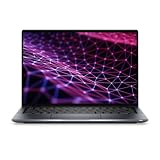
- Powerful Performance & Reliable Speed: The Dell Latitude 9430 2-in-1 Convertible Notebook (Certified Renewed) is equipped with a 12th Gen Intel Core i7-1265U 10-core processor up to 4.80 GHz, 16GB LPDDR5 5200 MT/s RAM, and 512GB PCIe NVMe SSD paired with a 14-inch QHD (2560 x 1600) IPS touchscreen with anti-reflection Corning Gorilla Glass for sharp visuals and vibrant, comfortable viewing.
- Optimized for Work & Collaboration: Intel Iris Xe Graphics ensures crisp visuals for everyday tasks, while the FHD RGB IR front camera with dual-array microphones provides professional-quality video conferencing.
- Seamless Connectivity & Versatile Ports: Wi-Fi 6 802.11ax and Bluetooth provide high-speed wireless performance for business or personal use, while two Thunderbolt 4 ports with DisplayPort Alt Mode, USB4, and Power Delivery, one USB 3.1 Gen 1 port, one HDMI 2.0 port, and a universal audio jack offer flexible connections for peripherals, external displays, and headsets.
- Immersive Audio & Flexibility: Stereo speakers with Realtek and Waves MaxxAudio Pro deliver clear, rich sound, while the backlit keyboard and 2-in-1 convertible design allow flexible laptop-to-tablet use.
- All-Day Productivity: A reliable 2-cell polymer battery paired with an AC power adapter supports your workday, while Windows 11 Pro provides advanced security and productivity features.
参考:Dell 官方产品页。
外观、做工与二合一体验
机器采用深色 CNC 铝合金外壳和钻石切割边缘,整体做工符合 Latitude 9000 系列的商务定位。14 英寸屏幕使用 16:10 比例,比传统 16:9 屏幕能显示更多网页、文档和表格内容。
2-in-1 版本起始重量约为 3.2 磅,也就是约 1.44 千克;尺寸约为 310.59×215.18 毫米,厚度约 8.42 至 13.91 毫米。它足够适合通勤、出差和飞机小桌板使用,但不是同尺寸中最轻的机型。增加的重量部分来自更强的机身结构、触控屏、商务组件和可选 WWAN 模块。
360 度转轴的实用性取决于场景。帐篷模式适合在狭窄桌面上展示内容,站立模式适合会议室播放幻灯片,平板模式则适合签字、批注和阅读。不过 14 英寸机身作为平板仍然偏大,长时间手持并不轻松;触控屏表面也比普通雾面商务屏更容易反光。
Do these 3 things before closing this tab:
1Fix the driver behind crashes, sound loss and screen glitches2Clear out junk files and repair common Windows errors3Scan for outdated or missing drivers - takes under a minute屏幕:适合办公和触控,不是游戏屏
高规格二合一通常搭载 14 英寸 2560×1600 IPS 触控屏,采用 16:10 比例,支持 10 点触控和主动笔。高分辨率让文字、网页和图片更细腻,也提供了更宽裕的工作空间。Laptop Mag 测试的 i7 版本平均亮度约为 498 尼特,在办公室、机场和会议室等多数环境中都足够明亮。
但市场上也存在 1920×1200 非触控配置。购买二手设备时,应在 Windows 设置中确认分辨率,也可以通过 Service Tag 查询原厂配置。卖家标题写着“Latitude 9430”并不能证明它是触控二合一。
屏幕的主要短板是响应时间偏慢,而且没有 OLED 或高刷新率选项。快速滚动网页、拖动窗口或播放动态画面时可能出现拖影。对 Office、PDF、视频会议和阅读影响不大,但它不适合被宣传成游戏或专业影像创作屏幕。
键盘带背光,噪音较低,适合长时间办公,但键感相对柔软。与 ThinkPad X1 Yoga 的键盘相比,哪一个更好主要取决于个人偏好。触控板面积和精度足以应付日常操作,平板模式下也可以使用 Windows 屏幕键盘。
它支持主动手写笔,但评测资料显示手写笔通常需要另购,不能假定包装中一定附带原装笔。购买二手设备时,还应确认笔是否存在、是否能正常充电和书写。
摄像头、麦克风和扬声器是强项
Latitude 9430 2-in-1 的会议体验是它最值得购买的理由之一。部分配置搭载 FHD+IR 摄像头,支持 Windows Hello 人脸识别;同时配备 SafeShutter 电磁隐私挡板、四阵列麦克风和 10W 立体声扬声器。
与仍使用 720p 摄像头的老款商务本相比,FHD 摄像头在 Teams、Zoom 和 Google Meet 中能提供更清晰的画面。IR 摄像头还可用于人脸登录。SafeShutter 能在不使用摄像头时提供物理层面的隐私保护,Presence Detection 则可结合 Dell Optimizer 和 Windows 设置,在用户离开或靠近时执行锁屏、唤醒等动作。
Rank #2
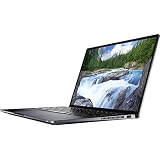
- Intel Core i5 1.10 GHz processor provides great performance, immersive multimedia and rapid loading of programs
- With 16 GB of memory, runs as many programs as you want without losing the execution
- The 14" 2560 x 1600 screen provides a great movie watching experience
- With Windows 10 Pro edition, enjoy your favorite content all at once on a larger view edge browser. Share your thoughts with the world by writing directly on web pages.
- 256 GB total SSD capacity keeps your running programs active while your computer resumes from suspension in seconds
这些功能适合远程会议、混合办公和共享办公环境。它并不等同于手机或专业摄像头:光线不足时仍可能出现噪点,Presence Detection 的实际行为也会受到 BIOS、Windows、Dell Optimizer 和企业策略影响。
What’s actually slowing this PC down?
Pick the symptom - the matching free tool is one click away.
参考:Dell 官方规格和Notebookcheck 评测摘要。
性能:办公够快,但不是跨代飞跃
Core i7-1265U 是 10 核 12 线程处理器,最高睿频 4.8GHz,搭配 Iris Xe 集成显卡。Notebookcheck 测试的 i7 版本在 PCMark 10 中获得 5474 分。相比 Latitude 9420,12 代平台确实带来性能提升,但普通网页、Office 和视频会议的体感并不会出现巨大的跨代变化。
它适合以下工作:
- 大量浏览器标签、Office、PDF 和企业软件;
- 视频会议、远程桌面和多显示器办公;
- 编程、轻量虚拟机和数据处理;
- 轻度 Photoshop、图片处理和文档创作。
它不适合长时间 4K 视频导出、3D 建模、CAD、大型本地 AI 工作负载或现代高画质游戏。Iris Xe 可以应付轻度图形任务和老游戏,但不能与带 RTX 独立显卡的笔记本相比。
i7 版本适合经常进行多任务、编译或较重办公的人;如果只是处理邮件和文档,i5 版本通常已经足够。持续满载时,薄型机身的散热和功耗会限制性能,二手设备的灰尘、导热材料和电池状态也会进一步改变表现。
The Tool Desk
Outbyte PC Repair FREERepair Windows errors before they cause bigger problemsFix Now →Outbyte Driver Updater FREEScan for outdated or missing drivers - takes under a minuteDriver Scan →续航:60Wh 电池表现不错
官方配置包括 60Wh、3 芯电池和 ExpressCharge,使用 USB-C 电源适配器。Notebookcheck 在 60Wh 测试机上测得 Wi-Fi 网页浏览续航约 12 小时 47 分,空闲状态约 27 小时 47 分,高负载约 2 小时 23 分,充满电接近 2 小时。
这些是特定样机和测试方法下的结果,不是所有用户都能达到的保证值。高亮度、高分辨率触控屏、5G、视频会议、外接显示器和高性能模式都会缩短续航。对于二手机器,电池健康度往往比处理器型号更重要。
接口:扩展能力强,但 USB-A 太少
官方接口通常包括:
- 两个 Thunderbolt 4,支持 USB4、DisplayPort Alt Mode 和 USB Power Delivery;
- 一个 USB-A 3.1 Gen 1,支持 PowerShare;
- 一个 HDMI 2.0;
- 一个 microSD 读卡器;
- 一个 3.5 毫米耳机接口;
- 楔形防盗锁孔;
- 部分 WWAN 版本提供 nano-SIM 卡槽。
两个 Thunderbolt 4 让它可以连接扩展坞、高速存储和外接显示器,HDMI 2.0 对会议室投影设备很方便,microSD 也适合摄影或资料转移。缺点是只有一个 USB-A,而且仍是 Gen 1 速度。若同时连接鼠标、键盘、U 盘、网线和显示器,扩展坞几乎是必需品。
5G 也只是部分配置的可选能力,不代表每一台 9430 都有 WWAN 模块或 SIM 卡托。不同市场和 SKU 的无线模块、接口和网络频段可能不同。
Free tools Windows power users keep installed
One-click scans. No signup required.
参考:Dell 官方接口说明。
内存、SSD 和可维修性
LPDDR5 内存为板载设计,购买时就应选择 16GB 或 32GB。不要购买 8GB 版本并指望以后升级,因为这类机器没有常规内存插槽。
Rank #3

- Dell Latitude 7420 2-in-1 Laptop, with 16GB DDR4 RAM, 512GB SSD.Fast, powerful and can accommodates any work style.Hold the Latitude 7420 2-in-1 in your hands to use as a tablet.Greatly improved video viewing experience and better screen sharing.
- This refurbished Dell Latitude 7420 2-in-1 Laptop, with Intel Core i5-1145G7, 2.6GHz up to 4.4GHz. The classic 11th generation Intel CPU accelerates instantly and runs smoothly.
- Display: 14 "FHD (1920 x 1080) resolution. The renewed Dell Latitude 7420 2-in-1 Laptop comes with a Touchscreen for faster and more efficient completion of your work and learning.
- The reconditioned Dell Latitude 7420 2-in-1 Laptop has rich ports and multiple extensions to meet the needs of any workplace scenario.
- Windows 11 pro:You can enjoy faster performance, a more beautiful interface, higher security, and better cloud service integration. In addition, Windows 11 provides new features and experiences that enable you to complete tasks more efficiently and have a better user experience.
SSD 的升级也需要谨慎。Notebookcheck 提到该机使用较短的 M.2 2230 SSD,而不是更常见、替换选择更多的 M.2 2280。二手购买时应确认 SSD 容量、健康度和具体规格,不要默认任何 M.2 固态硬盘都能直接安装。
Independent reader supportYour contribution helps us test, update, and keep practical guides available for everyone.企业安全功能
高配 Latitude 9430 可提供 Intel vPro Enterprise、TPM 2.0、指纹识别、IR 摄像头、SafeShutter、Presence Detection 和 Dell Optimizer。这些功能对企业部署、远程办公、设备安全和会议管理都有价值。
不过“支持 vPro”并不意味着企业拿到机器后就能自动远程管理。实际能力还取决于具体处理器和 SKU、BIOS 设置、Windows 版本、企业管理平台以及 IT 部署策略。
Quick wins for a faster PC:
Scan for outdated or missing drivers - takes under a minuteDriver Scan →Repair Windows errors before they cause bigger problemsFix Now →与其他机型怎么选
Latitude 9420 2-in-1
9430 的主要升级是 12 代处理器、更高规格的摄像头、可选 5G 和部分配置中更快的内存。但机身、接口和整体使用体验变化有限。如果 9420 的价格明显更低,而且你不需要更强的多核性能或更好的摄像头,它可能是更划算的选择。
Lenovo ThinkPad X1 Yoga
ThinkPad X1 Yoga 通常更吸引重视键盘手感、手写体验和 ThinkPad 企业生态的用户。Latitude 9430 的优势则在于会议摄像头、麦克风、扬声器、续航、HDMI 和可选 5G。应根据实际价格、键盘偏好、笔是否随附和企业支持来决定。
HP EliteBook x360
HP EliteBook x360 可能提供更亮的屏幕选项、不同的键盘手感和企业软件体验。Notebookcheck 指出,部分 EliteBook 1040 的屏幕更亮,但分辨率可能较低。不要只按品牌判断,最好逐项核对具体 SKU。
Latitude 9440 2-in-1
9440 是后续产品,适合愿意为更新平台和更长生命周期支付溢价的人。但不能把 9440 的屏幕、设计或性能表现直接套用到 9430 上,购买前应单独核对配置和价格。
2026 年值得购买的配置
更值得考虑的是 i7-1265U、16GB 或 32GB 内存、2560×1600 触控屏、60Wh 电池、健康度良好的 SSD,以及带 FHD+IR 摄像头的版本。若经常出差,可优先考虑实际安装了 WWAN/5G 模块的机器;若主要在办公室使用,则不必为不存在的 5G 能力支付溢价。
不建议购买 8GB 板载内存、1920×1200 非触控版本、屏幕存在亮点或压痕、电池严重衰减、缺少 USB-C 充电器,或者价格接近更新一代 Latitude 9000 系列的机器。需要高刷新率、OLED、独立显卡、可升级内存或极致轻量化时,也应选择其他产品。
二手购买检查清单
- 确认型号:核对 Dell Service Tag,确认有 360 度转轴和触控屏。
- 确认屏幕:核实 2560×1600 还是 1920×1200,检查亮点、暗斑、压痕、裂纹、漏光和全区域触控。
- 确认配置:检查 i5-1245U 或 i7-1265U、16GB/32GB 内存、SSD 容量、IR 摄像头和 WWAN 模块。
- 检查电池:以管理员身份打开命令提示符,运行
powercfg /batteryreport,再打开生成的battery-report.html,比较 Design Capacity 与 Full Charge Capacity。 - 测试接口:逐一测试两个 Thunderbolt 4、USB-A、HDMI、microSD、耳机口和 USB-C 充电。
- 测试会议功能:检查 FHD 摄像头、Windows Hello、SafeShutter、麦克风和扬声器是否正常。
- 检查锁定状态:确认没有 BIOS 管理员密码、Computrace/Absolute、企业资产锁、Autopilot 或 MDM 管理残留,并确认可以正常重装 Windows。
- 确认附件:检查原装 USB-C 充电器、手写笔和扩展坞是否包含在售价内。
最终评价
Latitude 9430 2-in-1 的核心价值不是跑分,而是完整的商务体验:可靠的机身、出色的会议硬件、长续航、触控和 360 度转轴、Thunderbolt 4、HDMI,以及 vPro 和隐私功能。对办公、出差、视频会议、远程桌面、轻度创作和手写批注来说,它仍然很好用。
但它不再是适合“闭眼买”的新平台旗舰。12 代低压处理器、板载内存、较慢的屏幕响应、单个 USB-A、可能需要另购的手写笔,以及二手电池和企业锁风险,都要求买家仔细核对。如果价格明显低于更新机型,配置为 16GB 以上、触控高分辨率屏幕且电池健康,它仍值得买;如果价格接近新款高端商务本,或者你需要游戏、专业创作和可升级性,就不建议选择它。
Quick Recap
Product prices and availability are accurate as of the date/time indicated and are subject to change. Any price and availability information displayed on Amazon at the time of purchase will apply.

