Some links on this page are affiliate links: if you buy through them we may earn a commission, at no extra cost to you.
结论先说:Lexar Professional 1800x Gold是一张全尺寸SDXC、UHS-II、U3、V60存储卡。它适合支持UHS-II的相机,用于RAW/JPEG连拍、快速导入以及多数中高码率4K和低于400Mbps的部分6K录制;但不是8K、高码率RAW或所有4K 120p工作流的无条件选择。需要V90的机型应改选V90或CFexpress。
购买前最重要的不是“1800x”这个倍速数字,而是确认相机接口、视频码率、V等级,以及是否配备UHS-II读卡器。
规格:1800x究竟代表什么
当前Lexar产品页列出64GB、128GB、256GB、512GB和1TB容量,最高读取速度均为280MB/s;64GB和128GB最高写入210MB/s,256GB至1TB为205MB/s。全系列标注UHS-II、U3、V60和Class 10。官方规格
What’s actually slowing this PC down?
Pick the symptom - the matching free tool is one click away.
| 容量 | 最高读取 | 最高写入 | 视频等级 |
|---|---|---|---|
| 64GB/128GB | 280MB/s | 210MB/s | V60 |
| 256GB/512GB/1TB | 280MB/s | 205MB/s | V60 |
“1800x”沿用以150KB/s为基准的存储卡倍速标法,约等于270MB/s,接近早期宣传的读取峰值。它不是持续写入保证。V60代表最低持续写入等级为60MB/s;280MB/s读取和205/210MB/s写入,是厂商在特定设备与测试条件下的最高值。
#1 Best Overall

- Speeds up to 280MB/s read, up to 120MB/s write
- Shoot stunning videos in 1080p Full-HD, and 4K
- Save time with a dramatically accelerated workflow
- Backwards-compatible at the highest UHS-I speeds
- Rigorously tested to ensure performance, quality, compatibility, and reliability
卡背面有第二排UHS-II触点。它可以向下兼容UHS-I设备,但在只支持UHS-I的相机或读卡器中,速度会受UHS-I总线限制,不会因为换卡而获得UHS-II性能。
公开测试:峰值和相机实际表现不是一回事
StorageReview对早期256GB样卡的公开测试使用Lexar读卡器和Lenovo ThinkPad P17 Gen 2,Blackmagic测得204.2MB/s读取、104.5MB/s写入;2MB顺序测试为252.6/175.3MB/s(读/写),2MB随机为143.1/87.8MB/s,4K随机为1830/743 IOPS。查看测试详情
这些结果说明顺序大文件明显快于随机小文件,且测试软件、文件大小、主机接口和读卡器都会改变结果。该评测发表于2022年,针对早期256GB规格,不能当作512GB或1TB版本的实测,也不能保证任何相机中的持续录制表现。
Windows Errors? Fix Them Before They Spread
Repair common Windows errors and clear accumulated junk for a smoother, more stable PC - no reinstall needed.Free scan · no reinstallOutdated Drivers Are Slowing You Down
One free scan finds every outdated or missing driver and matches the right update for your exact hardware.Free scan · exact hardware matchRank #2

- Extreme performance for professional photographers and videographers with read speeds up to 280MB/s & write speeds up to 180MB/s for seamless content capture
- Class 10, U3 Rated with V60 Video Speed to enhance performance and capture ultra high resolution imagery and extended lengths of 4K Ultra HD and Full HD video
- V60 Video Speed Class to capture stunning 4K content, professional quality burst mode HD photography, and 4K Ultra HD Video at 4096x3072
- Built with the power of UHS-II technology to rapidly increase transfer speed and accelerate your workflows during post production editing
- Compatible with UHS-II enabled DSLR cameras, mirrorless cameras, professional video cameras, and backwards compatible with UHS-I devices at UHS-I speeds
V60适合哪些照片和视频工作流
Lexar 2026年第一季度兼容性资料将1800x定位于照片、连拍、UHD/Full HD及普通视频,并列入低于400Mbps的部分6K/4K工作流。V60是持续写入等级,不是分辨率标签:能否录制某种4K、6K或120p模式,取决于码率、编码、帧率、固件和相机厂商要求。查看兼容性与选卡表
- 照片连拍:支持UHS-II的无反和单反可缩短缓冲区清空时间,但相机缓存、文件大小和双卡写入方式仍然重要。
- 普通及中码率4K:通常是V60的合理应用,仍应按相机说明书核对码率。
- 高码率6K、8K、RAW、部分4K 120p:若说明书指定V90,或码率达到/超过400Mbps,不应把1800x作为未经验证的主卡。
- 双卡备份:较慢卡槽可能决定整体写入能力;两张卡的等级和容量都要符合相机要求。
相机兼容性不能只看UHS-II
Lexar清单涵盖部分Canon EOS R5 Mark II/R3/C70、Nikon Z 6II/Z 6III/Z 8/Z 9、Sony Alpha 7 IV/7R V/Alpha 1及FX系列、Fujifilm X-T5/X-H2/X-H2S、Panasonic GH5/GH6/S5/S5 IIX等机型。但兼容性表不是绝对保证。
- 确认相机卡槽真正支持UHS-II,而非只有UHS-I。
- 查看目标视频模式要求的V等级、码率和最大容量。
- 核对双卡模式是否降级,以及是否需要特定品牌或固件。
- 用相机内置功能格式化,并在正式拍摄前做长时间录制测试。
容量怎么选
- 64GB:适合备用卡、普通照片和短时4K;高像素RAW或长视频会频繁换卡。
- 128GB:旅行、婚礼和活动拍摄的均衡选择,适合多数爱好者。
- 256GB:适合长时间活动、高像素连拍和希望减少换卡的专业用户;公开测试样卡就是这一容量。
- 512GB/1TB:适合长时间视频,但先确认相机支持该容量。单卡承载的数据越多,丢失或损坏时损失越集中。
容量应按“相机型号+录制模式+实际码率+预计时长”决定,而不是单看价格。重要项目应启用双卡备份或现场转存,不能把大容量卡当作归档介质。
Rank #3
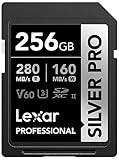
- Speeds up to 280MB/s read, up to 160MB/s write
- Shoot stunning videos in 1080p Full-HD, and 4K
- Save time with a dramatically accelerated workflow
- Backwards-compatible at the highest UHS-I speeds
- Rigorously tested to ensure performance, quality, compatibility, and reliability
与Lexar其他系列怎么取舍
| 型号 | 定位 | 适合人群 |
|---|---|---|
| 1800x Gold | UHS-II、V60、280/205-210MB/s | 连拍、普通至中高码率4K、部分低于400Mbps的6K |
| 2000x Gold | UHS-II、V90、最高300/260MB/s | 需要更高持续写入余量的高码率视频、8K或RAW |
| 1667x Silver | UHS-II、V60、最高250/120MB/s | 预算有限、照片和普通4K |
| Armor Gold | UHS-II、V60、最高280/210MB/s | 更重视户外和物理防护设计的用户 |
2000x的V90等级只有在相机和录制模式需要时才有价值;如果设备最高只要求V60,额外支出未必转化为可见收益。1667x若便宜很多可能更划算;价差很小时,1800x有更高的读取和写入余量。
购买、测速与故障排查
想接近280MB/s导入速度,必须使用UHS-II读卡器和USB 3.x连接;UHS-I读卡器、低速集线器、电脑目标硬盘或接近满盘状态都可能成为瓶颈。测速时区分MB/s与MiB/s,并记录容量、卡号、读卡器、电脑、接口和软件版本。
到手后从正规渠道购买并保存发票,核对包装和产品编号,使用完整容量验证工具检查,不要只用一次快速测速判断真伪。若相机提示速度不足,依次检查相机是否仅支持UHS-I、录制模式是否要求V90、卡内格式化、固件、读卡器和卡片来源。
Rank #4

- High-speed performance—leverages UHS-II technology for a read transfer speed up to 300MB/s
- Captures high-quality images and extended lengths of Full-HD and cinema-quality 8K video
- Designed for durability
- Backwards compatible with UHS-I devices
- Limited lifetime warranty
官方宣称产品具备防水、防温度、防震、防振动和防X射线能力,但这些是防护声明,不代表任何事故下数据绝对安全。有限终身保修还受地区、原始购买者和条款限制,且不等于数据恢复服务。查看保修条款
Independent reader supportYour contribution helps us test, update, and keep practical guides available for everyone.最终评价
| 读取与导入 | 高,前提是UHS-II读卡器和主机接口匹配 |
| 持续写入 | V60,适合相应码率,不是V90替代品 |
| 容量选择 | 64GB至1TB,覆盖面广 |
| 视频范围 | 普通至中高码率4K、部分低于400Mbps的6K |
| 风险 | 峰值不等于持续速度;高规格模式需按说明书验证 |
Frequently Asked Questions
Lexar 1800x Gold能拍8K吗?
不能一概而论。Lexar当前选卡资料没有把它列为8K高码率首选;如果相机说明书要求V90或CFexpress,应遵守该要求。
Quick wins for a faster PC:
Fix the driver behind crashes, sound loss and screen glitchesFind Drivers →Clear out junk files and repair common Windows errorsFree Scan →Scan for outdated or missing drivers - takes under a minuteDriver Scan →1800x在UHS-I相机上会更快吗?
不会。它可以兼容UHS-I,但速度会受相机和读卡器的UHS-I总线限制。
Best Value

- High-speed performance—leverages UHS-II technology (U3) for a read transfer speed up to 300MB/s
- Captures high-quality images and extended lengths of Full-HD and cinema-quality 8K video
- Backwards compatible with UHS-I devices
- Designed for durability
- Limited lifetime warranty
买256GB还是512GB?
256GB适合大多数活动和连拍;长时间视频可选512GB,但必须先确认相机支持该容量,并做好备份。
The Bottom Line
最终建议:如果你的相机支持UHS-II,主要拍RAW连拍和符合V60要求的4K,Lexar Professional 1800x Gold是实用的高速卡;128GB或256GB通常最均衡。若目标是8K、高码率6K/RAW、对掉帧零容忍或相机明确要求V90,请直接选择V90或CFexpress,并以相机说明书为准。
Quick Recap
Product prices and availability are accurate as of the date/time indicated and are subject to change. Any price and availability information displayed on Amazon at the time of purchase will apply.
Do these 3 things before closing this tab:
1Scan for outdated or missing drivers - takes under a minute2Clear out junk files and repair common Windows errors3Fix the driver behind crashes, sound loss and screen glitches
