Some links on this page are affiliate links: if you buy through them we may earn a commission, at no extra cost to you.
Yes—Windows 11 can deploy power behavior in a .ppkg provisioning package. The reliable method is to create an advanced Windows Configuration Designer project, author settings in the CommonPower provisioning namespace (usually by editing customizations.xml), build the package, and apply it during OOBE or with administrator approval after setup. A package is ideal for initial or occasional configuration; Group Policy or an MDM such as Intune is usually better when settings must remain centrally enforced and reported.
What a provisioning package does
A provisioning package is a portable container of Windows customizations that can configure a device without reimaging it. Microsoft positions packages for rapid setup of small-to-medium deployments, including dozens to a few hundred PCs. Power settings can be combined with Wi-Fi, certificates, applications, device names and other deployment changes. A .ppkg is not a Windows image and does not replace Autopilot, MDM, Group Policy or Configuration Manager in every environment.
Power customizations are not presented as a complete, ordinary “Power settings” page in Configuration Designer. They are represented in the provisioning schema under CommonPower. See Microsoft’s workflow and namespace reference at Configure power settings.
Prepare before you build
- A Windows 11 build or test device and representative target hardware (preferably a virtual machine plus a real laptop).
- Windows Configuration Designer, available from the Microsoft Store and supported on Windows 11, Windows 10 and supported Windows Server releases including Server 2022, 2019 and 2016.
- Administrator rights on the build and target devices. Microsoft recommends developing with a local administrator account; use a least-privileged domain account for a domain join when appropriate.
- A written policy with separate plugged-in (AC) and battery (DC) values, plus a recovery and rollback plan.
- Optional signing and encryption certificates if the package will contain credentials, certificates or other sensitive data.
Choose the behavior you actually want
Decide each item instead of treating “power settings” as one switch. Individual Power Policy CSP settings have their own supported editions and minimum Windows versions; many are device-scoped on Windows 11 Pro, Enterprise, Education and IoT editions from version 21H2 onward, but verify the specific reference entry at Policy CSP – Power.
#1 Best Overall

- Whisper-Quiet Operation: Enjoy a noise-free and interference-free environment with super quiet fans, allowing you to focus on your work or entertainment without distractions.
- Enhanced Cooling Performance: The laptop cooling pad features 5 built-in fans (big fan: 4.72-inch, small fans: 2.76-inch), all with green LEDs. 2 On/Off switches enable simultaneous control of all 5 fans and LEDs. Simply press the switch to select 1 fan working, 4 fans working, or all 5 working together.
- Dual USB Hub: With a built-in dual USB hub, the laptop fan enables you to connect additional USB devices to your laptop, providing extra connectivity options for your peripherals. Warm tips: The packaged cable is a USB-to-USB connection. Type C connection devices require a Type C to USB adapter.
- Ergonomic Design: The laptop cooling stand also serves as an ergonomic stand, offering 6 adjustable height settings that enable you to customize the angle for optimal comfort during gaming, movie watching, or working for extended periods. Ideal gift for both the back-to-school season and Father's Day.
- Secure and Universal Compatibility: Designed with 2 stoppers on the front surface, this laptop cooler prevents laptops from slipping and keeps 12-17 inch laptops—including Apple Macbook Pro Air, HP, Alienware, Dell, ASUS, and more—cool and secure during use.
| Requirement | Example decision |
|---|---|
| Prevent battery drain | Use a shorter display timeout on DC than on AC. |
| Keep meeting-room PCs awake | Increase or disable AC sleep timeout, after considering security and energy use. |
| Secure laptops when closed | Sleep or hibernate on lid close; define separate AC/DC actions. |
| Avoid accidental shutdowns | Set the power button to Sleep or Take no action. |
| Preserve state after long idle periods | Configure a hibernate timeout and confirm hibernation is enabled. |
| Shared or kiosk device | Set predictable behavior and use management policy if users must not change it. |
| Mobile workforce | Use different AC and DC values for display, sleep, processor and energy-saving behavior. |
Relevant groups include AdaptivePowerBehavior, Processor, Battery, Button, Display, Disk, EnergySaver, PCIExpress, Sleep and Misc. Additional controls include CommonPowerControlsLidNotificationsAreReliable and CommonPowerControlsEnableInputSuppression. Modern Standby (S0 low-power idle), firmware, drivers and OEM utilities can make traditional sleep assumptions inaccurate.
Install Configuration Designer and create an advanced project
- Install and open Windows Configuration Designer.
- Select Advanced provisioning.
- Enter a project name.
- Select the Windows editions and device type you will target.
- Select Finish to open the advanced editor.
Configure any settings exposed by the editor, then work with the project’s XML for power entries. Each element name must match the relevant Microsoft power-setting reference; do not infer names from a Settings-app label.
Author power settings in customizations.xml
Most entries belong below CommonPowerPolicySettings. AcValue is the plugged-in value and DcValue is the battery value. SchemeAlias="Balanced" identifies the scheme personality being customized. The following is a deliberately small illustration, not a universal production template:
Quick wins for a faster PC:
Fix the driver behind crashes, sound loss and screen glitchesFind Drivers →Repair Windows errors before they cause bigger problemsFix Now →Scan for outdated or missing drivers - takes under a minuteDriver Scan →Rank #2

- 【High-Speed Cooling Performance】 Equipped with two powerful fans and a precision metal mesh design, KYOLLY’s laptop cooling pad delivers optimal airflow to quickly dissipate heat, preventing overheating—even during extended use. Perfect for gaming, multitasking, or long work sessions.
- 【Slim, Lightweight & Highly Portable】 With its ultra-slim profile and lightweight build, this laptop cooler is easy to carry anywhere. A soft blue LED indicator lets you know when the fans are active, combining style with functionality.
- 【5-Level Height Adjustment & Anti-Slip Design】 Customize your typing and viewing angle with five ergonomic height settings. The built-in anti-slip baffles securely hold your laptop in place, making it both a efficient cooler and a reliable stand.
- 【Quiet Operation with Smooth Speed Control】 Enjoy focused work or gameplay thanks to virtually silent fan operation. Adjust wind speed smoothly with the rolling wheel controller to balance cooling power and noise level—ideal for office or shared environments.
- 【Universal Compatibility & Practical USB Ports】 Designed for laptops up to 15.6 inches, this cooler is perfect for home, office, or on-the-go use. Two additional USB ports offer convenient connectivity for peripherals like mice, keyboards, or phones.
<Power>
  <Policy>
    <Settings>
      <Sleep>
        <SchemePersonality>
          <Default SchemeAlias="Balanced">
            <Setting>
              <HibernateTimeout>
                <AcValue>1800</AcValue>
                <DcValue>1800</DcValue>
              </HibernateTimeout>
            </Setting>
          </Default>
        </SchemePersonality>
      </Sleep>
      <Misc>
        <SchemePersonality>
          <Default SchemeAlias="Balanced">
            <Setting>
              <AllowWifiInStandby>
                <AcValue>0</AcValue>
                <DcValue>0</DcValue>
              </AllowWifiInStandby>
            </Setting>
          </Default>
        </SchemePersonality>
      </Misc>
    </Settings>
  </Policy>
</Power>
Microsoft’s full sample is at Configure power settings. Its displayed wrapper contains the spelling WindowsCustomizatons; use the current Microsoft sample, valid namespaces, a unique package GUID and valid metadata, and validate the resulting XML rather than typing a hand-made file unchanged.
Build the .ppkg
- In Configuration Designer, choose Export and then Provisioning Package.
- Set the package name and optional version.
- Set the owner—normally IT Admin for an organization-managed package.
- Choose an optional rank from 0 through 99. Plan rank and ownership when multiple packages can affect the same setting.
- Optionally encrypt and sign the package, select an output folder, and choose Build.
- Review the build output and logs.
The detailed project and security workflow is documented at Create a provisioning package. Sign production packages, protect private keys, record versions and hashes, and treat a package as capable of changing system policy and running system-level actions.
Build from an elevated command prompt
The Configuration Designer command-line tool must run elevated:
Rank #3

- USB PLUG & PLAY: Just plug the USB cable into your PC, desktop or laptop, no need drivers or software. Power and audio are delivered through one simple connection, keeping your desk clean and setup fast. Perfect for Windows, macOS, ChromeOS, and Linux
- USB-C DEVICE COMPATIBLE: Our wired pc speakers includes a built-in USB-C to USB adapter for full compatibility with devices that only support USB-C, such as new Mac mini, MacBook Air, MacBook Pro, new iPad and ultra-thin laptops
- BLUETOOTH MODE: Clicking the "M" button on our monitor speakers to switch to Bluetooth mode. Search "R200" on your phone, tablet, or laptop and connect. (Note: USB power still required for Bluetooth mode. USB-C fast charging adapters aren't compatible with this speaker. )
- 4 DYNAMIC LIGHT MODES: Choose from Flowing Light, Breathing Light, Monochrome Mode, or simply turn the lights off to match your mood and enhance your space. Click the "☀" button on desktop speakers to change the LED light mode
- COMPACT DESIGN: Slim, sleek, and built to fit under monitors or alongside laptops. This space-saving desktop speakers delivers rich stereo sound without cluttering your desktop. (Item Dimensions: 12.7"L x 2.92"W x 3.37"H, Weight: 1.34lb)
icd.exe /Build-ProvisioningPackage ^
  /CustomizationXML:C:PPKGcustomizations.xml ^
  /PackagePath:C:PPKGWindows11-Power.ppkg ^
  +Overwrite
Adjust paths and confirm the installed icd.exe location. Other documented switches include /StoreFile, /MSPackageRoot, /OEMInputXML, /ProductName, /Variables, +Encrypted/-Encrypted and +Overwrite/-Overwrite. See Configuration Designer command line.
Apply the package
During Windows 11 OOBE
- At the initial setup screen, insert the USB drive containing the
.ppkg. - If setup does not detect it, press the Windows key five times.
- With one package, Windows can apply it automatically; with several, select Install provisioning package.
- Select the package and confirm, then wait for the message that the removable media can be removed.
This OOBE procedure is documented at Apply a provisioning package.
After setup: Settings or direct launch
- Open Settings > Accounts > Access work or school > Add or remove a provisioning package > Add a package.
- Select the source (for example, removable media), select the
.ppkg, choose Add, approve UAC and confirm the trust prompt.
Alternatively, double-click the package from a local folder, network share, USB drive or SharePoint location and approve the UAC and trust prompts.
Rank #4
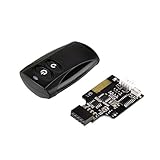
- Control your computer from anywhere in the room up to 20 meters using the included 2. 4GHz RF remote
- 2. 4GHz receiver utilizing universal USB 9 pin Male connector
- Includes power / reset switch Y cable
- Includes left and right angled USB adapters
- Has an operating range of 20 meters (free space)
PowerShell
Provisioning cmdlets include:
Add-ProvisioningPackage -Path "C:PPKGWindows11-Power.ppkg"
Get-ProvisioningPackage -AllInstalledPackages
Remove-ProvisioningPackage -AllInstalledPackages
Also available is Export-ProvisioningPackage. Check parameter names and behavior against the installed Windows version. PowerShell suppresses the prompt normally shown for an unsigned package, so restrict package locations and validate provenance. Reference: Provisioning PowerShell.
Verify both AC and battery results
A successful installation message is not proof that the intended scheme is active. Use an elevated Command Prompt:
powercfg /list
powercfg /getactivescheme
powercfg /query
powercfg /aliases
/list shows schemes, /getactivescheme identifies the active one, and /query exposes its settings. For targeted changes, /setacvalueindex <scheme-guid> <subgroup-guid> <setting-guid> <value>, /setdcvalueindex ... and /setactive <scheme-guid> are useful comparison tools. Display settings use provisioning path CommonPowerPolicySettingsDisplay and the SUB_VIDEO PowerCfg alias; see Display settings and Powercfg command-line options.
Best Value

- 【5-Level Torque Control】This STREBITO mini electric screwdriver features 5 adjustable torque levels up to 0.5 Nm and supports up to 7 Nm manual use, making it perfect for precision repair and assembly of PCs, laptops, computers, phones, MacBooks, RC cars, drones, keyboards, PS4/PS5, and a wide range of small electronic devices, combining versatility and control in one compact cordless tool
- 【Powerful Rechargeable Battery】Equipped with a 350 mAh rechargeable lithium-ion battery, this electric precision screwdriver completes over 600 screw cycles on a single charge, recharges fully in just 1 hour via a universal Type-C port, and features a high-speed 200 RPM motor delivering strong torque for efficient, quick, and precise powered repair tasks, saving time and effort in daily electronic maintenance
- 【Ergonomic Handheld Design】Designed like a magnetic micro pen, the mini power screwdriver fits comfortably in hand, with an anti-slip grip for prolonged use, easy forward/reverse switch for tightening or loosening screws, 4 built-in LEDs to illuminate dim corners, and a clear OLED display showing torque settings and battery life, ideal for small electronic device repair and detailed PC building tasks
- 【Comprehensive 50-Bit Set & Tools】This mini electric screwdriver set includes 50 precision S2 bits covering Phillips, Torx, Torx Security, Slotted, Hex, Tri-Wing, Pentalobe, Triangle, SQ, U-Type, G-Type, MID, and SIM pin, plus a built-in magnetizer, tweezers for micro components, pry tools, hook tool, suction cup, and cleaning brush, ensuring all common electronic repair needs are met in one complete, portable kit
- 【Compact Storage & Lifetime Warranty】This electric screwdriver set comes with a dual-sided storage box with organized compartments, and a soft-gel labeled bit base for quick access, keeping all tools and bits neatly stored and portable. This electric screw driver is covered by STREBITO's lifetime warranty. If you encounter any issues with your small powered screwdriver, simply contact customer service for help
Troubleshoot common failures
STATUS_PRIVILEGE_NOT_HELD (0xc0000061)
Power settings require elevated permissions. An interactive administrator application, OOBE application and normal-user application are different security contexts. Try the elevated path first. If the documented privilege failure persists, place the package in %WINDIR%ProvisioningPackages and reboot so it can be processed in the system context, as described in Diagnose provisioning packages. This is a targeted workaround, not a universal first step.
The package applied but behavior did not change
- Confirm the correct AC or DC value and that the edited scheme is active.
- Check whether the setting is hidden, hardware-dependent or unsupported on the edition/build.
- Account for Modern Standby, firmware and OEM drivers.
- Inspect Group Policy and MDM/Intune results; some policies do not override
powercfg. - Confirm related settings. For example,
AllowHibernatehas no effect if hibernation was disabled withpowercfg /hibernate offor its registry equivalent.
Inspect powercfg /query and applicable policy results rather than relying only on the Settings app.
Another management channel wins
Power settings can be changed by a package, local or domain Group Policy, MDM, scripts, OEM utilities, firmware and user actions. Microsoft documents administrator overrides and possible powercfg failures at Administrator overrides. Troubleshoot in this order: confirm package application; confirm scheme and values; check local and domain policy; check MDM; check OEM and firmware controls; then remove or rework the competing authority. Do not use a PPKG to fight an intentionally enforced policy.
Do these 3 things before closing this tab:
1Repair Windows errors before they cause bigger problems2Fix the driver behind crashes, sound loss and screen glitches3Clear out junk files and repair common Windows errorsUsers change the setting later
A package configures a device but does not automatically provide continuous enforcement. Use Group Policy for domain enforcement, Policy CSP/MDM for cloud management, scripts for one-time remediation and OEM tooling for hardware-specific behavior.
Choose the right deployment mechanism
| Method | Best fit | Trade-offs |
|---|---|---|
| Provisioning package | Initial, offline or technician-led setup; OEM defaults; small-to-medium fleets. | Limited reporting, XML complexity, precedence and hardware variation; rollback must be planned. |
PowerShell plus powercfg |
Fast local changes, task sequences, Configuration Manager and remediation scripts. | Needs idempotence, logging, error handling, secure locations and correct system context. |
| Group Policy | Persistent Active Directory enforcement. | Requires domain infrastructure and can conflict with packages or MDM. |
| Intune or another MDM | Cloud-managed fleets, remote changes, reporting and compliance. | Requires licensing and tenant administration; CSP availability varies by edition, and custom settings may need custom CSP or ADMX policy. |
Microsoft notes that PPKG-based Intune autoenrollment is not supported through this workflow; use the appropriate enrollment method instead. See Provisioning packages overview.
Quick Recap
Product prices and availability are accurate as of the date/time indicated and are subject to change. Any price and availability information displayed on Amazon at the time of purchase will apply.

