Some links on this page are affiliate links: if you buy through them we may earn a commission, at no extra cost to you.
You can build a working certificate-maker web app with Claude Code by pairing a small Node.js and Express backend with a single-page HTML form and Bannerbear’s template-rendering API. The form collects a recipient name, course title, and issue date; the server sends those values to a template; and the page displays the resulting certificate with a download option. Keep the Bannerbear credentials on the server, not in browser code.
What you’ll build
The app has three parts: a certificate template with fixed branding and named text layers, an Express route that requests a rendered image, and a browser page that submits certificate data and shows the result. This is a useful fit when you want centrally editable certificate artwork and repeatable personalized images. The approach follows the implementation outlined in Josephine Loo’s March 2026 Bannerbear tutorial.
The tutorial’s architecture uses Bannerbear’s synchronous API and returns the generated image URL to the frontend. It does not establish a render-time guarantee, throughput figure, or complete operating cost. For a real deployment, measure the API behavior and plan limits that apply to your account and workload.
Prerequisites
- Node.js v18 or later. Check with
node --version. - Claude Code access. Claude Code can be installed using the official installer or supported package managers; access requires a paid Claude plan or a supported Console or third-party provider account. See the Claude Code overview and setup instructions for current installation options.
- A Bannerbear account with a project, template, API key, and template UID.
- A terminal and text editor for reviewing Claude Code’s changes and running the app.
Prepare the Bannerbear template
- In Bannerbear, create a project and a certificate template. Add your logo, border, signatures, and other artwork as static elements.
- Add three dynamic text layers, using these exact names:
recipient_name,course_title, andissue_date. The app’s layer mapping must match the template names. - Review the design with long names and course titles, not just short sample text. Adjust line wrapping, font size, and alignment in the template so personalized values remain legible.
- Copy the project API key and the template UID from the project settings. Treat the API key as a secret.
Bannerbear’s template model keeps fixed design elements separate from the values that change for each certificate. That makes it possible to update the shared design without rebuilding the form, while retaining a consistent appearance across generated certificates.
Start Claude Code in a new project folder
- Create and enter a folder, for example
mkdir certificate-maker && cd certificate-maker. - Install Claude Code using the current official instructions for your operating system. The documented installation choices include native installation and package-manager options such as Homebrew, WinGet, apt, dnf, and apk.
- Run
claudein the project folder and complete account or provider authentication. - Ask Claude Code to create the app using the specification below. Review the files it proposes before running commands or accepting changes.
Give Claude Code a precise build prompt
Use a prompt that states the stack, data flow, exact template fields, and secret-handling requirements. For example:
Create a Node.js 18+ Express app with a single HTML page. The page should have a form with fields for recipient name, course title, and issue date. When the user submits the form, the frontend should POST the data to an Express endpoint. The endpoint should call the Bannerbear synchronous API to generate a certificate image using a template, mapping the submitted fields to dynamic layers named recipient_name, course_title, and issue_date. Return the generated image URL to the frontend. Display the image below the form with a download button. Store the Bannerbear API key and template UID in a .env file, load them on the server, and never expose the API key in browser JavaScript. Add .env to .gitignore. Include input validation, useful error messages, and instructions for running the app locally.
The project’s exact Bannerbear request shape should be checked against the current Bannerbear API documentation; have Claude Code use that documentation rather than inventing request fields. The key implementation check is that the server maps each form value to the corresponding named template layer and returns either a valid image URL or a clear error.
Do these 3 things before closing this tab:
1Clear out junk files and repair common Windows errors2Fix the driver behind crashes, sound loss and screen glitches3Repair Windows errors before they cause bigger problemsReview the files and protect credentials
Before launching, inspect the generated project. It should separate the browser page from the server route, load configuration from environment variables, and exclude the local secret file from version control. A typical project may include:

server.jsor an equivalent Express entry pointpublic/index.htmlfor the form, preview, and download control.envfor the Bannerbear API key and template UID.gitignorecontaining.envpackage.jsonwith the application dependencies and run script
Do not put the API key in the page, a frontend bundle, a URL shared with users, or a public repository. The browser should receive the generated image URL or a file response—not the vendor credential. For deployment, configure the same values through the hosting provider’s secret or environment-variable settings instead of uploading a local .env file.
Run and verify the certificate maker
- Install dependencies using the package manager and command Claude Code specifies in the generated project.
- Set the Bannerbear API key and template UID in the local
.envfile using the variable names expected by the server. - Start the Express server with the documented run command, then open the local address it prints.
- Submit a test certificate using values that exercise the design: a long recipient name, a long course title, and a valid issue date.
- Confirm that the preview loads, that the rendered text appears in the intended positions, and that the download control saves or opens the image as intended.
- Check the server’s response and logs if the request fails. Do not log or paste the API key while troubleshooting.
Make the preview and download behavior dependable
The preview should update only after a successful response. A useful page state includes a disabled or visibly busy submit control during generation, an error message when generation fails, and an image element that receives the returned URL once it is available. Clear or replace an old preview when a new request is submitted so users do not mistake an earlier certificate for the latest one.
#1 Best Overall
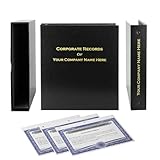
- Complete LLC Record Book – Includes Operating Agreement templates, meeting minutes, and membership ledger.
- Premium 3-Ring Binder & Slipcase – Durable, professional presentation for all your entity records.
- Operating Agreement & Membership Certificates (Numbered 1-20) – Ready-to-use legal forms for quick business organization.
- Customizable Index Tabs- Suited for your Business needs!
- This Product DOES NOT include a Corporate Seal Embosser**
A download button can link to the generated image URL with a descriptive filename. Verify this in the browsers and hosting environment you support: cross-origin download behavior can vary depending on how the image is served. If direct download does not behave consistently, have the server fetch the generated image and return it as a file response, while ensuring that this proxy route validates the request and does not become an unrestricted URL-fetching endpoint.
Recommended Free Tools
Validate required fields on the server as well as in the HTML form. Browser-only validation can be bypassed. Keep the accepted date format consistent, trim excess whitespace, and set reasonable maximum lengths for names and titles so text does not overwhelm the template.
Refine the design with Claude’s design tools
Claude’s design and artifact workflow can help explore certificate typography, color, spacing, and the form interface before or during implementation. Iterate on the layout, review the result, and export or transfer it into Claude Code using /design or /design-sync, where available in your setup. Treat the artifact as a design aid: the final integration still needs to preserve the named dynamic layers and server-side API flow.
Choose image output and plan for batches
The described implementation returns a certificate image URL. If your users need a PDF rather than an image, verify that the template service and chosen API workflow support the required output format before promising it; the referenced implementation does not specify a PDF flow. Likewise, a centrally managed template is convenient for consistent batches, but batch throughput and rendering speed depend on the service and account conditions. Test the expected volume and failure handling in your own environment rather than assuming a published rate.
Rank #3

- Complete LLC Record Book – Includes Operating Agreement templates, meeting minutes, and membership ledger.
- Premium 3-Ring Binder & Slipcase – Durable, professional presentation for all your entity records.
- Operating Agreement & Membership Certificates (Numbered 1-20) – Ready-to-use legal forms for quick business organization.
- This Product DOES NOT include a Corporate Seal Embosser**
- Ideal for Attorneys, Accountants & LLC Owners – Maintain official documents in one secure, organized kit.
If you later replace the template API with an in-house renderer, weigh the trade-offs: an in-house renderer can provide more control over layout and portability, but your app then owns font handling, image composition, output generation, and maintenance. The template/API approach centralizes artwork and keeps the app focused on data capture and delivery.
Quick wins for a faster PC:
Fix the driver behind crashes, sound loss and screen glitchesFind Drivers →Clear out junk files and repair common Windows errorsFree Scan →Troubleshooting common problems
| Symptom | Likely cause | What to check |
|---|---|---|
| The server refuses to start or reports an unsupported runtime | Node.js is older than the tutorial’s v18-or-later prerequisite, or dependencies are missing. | Run node --version, install a supported Node.js version, and reinstall dependencies using the project’s package manager. |
| Bannerbear rejects the generation request | The API key or template UID is missing or incorrect, or the request does not match the current API requirements. | Check environment-variable names and values on the server, then compare the generated request with Bannerbear’s current API documentation. Never move the key into client-side code. |
| The image renders but one or more fields are blank | A template layer name and the server’s dynamic mapping do not match exactly, or the submitted value is empty. | Compare the three template layer names character for character and inspect the request mapping and server-side validation. |
| The preview does not change after submitting | The frontend is not handling the successful response, the response contains an error, or an earlier image remains visible. | Inspect the browser’s network panel and server logs; confirm the route returns the image URL the page expects and updates the image element after success. |
| The download button opens the image instead of saving it | The browser or remote image host does not honor the page’s requested download behavior. | Test the deployed behavior. If needed, return the image through a server route with an appropriate file response rather than relying on a cross-origin link. |
| Secrets appear in a repository or frontend bundle | The API key was placed in public code or the secret file was not excluded from version control. | Remove the key from client code, add .env to .gitignore, and rotate the exposed credential using the provider’s account controls. |
Or skip the browser setup
If you only need a screenshot of a web page—for a preview, QA record, or reference image—you can call ScreenshotNeo directly instead of setting up a browser automation stack. That is a different job from generating a personalized certificate from Bannerbear template layers: ScreenshotNeo captures web pages; it does not replace the certificate-rendering workflow above.
For example, save a screenshot of a page as WebP with one request:
Rank #4

- Professional Railroad-Style Design – Features a classic black and white minimalist layout on standard 8.5x11” paper, offering a formal appearance suitable for business or display use.
- Customizable Fill-in-the-Blank Format – Allows users to input shareholder names, share amounts, and corporate information for tailored documentation.
- Versatile Legal & Commemorative Use – Ideal for official corporate ownership records, employee recognition, business awards, or commemorative gifts.
- Pack of 30 High-Quality Certificates – Comes with 30 blank templates, making it perfect for corporate kits, multiple stockholders, or repeated use.
- Standard Letter Size (8.5x11”) – Easily fits in standard printers, binders, and document holders for convenient printing and storage.
curl -G "https://api.screenshotneo.com/v1/shot" -d access_key=YOUR_API_KEY --data-urlencode url=https://stripe.com -o shot.webpSee the ScreenshotNeo API documentation for request options. ScreenshotNeo accepts cookie or consent banners and removes more than 60 known consent platforms, newsletter popups, and chat widgets before capture; each step can be turned off. Bot checks, blank pages, failed loads, timeouts, and cache hits are not billed, with response headers identifying the page verdict and billing status. It also has an MCP server for AI agents and offers 1,000 screenshots per month free without a card; paid plans start at $5 for 3,000 screenshots.
Sign up free for ScreenshotNeo: 1,000 screenshots a month, no card required.
FAQ
Can Claude Code create the whole app from one prompt?
It can generate the project files from a detailed specification, but you should still review the API request, credential handling, validation, and browser behavior before deploying.
Best Value

- Complete LLC Record Book – Includes Operating Agreement templates, meeting minutes, and membership ledger.
- Premium 3-Ring Binder & Slipcase – Durable, professional presentation for all your entity records.
- Operating Agreement & Membership Certificates (Numbered 1-20) – Ready-to-use legal forms for quick business organization.
- This Product DOES NOT include a Corporate Seal Embosser**
- Ideal for Attorneys, Accountants & LLC Owners – Maintain official documents in one secure, organized kit.
Can I use this approach to issue PDF certificates?
The implementation described here produces an image URL. A PDF workflow requires confirming output-format support and adapting the generation and download path accordingly.
Quick Recap
Can the certificate design change without changing the app?
Static template elements can be edited in Bannerbear while the app continues sending values to the same named dynamic layers, provided the template identity and layer names remain compatible.
Product prices and availability are accurate as of the date/time indicated and are subject to change. Any price and availability information displayed on Amazon at the time of purchase will apply.

