What’s actually slowing this PC down?
Pick the symptom - the matching free tool is one click away.
Some links on this page are affiliate links: if you buy through them we may earn a commission, at no extra cost to you.
To scrape a JavaScript-rendered page with headless Firefox, automate a real browser, wait for the page’s data to appear, then extract it from the rendered DOM. The two documented routes are Selenium driving an installed Firefox through geckodriver, or Playwright launching its own patched Firefox build. Use Selenium when you need WebDriver and control of an installed Firefox; use Playwright when its bundled Firefox and locator-oriented API fit your workflow.
Choose a headless Firefox automation stack
| Factor | Selenium + geckodriver | Playwright Firefox |
|---|---|---|
| How it drives Firefox | Selenium sends WebDriver commands through geckodriver, Mozilla’s proxy for Gecko-based browsers. Mozilla geckodriver documentation | Playwright launches and manages its Firefox build. Its Firefox version tracks a recent Firefox Stable build, but is patched. Playwright browser documentation |
| Browser used | An installed Firefox compatible with geckodriver | The Firefox build installed through Playwright; it does not work with the branded Firefox installation because it relies on patches |
| Headless behavior | Pass the Firefox argument -headless. Selenium lists it as a commonly used argument. Selenium Firefox documentation |
headless=True; the BrowserType API documents headless mode as the default. Playwright BrowserType API |
| Best fit | Existing WebDriver projects, or workflows that need Selenium’s Firefox options and installed browser | Projects that want Playwright’s unified browser-automation API across Chromium, Firefox, and WebKit |
Selenium 4 requires Firefox 78 or greater, according to the Selenium project’s current Firefox documentation (accessed 2026-09-29). Both projects evolve, so check their installation pages for current package and browser setup instead of relying on a copied geckodriver download link.
Prepare Firefox and the automation tools
Selenium prerequisites
Install Firefox and Selenium, and make sure a compatible geckodriver is available. Selenium recommends the latest geckodriver. Geckodriver is the intermediary that translates WebDriver commands between the Selenium client and Firefox; it is not itself the browser. Consult the Selenium Firefox setup documentation and Mozilla geckodriver documentation for current setup instructions for your operating system and packaging method.
Do these 3 things before closing this tab:
1Fix the driver behind crashes, sound loss and screen glitches2Clear out junk files and repair common Windows errors3Scan for outdated or missing drivers - takes under a minuteIn supported Firefox setups, Selenium can often start the browser without a manually specified driver path. If startup fails, first check that Firefox and geckodriver are installed and compatible, then use the official documentation for your platform’s current driver-discovery and installation approach.
#1 Best Overall

- 【Small Box & Big Capability】➥ WEIDIAN Fanless Mini PC H6 combines compact size with capable performance, featuring a 10th Gen Core i7-10510U processor, integrated UHD Graphics, and 12V low-voltage operation. This Win 11 Pro Fanless Mini PC supports Win 11/Win 10/Linux and is designed for business, office, and industrial applications where space and efficient multitasking matter.
- 【Storage That Grows With You】➥ This Industrial Mini PC supports flexible dual storage with an M.2 SSD slot (SATA/NVMe, up to 2TB) and a 2.5-inch HDD/SSD slot (up to 4TB). Two DDR4 SODIMM slots support up to 64GB RAM. Features including RAID, WOL, Watchdog, PXE, and RS485 add flexibility for industrial and business applications, while RS232 supports printers, scanners, POS systems, and other peripherals.
- 【4K Triple Displays More Productivity】➥ As a versatile industrial mini computer, the H6 supports up to three independent 4K displays via 2 HD ports and 1 DP port, enabling convenient multi-screen operation for office work, digital signage, POS terminals, equipment monitoring and more scenarios. The GPIO interface supports control signal output and interrupt signal input to meet the needs of compatible industrial applications.
- 【Low Power & Flexible Setup】➥ This compact PC adopts low-power operation and an all-metal compact structure, effectively reducing power consumption compared with full-size desktop PCs. It can be easily deployed in workstations and industrial scenarios with limited space. Measuring approximately 8.66 × 5.00 × 2.36 inches and weighing about 3.09 lb, the WEIDIAN H6 Mini PC supports desktop placement, VESA mounting and wall mounting for flexible installation in diverse environments.
- 【Silent by Design Cool & Steady】➥ Built with a fanless cooling system and full-metal chassis, this mini PC delivers efficient passive heat dissipation for completely silent operation. It maintains stable, consistent performance during long-duration continuous use, perfectly suited for offices, control rooms, industrial sites and other noise-sensitive scenarios. It also features M.2 dual-band Wi-Fi 5, BT 4.2 and Gigabit LAN, providing steady and high-reliability network connectivity.
Playwright prerequisites
Install the Playwright package and its Firefox browser using the current Playwright browser installation workflow. Playwright Firefox is not simply a control layer for whatever branded Firefox happens to be installed on the machine: Playwright says its Firefox support relies on patches and does not work with branded Firefox.
Scrape a rendered page with Selenium
This minimal Python example launches Firefox headlessly, loads a page, reads its rendered HTML, and always closes the browser. Replace the example URL and extraction logic with the site and fields you are permitted to access.
from selenium import webdriver
from selenium.webdriver.firefox.options import Options

options = Options()
options.add_argument("-headless")
driver = webdriver.Firefox(options=options)
try:
    driver.get("https://example.com")
    html = driver.page_source
    print(html)
finally:
    driver.quit()
The Selenium project documents the -headless argument on its Firefox WebDriver page. The example reads the page source after navigation; for a JavaScript-heavy target, do not assume that navigation alone means the data you want has finished rendering. Add a wait for a specific, stable element before extracting.
The Tool Desk
Outbyte Driver Updater FREEFix the driver behind crashes, sound loss and screen glitchesFind Drivers →Outbyte PC Repair FREERepair Windows errors before they cause bigger problemsFix Now →Scrape a rendered page with Playwright
The equivalent Playwright Python example uses its Firefox build, navigates until the DOM is parsed, and returns the page’s HTML:
from playwright.sync_api import sync_playwright

with sync_playwright() as p:
    browser = p.firefox.launch(headless=True)
    page = browser.new_page()
    page.goto("https://example.com", wait_until="domcontentloaded")
    html = page.content()
    print(html)
    browser.close()
domcontentloaded is an initial navigation milestone, not proof that an application has finished fetching and displaying its data. When the target renders content after that point, wait for the selector that marks the content as ready before calling page.content() or extracting values. Playwright documents headless launch behavior in its BrowserType API.
Build a reliable extraction workflow
- Identify the data-bearing elements. Inspect the page and choose stable selectors for the actual values, links, or attributes you need. Prefer meaningful IDs, data attributes, or semantic structure over fragile selectors tied to layout.
- Navigate with a deliberate wait. Set an explicit timeout appropriate to the task. Wait for the page state or a specific selector that signals the target data is present; do not use a fixed delay as the only readiness test when a condition is available.
- Extract only the required fields. Read text, attributes, links, or structured JSON from the rendered DOM. Keep the extraction logic separate from navigation so selector changes are easier to diagnose.
- Handle pagination or scrolling only when needed. Bound retries and delays, and stop when the expected next page or content is absent. Some sites render additional content only as the page is scrolled; headless mode does not remove that requirement.
- Close the browser on every path. Use a
finallyblock or a context manager so exceptions and timeouts do not leave browser processes running. - Record failures for review. Log the URL, stage, and exception or missing selector. This helps distinguish a slow load from a changed page structure or a blocked request.
Understand what headless mode does—and does not do
Headless mode runs the browser without displaying its window. It does not turn a JavaScript application into a static page, bypass sign-in, or guarantee that anti-bot controls will allow access. If a visible browsing session succeeds while a headless run fails, treat that as a diagnostic clue rather than assuming the solution is to add more delay: the target may have changed, require a permitted authenticated session, depend on a browser capability or resource, or deny automated access.
Mozilla’s Firefox Source Docs state that the --headless flag is equivalent to setting the MOZ_HEADLESS output variable. That controls whether Firefox runs headlessly; it is not an access-control bypass. Mozilla Firefox Source Docs
Quick wins for a faster PC:
Clear out junk files and repair common Windows errorsFree Scan →Scan for outdated or missing drivers - takes under a minuteDriver Scan →Rank #2
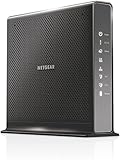
- Compatible with Xfinity Cable & Voice Plans up to 600Mbps speed.
- Three-in-one DOCSIS 3.0 Cable Modem + AC1900 WiFi Router+ Xfinity Voice and 2 USB ports
- DOCSIS 3.0 unleashes 24x faster download speeds than DOCSIS 2.0
- Ideal for streaming 4K HD videos, faster downloads, and high-speed online gaming.Optional battery backup for power outages with up to 8 hours of standby and 5 hours of talk time
- 2 Voice over IP (VoIP) Ports and 4 Gagabit Ethernet Port.System Requirements:Microsoft Windows 7, 8, Vista, XP, 2000, Mac OS, UNIX, or Linux.Microsoft Internet Explorer 5.0, Firefox 2.0, Safari 1.4 or Google Chrome 11.0 browsers or higher
Before collecting data, check the target site’s terms, access controls, applicable robots instructions, and local law. The browser documentation does not establish a universal legal rule for scraping.
Independent reader supportYour contribution helps us test, update, and keep practical guides available for everyone.Troubleshoot common headless Firefox failures
Firefox does not start under Selenium
- Likely cause: Firefox or geckodriver is missing, cannot be found, or is incompatible with the Selenium setup.
- Fix: Confirm Firefox is installed, check the current Selenium Firefox requirements (Selenium 4 requires Firefox 78 or greater), and follow the current official setup guidance for geckodriver. Selenium recommends the latest geckodriver. Selenium Firefox documentation
Playwright reports that its Firefox executable is missing
- Likely cause: The Playwright package is installed but its managed Firefox browser has not been installed, or the runtime environment cannot access that browser.
- Fix: Follow the current Playwright browser installation workflow and run Playwright’s Firefox build, rather than pointing the script at branded Firefox. Playwright browser documentation
The extracted HTML lacks the expected data
- Likely cause: The page shell loaded, but client-side rendering or a later request has not populated the target element yet.
- Fix: Wait for the data-bearing selector or another page-specific readiness condition before extracting. Confirm the selector still matches the page.
The page works visibly but fails headlessly
- Likely cause: Headless execution changes the browser presentation mode, while the page may also be subject to access controls, authentication requirements, or different load timing.
- Fix: Check the exact error and page state, verify that required resources and session state are available, and use only access the site permits. Headless mode itself does not grant access or defeat anti-bot checks.
The process hangs or leaves Firefox running
- Likely cause: Navigation or a wait has no practical bound, or cleanup is skipped after an exception.
- Fix: Set explicit timeouts, keep retries bounded, and ensure
driver.quit()orbrowser.close()runs in cleanup code.
Or skip the browser setup
If your goal is a screenshot or PDF rather than extracting structured records, ScreenshotNeo is a simpler alternative: it takes a screenshot through one GET request, with no local Firefox or geckodriver setup. Cookie banners, newsletter popups, and chat widgets are removed before capture; bot checks, blank pages, failed loads, and cache hits are not billed. Its MCP server lets AI agents use screenshot tools, and the free plan includes 1,000 screenshots a month with no card; paid plans start at $5 for 3,000 shots.
For example, save a screenshot of a page as WebP:
curl -G "https://api.screenshotneo.com/v1/shot" -d access_key=YOUR_API_KEY --data-urlencode url=https://example.com -o shot.webpSee the ScreenshotNeo API documentation for request options. Screenshot capture is not a substitute for scraping structured data from the DOM. ScreenshotNeo also offers an MCP server with take_screenshot, get_page_info, and capture_pdf tools for MCP clients including Claude and Cursor. Sign up for 1,000 free screenshots a month with no card.
Performance, reliability, and cost considerations
Both approaches start a browser, load page resources, and execute page JavaScript, so they do more work than fetching static HTML. Keep a browser alive for a controlled batch instead of repeatedly starting it for every URL when your automation design allows it, but isolate sessions where cookies or state must not leak between tasks. Use bounded concurrency: each active page consumes resources, and increasing parallelism can overload your machine or the target site. Measure your own workload; the cited documentation does not publish a universal speed or resource figure.
Free tools Windows power users keep installed
One-click scans. No signup required.
Reduce wasted runs by waiting for the specific content you need, setting timeouts, and avoiding unnecessary scrolling or resource loads. Retries can help with transient failures, but cap them and distinguish a timeout from an access denial or a selector that no longer exists. Neither Selenium nor Playwright documentation supplies a per-page scraping price; your direct cost depends on the machine or hosting environment where you run the browser.
Frequently asked questions
Can headless Firefox render JavaScript?
Yes. It is still Firefox running without a visible window, so it can execute client-side JavaScript. You must still wait for the particular content your extraction needs.
Does Playwright control my installed Firefox?
Not in its documented Firefox setup. Playwright uses its own patched Firefox build and says it does not work with branded Firefox. Playwright browser documentation
Does headless mode bypass a CAPTCHA or bot check?
No. Headless mode changes whether the browser window is shown; it does not promise access or bypass anti-bot controls.
Recommended Free Tools
Quick Recap
Product prices and availability are accurate as of the date/time indicated and are subject to change. Any price and availability information displayed on Amazon at the time of purchase will apply.

