Do these 3 things before closing this tab:
1Clear out junk files and repair common Windows errors2Fix the driver behind crashes, sound loss and screen glitches3Repair Windows errors before they cause bigger problemsThere is usually no single built-in Configuration Manager report that exports computer name, every installed program, publisher, version, and an associated user in one row. Use the built-in software reports for focused lookups, or create a custom SSRS report from supported Configuration Manager SQL views. The standard join key is ResourceID. For a complete Windows application inventory, combine the 32-bit and 64-bit Add/Remove Programs views and label the user field precisely: it is normally a discovered or console-associated user, not proof of who installed the software.
Choose the right reporting method
| Need | Best option | What it provides |
|---|---|---|
| One computer | Resource Explorer | Interactive inventory classes for that device |
| Find a product or publisher | Software 06A — Search for installed software | Searchable installed-software results |
| Find computers with one product | Software 02D — Computers with specific software installed | Computer list for a selected application |
| Inspect one computer’s software | Software 02E — Installed software on a specific computer | Detailed software entries for one device |
| Collection-wide summary | Software 01A — Summary of installed software in a specific collection | Aggregated software counts and summaries |
| Computer, software and user in one export | Custom SSRS report | One row per computer/software record with selected user and inventory fields |
| Immediate check of reachable clients | CMPivot | Operational, near-real-time client query rather than a historical SSRS dataset |
Microsoft’s documented report catalog also includes Software registered in Add Remove Programs on a specific computer, Computers for a specific user name, Users in a specific domain, and Windows apps installed to the specified user. These reports cover parts of the question but generally require moving between software and user reports. See the Configuration Manager report list.
Define what the user column means
A user value must be named according to its source. In a basic report, v_R_System.User_Name0 is a discovered user associated with the device. It is not necessarily the current logon, primary user, software owner, or installer.
| Label to use | Meaning | Do not claim |
|---|---|---|
| Discovered User | User value stored with device discovery data | That this person installed every application |
| Top Console User | User identified by console-usage inventory when that class is enabled and populated | That this is always the current user or installer |
| Currently Logged-on User | A real-time session state from a live query | That it represents historical ownership |
| Primary User | A separately maintained device relationship | That it can be inferred from one inventory field |
Shared computers, kiosks, servers, service accounts, stale discovery data, multiple users, and per-user installations all make a single “owner” interpretation unsafe. Console-user information is documented in the Asset Intelligence views.
Free tools Windows power users keep installed
One-click scans. No signup required.
#1 Best Overall
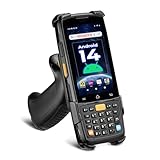
- [Unlock Next-Gen with the First Android 14 PDA] Running on Android 14, the MUNBYN MC005 easily supports 1000+ apps, including popular inventory and asset management software like inFlow, Zoho, Sortly, Odoo, and Orcascan. Compared to previous versions of the Android system, this Android scanner offers enhanced security and significantly improved multitasking efficiency.
- [Unstoppable Multitasking Performance] Powered by a high-performance octa-core MediaTek MT8786 CPU clocked at 2.0GHz per core, the MC005P barcode scanner delivers rapid task execution. With 4GB of RAM and 64GB of storage, it effortlessly handles 15–20 active applications at once, ensuring consistently smooth performance during intensive multitasking.
- [Scan Farther, Scan Faster] Working with the HW HS7 scanner, the MUNBYN MC005P Android handheld scanner achieves a standard scanning distance of up to 80 cm—4 cm longer than the SE4710 Scanner. It also supports motion tolerance of up to 6 meters per second (236 inches per second), making it ideal for scanning barcodes on items moving rapidly along conveyor belts.
- [Built to Last] The MC005P barcode scanner PDA features an IP65 standards, making it dust-proof and splash-resistant. It also supports 1.5-meter drop resistance, ensuring durability in tough environments like warehouses or logistics operations.
- [Why Choose the MUNBYN Keyboard PDA MC005P?] The MUNBYN MC005P barcode scanner PDA with a physical keyboard simplifies usage in tough conditions. The dedicated numeric keypad is ideal for frequent number input, while also supporting glove touch. Unlike Full-touch PDA, the fixed interface prevents issues like input fields moving due to virtual keyboard appearance, offering a more stable experience.
Understand the inventory source
Add/Remove Programs inventory
v_GS_ADD_REMOVE_PROGRAMS and v_GS_ADD_REMOVE_PROGRAMS_64 represent software registered in Windows Add or Remove Programs or Programs and Features. They commonly expose recognizable display names, publishers, versions and install dates. The combined v_Add_Remove_Programs view may be suitable where supported. This is practical, but not complete: portable programs, applications that do not register uninstall information, and some per-user installs can be absent.
Asset Intelligence installed-software views
v_GS_INSTALLED_SOFTWARE, v_GS_INSTALLED_SOFTWARE_CATEGORIZED, and related views can provide normalized or categorized data when the required inventory and Asset Intelligence classes are configured. Availability and completeness vary by site.
Software inventory
Software inventory is file-oriented. It can identify executable files, paths and file metadata, but a file alone does not prove that a complete application is installed. It is useful when a program is missing from Add/Remove Programs, at the cost of more collection volume. See Microsoft’s software inventory views.
Windows applications
Microsoft Store and modern Windows applications use separate classes such as v_GS_WINDOWS8_APPLICATION and v_GS_WINDOWS8_APPLICATION_USER_INFO; do not assume they appear in ordinary Add/Remove Programs output.
Quick wins for a faster PC:
Scan for outdated or missing drivers - takes under a minuteDriver Scan →Repair Windows errors before they cause bigger problemsFix Now →Rank #2

- Larger battery enables longer continuous usage and twice the stand-by time. With the unique battery indicator light showing the remaining battery level, no more Low Battery Anxiety.
- The curved handle is extended and widened. With specially designed smooth and flat trigger for a better grip.
- The orange anti shock silicone protective cover can prevent scratches and friction even when dropped from up to 6.56 feet. IP54 technology protects the wireless barcode scanner from dust.
- Plug and play with the USB receiver or the USB cable, no driver installation needed. Easy and quick to set up. Wireless transmission distance reaches up to 328 ft. in barrier free environment.
- Supports almost all 1D Barcodes: Febraban Bank Code, Codabar, Code 11, Code93, MSI, Code 128, EAN-128, Code 39, EAN-8, EAN-13, UPC-A, ISBN, Industrial 25, Interleaved 25, Standard 25, Matrix. Reads damaged, fuzzy, reflective and smudged barcodes.
CMPivot
CMPivot queries reachable clients and is valuable for an immediate investigation. It depends on client connectivity and is not equivalent to a centrally processed, historical SSRS inventory report.
Working SSRS query for software and discovered user
The following query uses documented views and joins them through ResourceID. It deliberately returns both registry architectures and exposes the source so duplicate-looking entries can be explained.
/* Installed software by computer and discovered user */
SELECT
    SYS.Name0 AS [Computer Name],
    SYS.Netbios_Name0 AS [NetBIOS Name],
    SYS.Resource_Domain_OR_Workgr0 AS [Domain or Workgroup],
    SYS.User_Name0 AS [Discovered User],
    ARP.DisplayName0 AS [Software Name],
    ARP.Publisher0 AS [Publisher],
    ARP.Version0 AS [Version],
    ARP.InstallDate0 AS [Install Date],
    '32-bit' AS [Inventory Source]
FROM v_R_System AS SYS
INNER JOIN v_GS_ADD_REMOVE_PROGRAMS AS ARP
    ON SYS.ResourceID = ARP.ResourceID
WHERE SYS.Name0 IS NOT NULL
  AND ARP.DisplayName0 IS NOT NULL

UNION ALL

SELECT
    SYS.Name0,
    SYS.Netbios_Name0,
    SYS.Resource_Domain_OR_Workgr0,
    SYS.User_Name0,
    ARP.DisplayName0,
    ARP.Publisher0,
    ARP.Version0,
    ARP.InstallDate0,
    '64-bit'
FROM v_R_System AS SYS
INNER JOIN v_GS_ADD_REMOVE_PROGRAMS_64 AS ARP
    ON SYS.ResourceID = ARP.ResourceID
WHERE SYS.Name0 IS NOT NULL
  AND ARP.DisplayName0 IS NOT NULL

ORDER BY [Computer Name], [Software Name], [Version];
The view and join model follows Microsoft’s hardware-inventory view documentation and sample queries. Do not replace documented views with internal database tables; the supported schema is described in the schema-view documentation.
Add useful SSRS parameters and columns
Product, publisher and version filters
Declare report parameters and apply them in both branches of the UNION ALL:
What’s actually slowing this PC down?
Pick the symptom - the matching free tool is one click away.
Rank #3

- Faster & Safer: SVANTTO Android barcode scanner is equipped with the latest Android 13 operating system, allowing workers to scan quickly and perform other tasks simultaneously. With 4GB of RAM and 64GB of ROM, you can rest assured that your WMS software will run seamlessly. Compatible with “Odoo”, “Zoho Inventory”, "Ocra Scan", "inFlow Inventory", and "Finale Inventory" inventory management software. Not compatible with "Correos Express" and "QuickBooks Desktop". Before you buy, you can get in touch with us for helping to test your APP.
- Removable Large Battery: This Android scanner features a built-in, detachable 4500mAh battery that 3 hours full charge for 12 hours of uninterrupted working time. It is charged via USB Type-C, ensuring that you won't have to fret about running out of power while on the job. The camera and the scan engine cannot be running at the same time.
- Sweet Service: We provide 24-hour local technical support customer service in the United States throughout the year, and you can consult if you have any questions at any time. In addition, we can also provide you with SDK. If necessary, please PM us.
- Rugged & Resilient: This barcode scanner is designed to endure challenging conditions, boasting an IP66 water-resistant and the capability to withstand falls from heights of up to 1.5 meters/59 in. Consequently, it is highly suitable for a diverse range of environments, whether you are operating indoors or outdoors. From industrial work and production lines to logistics, shipping, and inventory management, this scanner excels in all these areas.
- Multiple Data Transfer: This handheld computer features fast and reliable 4G, 3G, 2G, dual-band Wi-Fi and GPS connectivity for seamless real-time data transfer and monitoring. Whether you're working indoors or outdoors, you can work without interruption, increasing your work flexibility. The N6602 scan engine scans a variety of barcode formats quickly and accurately.
AND ARP.DisplayName0 LIKE '%' + @SoftwareName + '%'
-- or, for an exact standardized name:
AND ARP.DisplayName0 = @SoftwareName
Display names vary by language, edition, architecture, vendor packaging, updates, runtimes and language packs. A wildcard is convenient but can return false positives.
Collection scope
Limit the population with v_FullCollectionMembership in each branch:
INNER JOIN v_FullCollectionMembership AS FCM
    ON SYS.ResourceID = FCM.ResourceID
WHERE FCM.CollectionID = @CollectionID
Apply the collection join consistently to the 32-bit and 64-bit queries.
Inventory freshness
Add the last hardware-inventory timestamp:
LEFT JOIN v_GS_WORKSTATION_STATUS AS WS
    ON SYS.ResourceID = WS.ResourceID
Select WS.LastHWScan AS [Last Hardware Inventory]. Showing this beside the software result prevents an old inventory snapshot from looking current.
Rank #4
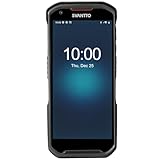
- More Reliable, Smoother: Compare with Android 12 OS, Android 13 has upgraded background application and permission management to reduce resource consumption, enhance smoothness, and ensure data security with stricter permissions. 6+64GB and Mediatek MT6769 8-core 2.0GHz processor make it easy to run Android-based ERP, WMS apps, or web-based mobile applications. If you need,we can offer software development kit (SDK), along with 24/7 customer support and technical assistance. Before you buy, you can get in touch with us for helping to test your apps.
- Precise Scanning: In most cases when barcodes are used, they are often damaged, worn, or dirty. This barcode scanner adopts Honey-W scanning engine, not only performs well in conventional lossless 1D/2D barcodes, but also excel at reading low-contrast, damaged and all kinds of defective barcodes, significantly reducing scanning errors and improving work efficiency.
- 5200mAh Battery & Quick Scanning: Our barcode PDA features a detachable 5200mAh battery that charges fully in just 3 hours and supports continuous scanning for up to 8 hours. Besides, this model barcode scannner come with hot-swap technology, allow you to replace the backup battery, eliminating the need to restart it and enabling continuous operation throughout the day.
- Rugged: Adopt Corning Gorilla 5.5-inch screen offers IP66 dustproof and waterproof, and withstand drops up to 1.5 meters. Moreover, we provide 2Y protection and life-time technical assistance,you can get in touch with us anytime anywhere.
- Lightweight and Compact Design: Combining functionality with portability and comfort, this type of mobile computer is as light as a pear. With its full-screen mode, you'll enjoy a larger view, an enhanced reading experience, and simplified operation. It is easy to handle and enhances productivity without compromising on comfort. Note: Before first use, please remove the battery and peel off the insulating sticker from the battery's metal contacts; otherwise, the scanner will not power on or charge.
Top console user
Where console-usage inventory is enabled and populated, add an optional join such as:
LEFT JOIN v_GS_SYSTEM_CONSOLE_USAGE AS SCU
    ON SYS.ResourceID = SCU.ResourceID
Confirm the exact user column in your site’s view schema and Configuration Manager version before deployment. Label the result “Top Console User” or “Console user observed by inventory,” never “Installer.”
Recommended report parameters
- Collection ID
- Software name
- Publisher
- Version
- Active or inactive client status
- Maximum inventory age or stale-inventory threshold
Build and deploy the custom report
- Confirm that the reporting point and SQL Server Reporting Services integration work and that your account can read the reporting database.
- Choose the collection and decide whether “user” means discovered user, top console user, primary user, or a separately joined record.
- Create a dataset using supported views, both Add/Remove Programs branches, and a
ResourceIDjoin. - Add collection, software, publisher, version, active-status and freshness parameters as required.
- Design the table with computer, domain, user label, software name, publisher, version, install date, inventory source and last hardware inventory.
- Sort by computer, software name and version; enable CSV and Excel export only after validating duplicates.
- Test against known devices, including 32-bit software on 64-bit Windows, multiple versions, shared computers, per-user installs, stale clients, missing users and software absent from Add/Remove Programs.
- Document permissions and refresh expectations so consumers understand that the report reflects processed inventory, not necessarily a live session.
Use Resource Explorer for a single computer
Resource Explorer is better than SSRS for troubleshooting one device. Microsoft notes that inventory data appears only after the relevant client inventory cycle has run and the site has processed it. Follow this path:
- Open Assets and Compliance > Devices.
- Select the computer.
- Choose Start > Resource Explorer.
- Inspect Hardware, Add Remove Programs, Add Remove Programs (64), Installed Software when present, and System Console User when inventoried.
See Use Resource Explorer to view hardware inventory and the Resource Explorer classes reference.
Best Value

- Upgarded Android 13 Version: Android 18 Upgrade Only Available After MUNBYN Official Release. Upgrade the Android version based on IPDA086 before. Compared with the previous IPDA086 series of Android 11, the Android version of this series has been upgraded to Android 13, which offers enhanced privacy features, improved personalization options, and better compatibility. Compatible with “Odoo” and “Zoho Inventory” inventory management software (Not compatible with Zebra Datawedge). We could help you test your apps before you purchase in bulk.
- Super User's Experience: Equipped with Wi-Fi 6, which offers triple the data transfer speed of Wi-Fi 5, this facilitates seamless workforce collaboration and efficient on-demand training, revolutionizing the warehousing landscape. It enables businesses to address labor shortages effectively and can boost work productivity by up to 300%. The camera and the scan engine cannot be running at the same time.
- Ergonomic: Work with Zebra SE4710 scanner engine, this handheld scanner dramatically accelerates barcode scanning, allowing for rapid information acquisition and helping to conserve both labor and time. It boasts an IP65, ensuring protection against water and dust ingress, which prevents damage if the device is submerged or exposed to particulate matter. The inclusion of a silicone case enhances grip and minimizes the risk of accidental drops, while its design provides drop protection from heights of up to 1.8 meters (5.91 feet). With a handle detachable grip for easy & comfortable barcode scanning.
- Worth a try: The enhanced model of the IPDA086P is equipped with the most recent Android 13 operating system, an advanced Qualcomm Snapdragon 6115 2.0 GHz octa-core processor, and an expanded 9500mAh battery capacity. This enterprise-grade Android 13 mobile computer is tailored for efficient warehouse picking and inventory control, offering a rapid operational pace and up to 12 hours of battery endurance. Moreover, it boosts app responsiveness, web browsing, record playback, and more by 50%, ensuring smoother interactions across various tasks. Please use the original charger, as using other chargers might cause charging issues.
- Large Screen Yet Rugged: It features a superior 5.5-inch touch screen, the largest in its class, delivering enhanced information visibility to Android barcode scanner users. Designed for excellent outdoor readability, the display remains clear even in intense sunlight, ensuring users can easily read the screen. It incorporates Corning Gorilla Glass, known for its high-impact resistance, which extends the screen's durability. Additionally, it includes a replaceable screen protector for added longevity.
Troubleshoot missing, stale or duplicate results
Visible in Resource Explorer but absent from the report
- Check both Add/Remove Programs classes; a 64-bit entry may be missing from a 32-bit-only query.
- Compare
LastHWScanand allow time for inventory submission and site processing. - Confirm collection membership and active/obsolete filters.
- Compare the exact display name, publisher and version with the report parameter.
- Check for per-user, portable or non-registered software.
- Look for duplicate Configuration Manager records.
Duplicate applications
Duplicates can represent separate architectures, concurrent versions, language packs, updates, helper components or duplicate registration records. Keep them and show Inventory Source when that distinction matters. Use UNION instead of UNION ALL only when exact duplicate removal is safe; do not hide meaningful install dates or architectures with an indiscriminate DISTINCT.
Blank user
A blank value can mean no discovered user, a shared or unattended device, a server, stale discovery data, or an unpopulated console-user class. Display “Unknown” or “Not reported”; never infer a person from the computer name.
Incorrect user
A stale discovery value or shared-device account can be valid inventory data yet still be the wrong person for a particular installation. Installation responsibility requires an authoritative deployment or audit record, not a basic inventory join.
Slow execution
- Require a collection parameter.
- Filter software names early and avoid leading-wildcard searches when possible.
- Return only required columns.
- Filter inactive clients when appropriate.
- Avoid joining console-usage or file-inventory data unless required.
- Separate summary and detail reports for large populations and schedule heavy exports off-peak.
What this report can and cannot prove
The output proves that Configuration Manager inventory recorded a software entry for a device at the reported inventory time. It does not by itself prove license entitlement, current execution, user ownership, installation responsibility, or that every application on the device was detected. Add/Remove Programs, Asset Intelligence, software inventory, Windows-app classes and CMPivot answer different questions; select the source that matches the decision you are making.
For most existing SCCM/MECM environments, the defensible path is to try the built-in reports first, then publish a supported SSRS query when one export must combine computer, software and user columns. Consider a separate inventory or software-asset-management platform only when you need cross-platform discovery, SaaS reporting, normalization, or a replacement for Configuration Manager rather than a single additional report.
Quick Recap
Product prices and availability are accurate as of the date/time indicated and are subject to change. Any price and availability information displayed on Amazon at the time of purchase will apply.

