Quick wins for a faster PC:
Scan for outdated or missing drivers - takes under a minuteDriver Scan →Repair Windows errors before they cause bigger problemsFix Now →Fix the driver behind crashes, sound loss and screen glitchesFind Drivers →Some links on this page are affiliate links: if you buy through them we may earn a commission, at no extra cost to you.
Chromecast does not use a conventional uploaded wallpaper. Its idle screen is called Ambient mode (or Ambient screensaver), and it can display selected Google Photos albums, Google artwork, experimental sources, or—on some Google TV devices—AI-generated art. The setup path depends on your hardware: older Chromecast and Chromecast Ultra models use Google Home, while Chromecast with Google TV and Google TV Streamer are configured on the television.
Identify your Chromecast first
| Device | Settings location | Personal photos | Other options |
|---|---|---|---|
| Chromecast (1st–3rd generation) | Google Home app | Google Photos albums | Art Gallery, Experimental, time and weather |
| Chromecast Ultra | Google Home app | Google Photos albums | Similar Ambient controls; output is up to 1080p |
| Chromecast with Google TV HD | On the TV | Google Photos albums | Google TV screensaver controls; up to 1080p |
| Chromecast with Google TV 4K | On the TV | Google Photos albums | Google TV screensaver controls; up to 4K device output |
| Google TV Streamer (4K) | On the TV | Google Photos albums | Expanded Google TV features, including Custom AI Art on eligible devices |
Google documents the older and Google TV product families separately. See the Chromecast Ambient guide and Google TV screensaver guide if menu names differ slightly on your software version.
Prepare your photos in Google Photos
- Upload the images to Google Photos.
- Create a dedicated album such as Living Room TV or Travel. This is safer and more predictable than exposing your entire library.
- Use mostly landscape images for a television. Portrait photos may be cropped, letterboxed or leave unused space; keep faces and important details away from the edges.
- Check that photos are not archived. Archived images do not appear in Ambient mode, even when they belong to a selected album.
- Remove sensitive images from the album itself. Hiding labels later does not stop the photo from being shown.
Set personal photos on an older Chromecast or Chromecast Ultra
- Open Google Home.
- Tap Home, then All devices.
- Press and hold your Chromecast tile and choose Settings.
- Scroll to Ambient mode (some versions say Photo Frame).
- Choose Google Photos and select the albums to display.
The Chromecast uses the Google Account linked to the device and Google Home. You cannot generally browse local phone storage or upload a separate wallpaper file through this workflow. In the same Ambient menu, you can choose Art Gallery or Experimental sources when offered; experimental choices can change over time.
The Tool Desk
Outbyte PC Repair FREERepair Windows errors before they cause bigger problemsFix Now →Outbyte Driver Updater FREEFix the driver behind crashes, sound loss and screen glitchesFind Drivers →Older-device overlays
Depending on model and software, Ambient settings let you show or hide the time, show weather in Celsius or Fahrenheit (or hide it), and control Personal photo data. Set that option to Hide to suppress details such as album name, date and location. Weather uses the home address in Google Home, or an IP-based location when no address is configured. These settings hide information, not the underlying image.
#1 Best Overall
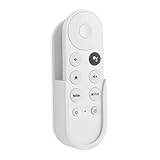
- Wall mount compatible with Google TV Streamer 4K 2024, Google Chromecast 4K 2020 and Chromecast HD 2022 Remote
- Self adhesive no-drill installation
- Simple structure, easy to install,unobstructed access to all ports
- Made by ABS
- Only 1PC holder included
Set personal photos on Chromecast with Google TV or Google TV Streamer
- From the Google TV home screen, open Settings.
- Select System → Ambient mode → Settings.
- Open Source and choose Google Photos.
- Approve the Google Account with the phone prompt or your Google Account PIN.
- Select albums, then choose Confirm.
While Ambient mode is running, press the remote’s Down arrow to open relevant controls without leaving the screensaver.
Slideshow and privacy controls
Eligible Google TV devices may offer:
- Dynamic slideshow, with animations and collages, or Basic, which shows full-screen images.
- Slideshow speed.
- Curate photos, allowing Google Photos to select images it considers suitable.
- Time and weather display.
- Attribution, including owner or album information.
- Device info, such as network and device details.
Dynamic mode is device-dependent and is documented for eligible Google TV devices with at least 2 GB of RAM; it is not a universal Chromecast feature. Turn off Attribution and Device info in a shared room, and use a dedicated album for genuinely private content.
Choose the right Google Photos source
- Dedicated album: Best when you need predictable content or a TV-safe collection.
- Favorites: A lightweight rotating set; the option may appear after at least four photos are marked as favorites.
- Recent highlights: Convenient for a changing library, but it appears only when Google Photos has qualifying recent, high-quality images.
- Family & Friends: Can update automatically from selected face groups where available. Google says this feature is unavailable in Europe, Illinois and Texas.
Google Photos may curate private and shared albums by excluding blurry, poorly exposed, low-resolution or near-duplicate images. In Google Photos, changing Personal photo curation to Live albums only reduces or disables that curation for those albums. Favorites are treated differently. Consequently, selecting an album does not guarantee every file will appear.
Rank #2

- HDMI 2.1 Ultra-High Speed 48 Gbps: This UGREEN HDMI 2.1 extension cable is an upgraded version of the 4K HDMI 2.0 extender and delivers fast 48 Gbps transmission. It can not only realize all the functions of an 8K extension cable but also solve the problems of a flickering screen, insufficient bandwidth, and other issues when using the 8K HDMI extension cord. The short HDMI extender is ideal for a TV stick to a wall-mounted TV
- 8K@60Hz Ultra HD: This 8K HDMI extender cable has a data transmission speeds of up to 48Gbps, almost 2.6× the speed of HDMI 2.0. Support resolution up to 7680 x 4320, refresh rates up to 8K@60Hz, 4K@240Hz, along with Dynamic HDR. Support VRR ALLM with smoother game experience. Provide you with the most streamlined projection and home theater visual experience
- Sturdy and Durable: Upgrade aluminum case, more texture, better heat dissipation. Tested to be plugged with Nickel-plated corrosion-resistant connectors for guaranteed top-tier image & sound and unplugged 25,000 times, and tight with no looseness at all. With and high-quality nylon braid, the flexibility of this cable has much less stress on the friction of the HDMI connection on the TV
- Movie Theater Quality Sound: Triple Tin Shielding reduces interference. It also supports Dynamic HDR/3D, Dolby Atmos. Combined with Dolby Atmos, and eARC, it’s easier than ever to experience movie theater quality sound in a living room for an immersive multi-dimensional experience
- Wide Compatibility: The HDMI male to female adapter is compatible with Xbox Series X, Xbox360, Xbox One, Chromecast, Roku Stick, streaming media players, Blu-Ray DVD players, Gaming Consoles, Wii U, HD Television, wall-mounted TV, Satellite Box, TV Box, TV Stick, HDMI Selector Box, PC, etc
Use Art Gallery or experimental images
If you do not want personal memories on the screen, select Art Gallery on an older Chromecast or the corresponding ambient source on Google TV. Google supplies artwork and other imagery, including sources such as Google Earth. Experimental sources may be available on some devices and regions, but Google does not promise a fixed list.
Create an AI-generated screensaver on supported Google TV devices
- Open Settings → System → Ambient mode.
- Select Custom AI Art → Create new.
- Describe an idea, choose Inspire me, or use a template.
- Review variants, save those you want, then choose Set all as screensaver.
You can manage or delete generated images in the Custom AI Art area and report an image through Google’s feedback flow. Availability depends on device, account, country, language, age, software and rollout status; it is not supported on every Chromecast model.
Optional Google Photos search and Remix features
Google’s current TV documentation describes photo search and experimental Remix features, but the stated rollout requires a Gemini-enabled device, a Google Photos account, personal results enabled, English, United States availability and an account holder aged 18 or older. Broader country and language availability is expected to expand, but these are not standard features on every Chromecast.
Rank #3

- ULTRA-SLIM DESIGN: Our unbelievably sleek, low-profile soundbar delivers high quality audio in a super slim package – giving you exceptional sound while blending into your room’s décor
- Q-SYMPHONY: Pair a Samsung TV with a Samsung Soundbar for a new level of powerful audio; Experience content like never before only with Samsung products; With Q-Symphony, your speakers work together to optimize all audio channels to operate as one¹
- WIRELESS DOLBY ATMOS: Skip the HDMI cables and enjoy truly elevated audio with Wireless Dolby Atmos; Experience captivating audio without the cable clutter²
- 3.1.2 CH. TRUE DOLBY ATMOS SOUND: Hear on a deeper level with three-dimensional nuance of 3.1.2ch sound with Dolby Atmos, extending crisp audio throughout the room with its up-firing channels and included wireless subwoofer
- SMART INTEGRATION: Connect your devices and control everything with our soundbar that integrates your favorite voice assistants and smart services like built-in Alexa³, Chromecast⁴, Airplay 2⁵ and more
When photos or settings do not work
Photos are missing
- Confirm the Chromecast is linked to the intended Google Account and that Google Home and Google Photos are using the accounts you expect.
- Check that the album is not empty and uploads have finished.
- Unarchive important photos.
- Review curation settings and whether you selected the correct device tile.
- Restart the streaming device. Google specifically recommends a restart when Ambient preferences do not appear on the TV.
Ambient settings will not link
Cast a video from the YouTube mobile app, stop it, disconnect from the Cast session, and then try linking Ambient settings again. This is Google’s documented workaround in its Ambient screensaver FAQ.
Do these 3 things before closing this tab:
1Clear out junk files and repair common Windows errors2Scan for outdated or missing drivers - takes under a minute3Repair Windows errors before they cause bigger problemsThe wrong albums or account appear
Check the active account in Google Home, the account used by Google Photos, whether another household member configured the device, and whether you are editing the correct Chromecast tile. A factory reset erases Ambient preferences and should be a last resort, not the first fix.
The TV reveals private information
Hide Personal photo data on older models, or Attribution and Device info on Google TV. Also remove location-sensitive images from the selected album. Metadata controls cannot prevent the image itself from appearing.
Rank #4

- Create Your Home Outdoor Theater: Utilize Sylvox's Smart Outdoor TVs to turn your outdoor space into a luxurious entertainment center. From cozy nights by the fire pit to lively summer gatherings, these TVs bring your favorite shows and movies to life in the fresh air.
- 4K Outdoor TV with 1000nit High Brightness: Our Deck Pro 3.0 series outdoor TVs boast 4K UHD picture quality, 3D surround sound, providing you with the ultimate visual and auditory experience. The 1000nits high brightness outdoor TVs are ideal for fully or partially shaded outdoor areas.
- All-Weather and Four-Season Durability: Our IP56 waterproof outdoor TVs are specifically designed to withstand wind and rain, featuring a full metal casing and IP55 waterproof rating to resist rain, snow, and even extreme temperatures. With a robust structure and advanced protective features, these TVs ensure uninterrupted entertainment throughout the year.
- Versatile Mounting Options: Whether you choose to mount it on the backyard wall, place it on a mobile stand near the pool, or suspend it with a ceiling mount in the outdoor gazebo, setting up and operating your outdoor entertainment center is a breeze.
- Connectivity for Every Occasion: Stay connected to your favorite content with versatile connectivity options, including HDMI, USB, and wireless capabilities. Whether you're streaming a live sports event or hosting a backyard movie night, our outdoor TVs offer seamless connectivity for all your entertainment needs.
Can you turn Ambient mode off?
On older Chromecast devices, Google’s FAQ says Ambient screensaver cannot be completely disabled. Even after custom sources are removed, Featured Photos may still appear when the device is idle. Google TV’s own screensaver controls can differ, so do not treat this limitation as a rule for every television or streaming system.
Do you need a new device?
No. Existing Chromecast and Chromecast Ultra models already support personal Google Photos Ambient screensavers. Consider a newer device only if you want an on-TV Google TV interface, faster navigation, more storage, built-in Ethernet or newer Google TV features. Google TV Streamer is Google’s newer option; its hardware and availability change, so check the official product page rather than buying solely for photo display. Personal photos alone are not a reason to replace a working Chromecast.
The simplest reliable setup
Put landscape-friendly images in a dedicated, unarchived Google Photos album. Open Ambient mode through Google Home on an older Chromecast, or through Settings → System → Ambient mode on Google TV. Select the album, hide attribution and device details when appropriate, adjust curation if photos disappear, and restart the device if changes do not appear.
Quick Recap
Product prices and availability are accurate as of the date/time indicated and are subject to change. Any price and availability information displayed on Amazon at the time of purchase will apply.

