PC Slower Than It Used to Be?
A free scan shows the junk files, broken settings and background clutter dragging Windows down - then fixes them in one click.Free scan · Windows 10 & 11Outdated Drivers Are Slowing You Down
One free scan finds every outdated or missing driver and matches the right update for your exact hardware.Free scan · exact hardware matchSome links on this page are affiliate links: if you buy through them we may earn a commission, at no extra cost to you.
The OLED iPad Pro is no longer on the way: Apple introduced it in May 2024, and the current iPad Pro is the M5 generation, available since October 2025. Its tandem OLED screen is a major upgrade for HDR viewing, illustration and other contrast-heavy work—but it is not a compelling reason for every iPad owner to upgrade. If you mostly browse, take notes or use office apps, an iPad Air may be better value; if you need desktop software, a MacBook may be the better computer.
From OLED rumor to the current iPad Pro
The original excitement was about Apple replacing the iPad Pro’s LCD or mini-LED display with OLED. That change arrived with the M4 iPad Pro, announced on May 7, 2024, and available from May 15. Apple introduced 11-inch and 13-inch models with a display it calls Ultra Retina XDR. Both use tandem OLED. (Apple’s 2024 announcement; Apple’s tandem OLED explanation.)
Apple announced the M5 iPad Pro on October 15, 2025, with availability beginning October 22. It keeps the 11-inch and 13-inch tandem OLED display options while updating the chip and wireless hardware. So the question now is not whether an OLED iPad Pro will arrive, but whether the current model’s screen and capabilities are worth its price for you. (Apple’s M5 announcement.)
Quick wins for a faster PC:
Repair Windows errors before they cause bigger problemsFix Now →Scan for outdated or missing drivers - takes under a minuteDriver Scan →Clear out junk files and repair common Windows errorsFree Scan →Why OLED mattered—and what tandem OLED does
Unlike an LCD, which uses a backlight behind the image, OLED pixels emit their own light. Pixels can dim or switch off individually, producing deep blacks and strong contrast. That is especially noticeable in dark scenes with bright highlights, and it avoids the backlight blooming that can appear around bright objects on LCD-based displays. The result can make HDR films, photos and games feel more dimensional.
#1 Best Overall

- WHY IPAD PRO — iPad Pro with the Apple M5 chip delivers extraordinary performance for effortless productivity on a stunning display. Take on pro workflows with Neural Accelerators for AI and a redesigned iPadOS with game-changing capabilities.*
- PERFORMANCE AND STORAGE — iPad Pro with M5 brings next-generation speed and the power of on-device AI to all your tasks.* Featuring up to 2TB of storage, 16GB of memory, and Neural Accelerators for next-level AI performance.*
- IPADOS — Run pro apps and get more done with iPadOS 26 with Liquid Glass design and game-changing capabilities.* With an intuitive and flexible windowing system, you can control, organize, and manage your workflows like never before.
- APPLE INTELLIGENCE — Apple Intelligence is the personal intelligence system that helps you communicate, express yourself, and get things done effortlessly with groundbreaking privacy protections at every step.*
- 13-INCH ULTRA RETINA XDR DISPLAY — The world’s most advanced display, featuring extreme brightness, precise contrast, ProMotion, P3 wide color, and True Tone.* Nano-texture display glass available in 1TB and 2TB configurations
Large OLED panels have to balance brightness, power use, color consistency and long-term pixel aging. Apple’s tandem design uses two OLED panels working together to help deliver brightness and color performance on a large tablet screen. It is not two separate displays and does not add a special dual-screen mode. The 2024 model’s advertised figures were up to 1,000 nits for full-screen SDR and HDR brightness and up to 1,600 nits peak HDR brightness; those are Apple specifications, not a promise that every scene or app will sustain peak output. (Apple’s display figures.)
The Pro also has ProMotion, Apple’s adaptive high-refresh-rate feature. That can make scrolling and Pencil movement feel smoother than on a standard-refresh-rate display. Tandem construction, OLED contrast and ProMotion are the combined appeal; OLED alone is not the only distinction from less expensive iPads.
What the M5 generation adds
The M5 model retains the OLED experience introduced with M4, rather than making the shift to OLED for the first time. Its upgrades are primarily processing, wireless connectivity and storage performance. Apple says M5 delivers up to 3.5 times the AI performance of the M4 iPad Pro and up to 5.6 times that of the M1 iPad Pro. Those are Apple’s comparisons and should not be read as independent benchmark results or as a guarantee that every app will feel that much faster.
Rank #2

- WHY IPAD PRO — iPad Pro with the Apple M5 chip delivers extraordinary performance for effortless productivity on a stunning display. Take on pro workflows with Neural Accelerators for AI and a redesigned iPadOS with game-changing capabilities.*
- PERFORMANCE AND STORAGE — iPad Pro with M5 brings next-generation speed and the power of on-device AI to all your tasks.* Featuring up to 2TB of storage, 16GB of memory, and Neural Accelerators for next-level AI performance.*
- IPADOS — Run pro apps and get more done with iPadOS 26 with Liquid Glass design and game-changing capabilities.* With an intuitive and flexible windowing system, you can control, organize, and manage your workflows like never before.
- APPLE INTELLIGENCE — Apple Intelligence is the personal intelligence system that helps you communicate, express yourself, and get things done effortlessly with groundbreaking privacy protections at every step.*
- 11-INCH ULTRA RETINA XDR DISPLAY — The world’s most advanced display, featuring extreme brightness, precise contrast, ProMotion, P3 wide color, and True Tone.* Nano-texture display glass available in 1TB and 2TB configurations
Apple also highlights a next-generation GPU with a Neural Accelerator in each core, faster storage and its N1 wireless networking chip, with Wi-Fi 7 support. The lineup offers 11-inch and 13-inch sizes and 256GB, 512GB, 1TB and 2TB storage options. Check the live configuration page for the exact memory and connectivity configuration of the model you are considering, since configurations vary by capacity. (Apple’s configuration selector.)
At the M5 launch, U.S. starting prices were $999 for the 11-inch Wi-Fi model and $1,299 for the 13-inch Wi-Fi model; cellular versions started at $1,199 and $1,499. These are dated U.S. launch prices, not a guarantee of current pricing or availability. Check Apple’s live store for your country and current offers. (Apple’s buying page.)
Who will notice the OLED upgrade most?
- Movie and TV viewers: HDR films and shows with dark scenes and bright highlights can make the contrast difference immediately visible. The benefit depends on the source and app: an SDR video, heavily compressed stream or app without suitable HDR support cannot supply HDR detail the display never receives.
- Artists and photographers: A high-quality screen with deep blacks and wide color support is useful for illustration, photo review and color-conscious work. The Pencil experience and workspace matter too, so choose the size that suits your canvas and working style.
- Video editors and gamers: Contrast, HDR playback and ProMotion can enhance compatible content. But a display cannot overcome limitations in the editing app, game, source material or iPadOS workflow.
- Readers, note-takers and office users: OLED can make dark interfaces look excellent, but ordinary notes, web pages, documents and email may not benefit enough to justify the Pro premium. Consider whether you will actually use the display, Pencil or performance features.
The jump is most persuasive for someone moving from a conventional LCD iPad and spending time with HDR or other contrast-heavy content. It is less dramatic as a reason to replace a recent 12.9-inch mini-LED iPad Pro: mini-LED already offers strong brightness and contrast, even though its pixels do not switch off individually in the same way.
Rank #3
- WHY IPAD PRO — iPad Pro with the Apple M5 chip delivers extraordinary performance for effortless productivity on a stunning display. Take on pro workflows with Neural Accelerators for AI and a redesigned iPadOS with game-changing capabilities.*
- PERFORMANCE AND STORAGE — iPad Pro with M5 brings next-generation speed and the power of on-device AI to all your tasks.* Featuring up to 2TB of storage, 16GB of memory, and Neural Accelerators for next-level AI performance.*
- IPADOS — Run pro apps and get more done with iPadOS 26 with Liquid Glass design and game-changing capabilities.* With an intuitive and flexible windowing system, you can control, organize, and manage your workflows like never before.
- APPLE INTELLIGENCE — Apple Intelligence is the personal intelligence system that helps you communicate, express yourself, and get things done effortlessly with groundbreaking privacy protections at every step.*
- 13-INCH ULTRA RETINA XDR DISPLAY — The world’s most advanced display, featuring extreme brightness, precise contrast, ProMotion, P3 wide color, and True Tone.* Nano-texture display glass available in 1TB and 2TB configurations
11-inch or 13-inch?
Choose 11 inches if your iPad travels with you, you often hold it while reading, or you already have a computer for larger work. It is the more portable choice for notes, browsing and casual media. Its smaller workspace is a compromise for split-screen documents, large illustration canvases and detailed video timelines.
Choose 13 inches if the iPad will spend more time on a desk, or you need room for drawing, side-by-side documents, editing timelines or films. The larger screen is not automatically better: the tablet is less convenient to hold for long stretches, occupies more space and costs more. A keyboard adds to that footprint and expense.
Price the setup, not just the tablet
A Pro can become a laptop-style purchase once you add accessories. At M5 launch, Apple listed the Magic Keyboard at $299 for 11 inches or $349 for 13 inches, and Apple Pencil Pro at $129. That makes the tablet-plus-keyboard total $1,298 or $1,648 before tax; adding Pencil Pro brings those totals to $1,427 or $1,777. These are launch-price examples in U.S. dollars, not current quotes. You may not need both accessories: buy the Pencil for drawing or handwriting, and the keyboard if your work actually benefits from typing and a trackpad. (Apple’s launch pricing.)
Rank #4
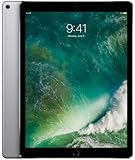
- Renewed products look and work like new. These pre-owned products have been inspected and tested by Amazon-qualified suppliers, which typically perform a full diagnostic test, replacement of any defective parts, and a thorough cleaning process. Packaging and accessories may be generic. All products on Amazon Renewed come with a minimum 90-day supplier-backed warranty.
- 12.9-Inch Retina Display, 2732 x 2048 Resolution (264 ppi), 120Hz Refresh Rate, True Tone Display
- 512GB Flash Storage, 4GB RAM, Wi-Fi Only, 2.39GHz A10X Processor + M10 Coprocessor
- Rear 12MP iSight Camera; Front 7MP FaceTime HD Camera
- Up to 10 Hours of Battery Life, Apple iOS 10, USB-C fast-charge Support (optional; not included in box)
Storage is another part of the real cost. The 256GB base can suit notes, cloud documents and streaming. More capacity makes sense if you keep large video projects, RAW photo libraries, substantial music sample libraries or files available offline. Do not pay for 1TB or 2TB simply because those options exist; match capacity to what you keep on the device. A USB-C hub, external storage, monitor or protection plan may also change the budget.
M5 versus a discounted M4
For a display-first buyer, a discounted or refurbished M4 iPad Pro can be the smarter purchase. It was the generation that introduced tandem OLED, and the M5’s headline changes are chip, wireless and storage-related rather than a move from LCD to OLED. If you do not need M5 performance or newer connectivity, compare actual prices and the exact configuration instead of assuming the newest model is automatically the best value. Apple’s certified refurbished inventory varies. (Apple Certified Refurbished iPads.)
What’s actually slowing this PC down?
Pick the symptom - the matching free tool is one click away.
The M5 makes more sense if you are buying new and want the current generation, expect demanding workloads, value its newer wireless features, or plan to keep the iPad for years. Apple lists Wi-Fi 7 and the N1 wireless chip as M5 features; whether they matter depends on your network and how you use the device.
Best Value

- WHY IPAD PRO — iPad Pro with the Apple M5 chip delivers extraordinary performance for effortless productivity on a stunning display. Take on pro workflows with Neural Accelerators for AI and a redesigned iPadOS with game-changing capabilities.*
- PERFORMANCE AND STORAGE — iPad Pro with M5 brings next-generation speed and the power of on-device AI to all your tasks.* Featuring up to 2TB of storage, 16GB of memory, and Neural Accelerators for next-level AI performance.*
- IPADOS — Run pro apps and get more done with iPadOS 26 with Liquid Glass design and game-changing capabilities.* With an intuitive and flexible windowing system, you can control, organize, and manage your workflows like never before.
- APPLE INTELLIGENCE — Apple Intelligence is the personal intelligence system that helps you communicate, express yourself, and get things done effortlessly with groundbreaking privacy protections at every step.*
- 11-INCH ULTRA RETINA XDR DISPLAY — The world’s most advanced display, featuring extreme brightness, precise contrast, ProMotion, P3 wide color, and True Tone.* Nano-texture display glass available in 1TB and 2TB configurations
OLED longevity, reflections and other trade-offs
OLED pixels age with use. Long periods of static content—such as toolbars, app controls or status elements—can contribute to image retention or burn-in over time. Tandem OLED and display-management software are intended to support brightness and longevity, but that does not make the screen burn-in-proof. There is no guaranteed lifespan to infer from Apple’s marketing.
Use automatic brightness, avoid leaving static content at maximum brightness for hours, let the iPad sleep when idle and keep iPadOS updated. If accidental damage or the cost of a future repair would be a major concern, compare AppleCare+ coverage and price in your country with any protection you already have. It is a personal risk decision, not a requirement for every buyer. (AppleCare+ for iPad.)
Some higher-storage configurations offer optional nano-texture glass. Its reduced reflections may help in bright rooms or studio settings, but it is a specialized preference, not an automatic upgrade. If you value a glossy look for movies and saturated imagery, standard glass may suit you better. Check which configurations offer nano-texture in your market and follow Apple’s care guidance.
Is the iPad Pro a laptop replacement?
The M5 chip is capable hardware, but processor speed alone does not decide whether an iPad can replace a laptop. Check the work you actually do: Does the required software run on iPadOS? Can you manage your files and browser-based tools comfortably? Does your workflow depend on desktop-only apps, extensions, development environments, virtual machines, multiple external displays or peripherals? How much multitasking do you need?
The Pro can be an excellent laptop companion and can replace a laptop for many creative, education and office users whose apps and habits fit iPadOS. It is not a universal replacement for professional desktop workflows. USB-C with Thunderbolt and USB 4 improves the connection options—Apple specified support up to 40Gb/s on the 2024 model—but a capable port does not make every storage, monitor or peripheral workflow behave as it would on a Mac. (Apple’s 2024 port specifications.)
What to buy instead—or whether to upgrade
- Pick the M5 iPad Pro if OLED, ProMotion, Pencil support or high-end creative performance will be part of your everyday use. It is the display-first iPad choice.
- Pick an iPad Air if your work is mainly browsing, documents, notes, streaming and casual creative tasks. It offers an Apple silicon iPad experience at a lower cost, but it is not an OLED or ProMotion equivalent. You may get more value by putting the savings toward storage or accessories. (Apple iPad Air.)
- Pick a MacBook if you need macOS applications, desktop browser features, complex file management or a more traditional keyboard-and-trackpad workflow. Compare the complete iPad-plus-accessories cost with the MacBook configuration you would actually buy. (Apple MacBook Air.)
- Look at a discounted M4 Pro if the screen is your main reason for buying and the price gap is substantial.
- Keep your current Pro if you already have the M4 OLED model or a recent mini-LED Pro and do not need the M5’s processing or wireless upgrades. A new chip is not, by itself, a reason to replace a working tablet.
Verdict: the screen is worth it for the right buyer
Apple’s OLED iPad Pro did arrive, and the current M5 model combines that tandem OLED display with top-tier iPad performance. Buy it if you will make regular use of its contrast, HDR, ProMotion, creative tools or performance headroom. For ordinary iPad tasks, the Pro’s display may be lovely but hard to justify at its premium. Start with your apps and workflow, choose 11 or 13 inches based on how you will use the screen, then compare the complete cost—including storage and accessories—with an iPad Air, discounted M4 Pro or MacBook.
Quick Recap
Product prices and availability are accurate as of the date/time indicated and are subject to change. Any price and availability information displayed on Amazon at the time of purchase will apply.

