Recommended Free Tools
Some links on this page are affiliate links: if you buy through them we may earn a commission, at no extra cost to you.
Sometimes you can change a Nintendo Account email without opening the old inbox—but only if Nintendo accepts another way to verify you. Sign in to the existing account and try the email-change steps below. If Nintendo offers SMS verification and your phone number is already registered, you may be able to complete the change yourself. If the old email is the only verification option, contact Nintendo Support to request an update. Don’t create a replacement account: purchases and other account benefits are tied to the original Nintendo Account.
Before you start
- Use the existing Nintendo Account and a new email address you can access.
- If you’re still signed in on a browser or console, keep that access. Try the change before signing out.
- Have your registered phone available if you have one. If 2-step verification is enabled, locate Google Authenticator or a saved backup code.
- Do not delete the linked Switch user or unlink the Nintendo Account while trying to recover access.
This procedure is for a Nintendo Account, including accounts used with Nintendo Switch 2, Switch, Switch Lite, and Switch – OLED Model. A Nintendo Account is different from the older Nintendo Network ID used for Wii U and Nintendo 3DS services; see Nintendo’s Nintendo Account FAQ.
Try changing the email through Nintendo Account settings
Nintendo’s documented route is through the Nintendo Account website, not a setting on the Switch console. Menu wording can vary slightly by browser.
Quick wins for a faster PC:
Scan for outdated or missing drivers - takes under a minuteDriver Scan →Clear out junk files and repair common Windows errorsFree Scan →- Open accounts.nintendo.com and sign in to the account you want to keep.
- Open Sign-in and security settings.
- On a mobile browser, select E-mail address. On desktop, select Edit beside the E-mail address section.
- Complete any identity check Nintendo presents. This may involve re-entering your password, authenticating with a passkey, or entering a verification code.
- If the code is being sent to your inaccessible old address, look for Use another method to verify your identity. If Nintendo offers the phone option and a phone number is already registered to your account, request and enter the SMS code.
- Enter the new email address, then check that inbox for Nintendo’s confirmation code. Enter the code to confirm the change.
Being signed in, or knowing the password, does not guarantee that Nintendo will skip identity verification. The new address also must be confirmed through its inbox. See Nintendo’s full email-change instructions.
#1 Best Overall

- UNIVERSAL SWITCH CASE: Keep your Nintendo Switch and essential accessories safe, organized, and travel-ready in one durable case; fits Switch OLED and Switch 2 (remove tray insert for Switch 2; insert for Switch/Switch OLED)
- ALL-IN-ONE STORAGE: Dedicated compartments for safe, secure placement of console, cables, and accessories. Come with 12 game card slots, allowing to carry and change your favorite games anytime to anywhere
- PADDED INTERIOR LINING: Soft microfiber with screen-protecting padding keeps your device safe from scratches and bumps
- MESH POCKET STORAGE: Zipped mesh pocket holds extra accessories, cables, and small items securely
- DURABLE DESIGN: Minimal black Switch case built with quality materials for long-lasting usability and dependable protection
If you don’t have access to the old email
Use the verification options Nintendo actually presents for your account:
- A registered phone is available: Choose Use another method to verify your identity if shown, then try SMS verification. This can work only if the number is already registered, remains under your control, and Nintendo offers it for that check. Nintendo allows one registered phone number per account; its phone-number documentation says a phone number cannot be registered to a child account. See Nintendo’s phone-number information.
- 2-step verification is enabled: Use the code from Google Authenticator. If you no longer have that device, try one of the backup codes created during setup. Nintendo issues ten backup codes, and each code can be used only once. If neither option is available, try another verification option if offered; otherwise contact Support. See Nintendo’s 2-step verification guidance.
- Nintendo only offers a code to the old address: Stop there and contact Nintendo Support. Nintendo says Support must handle the change when you cannot access the registered email. The public instructions do not promise approval or publish a universal list of proof required.
If the old mailbox might still be recoverable, you can also try the email provider’s own recovery process—for example, if you forgot its password or recently lost access to a recovery phone. That is separate from Nintendo’s process, and a permanently closed school, work, or carrier address may not be recoverable.
Rank #2
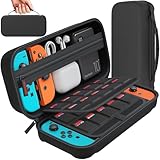
- Designed by DAYDAYUP – Premium Nintendo Switch Carrying Case. This DAYDAYUP Nintendo Switch carrying case is specifically engineered for gamers who need reliable daily protection and organized storage. Unlike generic switch case designs, it features a structured layout tailored for real use.
- Exclusive Interior Layout – Not a Generic Switch Case. This nintendo switch case features a custom-designed interior with dedicated game card slots, mesh pocket, and precise compartment spacing optimized for real usage.
- Scratch-Free Nylon Zipper – Protects Your Console. Unlike standard cases with metal zipper pulls, this nintendo switch carrying case features a specially designed nylon zipper head that prevents contact with the console and reduces scratch risk.
- Hard Shell Protection for Nintendo Switch. Built with durable EVA material, this switch case protects your console from drops, pressure, and scratches during travel and daily carry.
- Authentic DAYDAYUP Design – Avoid Low-Quality Copies. This nintendo switch case is an original DAYDAYUP design. Unauthorized sellers may offer similar-looking products with lower quality materials. Choose authentic products for best performance.
If you can’t sign in
- You know the email and password: Sign in, then try the alternate verification option if Nintendo asks for a code sent to the old inbox.
- You forgot the password but can access the registered email: Use Nintendo’s sign-in recovery instructions.
- You forgot the password and cannot access the registered email: A self-service reset may depend on a message sent to that address. Contact Nintendo Support if you cannot complete it.
- You don’t remember which email is registered: Check account information through the linked console user if available, and search likely inboxes for Nintendo account or purchase messages. Nintendo says the full address can be viewed after signing in; what a console displays may be partial. If the account was linked to Google or Apple, try that sign-in method. For more recovery options, see Nintendo’s forgotten sign-in information guidance.
If a verification email is expected but not arriving, check spam or junk folders, filters, blocked senders, and the address entered. Nintendo’s verification-email troubleshooting page covers further checks.
Contact Nintendo Support
When no available verification method works, use Nintendo’s official Contact Us page. In the Nintendo Account support route, explain that you no longer control the registered email and need the email on the existing account updated. Have the account details you know and relevant console or purchase information available, and follow Nintendo’s ownership-verification instructions. Don’t assume a particular receipt or document is required: Nintendo’s public guidance does not give a universal checklist or guarantee an outcome.
Rank #3

- Travel case
- Protection Library holds 12 game cards and offers full screen and analog stick protection
- microSD Card Case 2pcs, each holds 2 microSD Cards
- Comfortable carrying handle and soft cleaning cloth
Support routes and procedures can differ by region; these steps reflect Nintendo’s U.S./Americas documentation. If you’re elsewhere, use the Nintendo support site for your country.
What not to do
- Don’t make a new account as a recovery shortcut. It will not inherit the old account’s eShop purchases, balance, downloadable content, Nintendo Switch Online status, or other account-linked benefits. Nintendo describes these as associated with the Nintendo Account, not simply the physical console.
- Don’t unlink or delete the only console user that still provides access. It won’t change the registered email and could make recovery harder.
- Don’t assume the password alone is enough. Nintendo may require another identity check.
- Don’t confuse the account with a Nintendo Network ID. They are separate systems.
After the address changes
Sign in again if needed and confirm the new address appears in account settings. If the old email may have been compromised, change your Nintendo Account password and review linked sign-in accounts and payment methods. If eligible, add a phone number and consider a passkey or 2-step verification; store any backup codes somewhere secure.
Rank #4

- Elegant ballistic nylon case protects your Nintendo Switch OLED Console or Switch Console making it more portable and travel friendly
- Adjustable viewing stand allows you to play and view on the go, while providing max protection for the screen and thumb sticks when storing the Switch OLED or Switch Console
- Bonus Game Cases allow you to hold up to 8 games, secured in a recessed area underneath the Switch OLED Console making for a great travel case and storage case
- Perfect Switch OLED carry case with a comfort handle, soft satin inner top lining and sure glide zipper making it the nicest Nintendo Switch case
- Tested and approved under license by Nintendo of America, compatible with the Nintendo Switch OLED, Nintendo Switch and Nintendo Switch Lite, see all Game Traveler Switch cases in our Amazon store
Changing the email on the same Nintendo Account is not the same as creating a new account. Your account-linked purchases and benefits depend on retaining access to that original account, so preserve its console linkage while resolving verification.
Frequently asked questions
Can I change the email from my Switch?
Nintendo’s documented email-change process is performed on the Nintendo Account website. Keep the console linked, but use a browser for the change.
Best Value

- NINTENDO CASE - SWITCH 2 COMPATIBLE: Our premium Nintendo Switch case is custom fit for your Switch 2, shielding your console with anti scratch velvet lining and shock absorbing materials—perfect for daily storage, commutes, or long travel days
- TRAVEL READY DESIGN: This compact portable Nintendo Switch 2 carrying case fits easily in a backpack or carry-on or can simply be carried by itself with a wristlet handle for secure handling without risk of drops—great for on-the-go everyday players
- CONVENIENT GAME & AIRTAG STORAGE: Whether at school, traveling or on the go, you can organize up to 12 game cards in a dedicated slot system and track your Case for Nintendo Switch 2 accessories using a hidden AirTag compartment, so it's never lost
- DURABLE & STYLISH: Crafted with an abrasion- and water-resistant polyester exterior and brushed velvet interior lining, plus hidden, no-snag zippers, this Nintendo Switch 2 travel case protector resists wear and tear for lasting device protection
- SUSTAINABLY MADE + 2-YEAR COVERAGE: This durable Belkin Switch 2 Case comes in 100% plastic-free packaging. Plus, you can purchase the Nintendo Switch carrying case with peace of mind knowing that it comes with 2-year coverage
Will Nintendo Support definitely change it?
Nintendo directs users who cannot access the registered email to Support for the update, but it does not publish a guaranteed approval checklist or turnaround time. You’ll need to follow its ownership-verification process.
Does changing the email delete my games or saves?
Changing the address on the same account does not create a replacement account. Do not unlink or delete the console user; retain access to the original Nintendo Account while resolving the issue.
Can a child account use this process?
Account rules vary by age and type. Nintendo’s U.S. guidance says users aged 12 and under cannot register an email address, while supervised accounts aged 13 or older can. Check the account’s eligibility and Nintendo’s current instructions before attempting an email change.
Crashes, No Sound, or Screen Glitches?
Random freezes, missing sound and display glitches usually trace back to one bad driver. Find and replace yours safely.Free scan · under a minuteWindows Errors? Fix Them Before They Spread
Repair common Windows errors and clear accumulated junk for a smoother, more stable PC - no reinstall needed.Free scan · no reinstallQuick Recap
Product prices and availability are accurate as of the date/time indicated and are subject to change. Any price and availability information displayed on Amazon at the time of purchase will apply.

