Some links on this page are affiliate links: if you buy through them we may earn a commission, at no extra cost to you.
Short answer: Epson is a sensible choice for paper or cardstock ID badges, but the Epson models reviewed here are not verified replacements for dedicated PVC ID-card printers. For most paper-badge projects, the Epson EcoTank Photo ET-8500 is the best overall option. Choose the wider-format ET-8550 for larger sheets and more flexible layouts.
If you need durable, direct-to-CR80 plastic cards, card encoding, lamination, or dependable individual-card production, skip a standard Epson inkjet and choose a dedicated PVC card printer instead.
First, decide what “ID card” means
“ID card” can describe two very different products:
| Use case | Typical workflow | Is an Epson inkjet suitable? |
|---|---|---|
| Paper or cardstock badge | Print several badges on a sheet, then cut them | Yes, for small or occasional batches |
| CR80 PVC credential | Feed individual plastic cards into a card printer | Not verified for the Epson models below |
| Encoded access card | Print and encode magnetic-stripe, contact, or contactless media | No; dedicated hardware is required |
| Transfer-personalized rigid item | Print transfer media and apply it with heat | Possibly, with the SureColor F170 |
A standard CR80 card is approximately 3.375 × 2.125 inches. Its thickness, however, is only one part of compatibility. A rigid, glossy PVC card can feed very differently from coated cardstock, and inkjet ink may not adhere properly to plastic.
#1 Best Overall

- Epson printing system is designed to be used exclusively with Epson Genuine Cartridges. Use of non-genuine ink could cause damage not covered under the printer’s ltd. wnty.
- Sharp text and brilliant colors for print-shop-quality results
- Fast-drying pigment ink designed for high-speed print jobs
- Compatible Printers: WF-3820, WF-3823, WF-4820, WF-4830, WF-4833, WF-4834
Best Epson printers for ID badges
1. Epson EcoTank Photo ET-8500 — best overall for paper badges
Best for: Schools, clubs, small businesses, home offices, and occasional production of paper or cardstock badges.
The ET-8500 is the strongest all-around Epson recommendation when your badges will be printed on paper or cardstock. It combines a six-color Claria ET Premium ink system with print, copy, and scan functions. Epson documents support for cardstock and other specialty media up to 1.3 mm thick. Thick stock between 0.61 and 1.3 mm should be loaded one sheet at a time through the rear paper-feed slot.
That makes it useful for printing a letter-size sheet containing multiple badge designs before trimming them apart. It does not establish that the printer is approved for ordinary PVC cards.
Quick wins for a faster PC:
Fix the driver behind crashes, sound loss and screen glitchesFind Drivers →Clear out junk files and repair common Windows errorsFree Scan →Choose it when:
- You need attractive photo badges on paper or cardstock.
- You want an ink-tank printer for recurring color output.
- You primarily print letter-size layouts and do not need wide-format media.
- You also want scanning and copying.
Main limitations: Thick media must be fed individually, and the printer is not a dedicated CR80 feeder, encoder, laminator, or credential-management system.
Rank #2
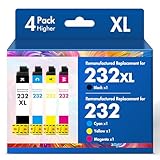
- Product Model: Cool Toner 4 Pack Compatible for 232XL Ink Cartridges for Epson Printer and Compatible for 232 Ink Cartridges
- Package Contents: Compatible for 232XL Ink Cartridges Combo Pack (1×Black, 1×Cyan, 1×Magenta, 1×Yellow)
- Compatible for Epson Printers: XP-4200 XP-4205 Workforce WF-2930 WF-2950
- Please Note: This is not an OEM Ink Cartridge
- High Page Yield: 380 Pages for Each Black Ink, 140 Pages for Each Color Ink at 5% Coverage (A4/Letter)
See Epson’s media specifications and Epson’s thick-media loading guidance.
2. Epson EcoTank Photo ET-8550 — best for large badge sheets
Best for: Users who want to place multiple badges on larger sheets or need one printer for badges, photography, signage, and presentation work.
The ET-8550 offers the same general thick-media direction as the ET-8500 but adds wide-format flexibility, including 11 × 17-inch, A3, and A3+ media. The extra space can accommodate more badge layouts, crop marks, registration marks, and cutting margins.
Do these 3 things before closing this tab:
1Scan for outdated or missing drivers - takes under a minute2Repair Windows errors before they cause bigger problems3Fix the driver behind crashes, sound loss and screen glitchesLike the ET-8500, Epson specifies one-sheet feeding for thick stock through the rear feed. It is therefore better suited to small-batch or occasional production than to hundreds of individually finished cards.
Rank #3

- Fast-drying ink
- Brilliant prints on both plain and glossy paper
- Convenient individual ink cartridges
Choose it when:
- You need larger-than-letter-size sheets.
- You want more room for multiple badge layouts.
- You also print photos, posters, or presentation material.
Main limitation: Its wider format does not turn it into a plastic-card printer. There is no verified dedicated CR80 feed path, card encoding, credential-grade lamination, or PVC ink-adhesion specification.
Review Epson’s loading-capacity information.
3. Epson Expression Photo HD XP-15000 — best for thinner specialty stock
Best for: Users who prioritize wide-format photo output and are working with thinner printable paper or badge sheets.
The XP-15000 supports specialty paper through its rear feed and lists a maximum paper thickness of 23 mil, or approximately 0.584 mm. That is below the roughly 0.76–0.84 mm range documented for some ISO/IEC 7810 card media, so it is not a credible choice for assuming direct CR80 compatibility.
Recommended Free Tools
It can make sense for thinner paper badges, especially when photo quality and wide-format output matter more than ink-tank economics.
Rank #4

- Epson printing system is designed to be used exclusively with Epson genuine cartridges. Use of non-genuine ink could cause damage not covered under the printer’s ltd. wnty.
- Sharp text and brilliant color for high-quality results; fast-drying ink
- Brilliant prints on both plain and glossy paper
- Convenient individual ink cartridges
- Compatible Printers: XP-4200, XP-4205, WF-2930, WF-2950
Advantages:
- Wide-format photo printing.
- Rear-feed support for specialty paper.
- Good fit for printable paper badge sheets.
Limitations: It uses cartridges rather than an EcoTank system, has a lower stated thickness limit than the ET-8500 and ET-8550, and is not listed as a PVC card printer.
Check Epson’s XP-15000 specifications.
4. Epson SureColor F170 — only for transfer-based rigid-item work
Best for: Users who already understand dye-sublimation transfer and want to personalize compatible rigid products as well as other items.
Epson describes the F170 as a dye-sublimation printer for products such as awards, mugs, mousepads, and other soft or rigid materials. In a transfer workflow, you generally print onto suitable transfer media and then apply the design to a compatible substrate with a heat press or equivalent equipment.
The Tool Desk
Outbyte Driver Updater FREEFix the driver behind crashes, sound loss and screen glitchesFind Drivers →Outbyte PC Repair FREEClear out junk files and repair common Windows errorsFree Scan →That is different from feeding finished CR80 PVC cards directly into a printer. The F170 should not be treated as a plug-and-play plastic ID-card solution. You may need transfer paper, a heat press, compatible substrates, alignment tools, and additional testing. Epson’s retrieved U.S. product information listed a $399 MSRP, but that is an MSRP signal rather than a guaranteed current sale price.
Best Value

- Epson printing system is designed to be used exclusively with Epson genuine cartridges. Use of non-genuine ink could cause damage not covered under the printer’s ltd. wnty.
- Sharp text and brilliant color for high-quality results; fast-drying ink
- Brilliant prints on both plain and glossy paper
- Convenient individual ink cartridges
- Compatible Printers: XP-4200, XP-4205, WF-2930, WF-2950
See Epson’s F170 product information.
Quick buying guide
| What you need | Best direction | Verdict |
|---|---|---|
| Paper badges on letter-size sheets | ET-8500 | Best overall Epson choice |
| Large sheets or multiple badge layouts | ET-8550 | Best for layout flexibility |
| Thinner specialty paper and photo output | XP-15000 | Reasonable alternative |
| Transfer personalization on compatible rigid items | F170 | Only if you want a transfer workflow |
| Direct-print PVC cards | Dedicated card printer | Do not buy an Epson inkjet solely for this |
| Encoded access cards | Dedicated printer and encoder | None of these Epson models is verified for it |
How to produce paper ID badges with an Epson
- Design a full sheet, not a loose card. Place several badge panels on letter, A4, or larger stock. Include safe margins, bleed where appropriate, and crop marks.
- Confirm the media. Check its thickness, surface coating, dimensions, and feed requirements. A nominal thickness rating does not guarantee that a particular PVC or synthetic sheet will work.
- Use the rear feed for thick stock. On the ET-8500 and ET-8550, Epson’s instructions call for one-sheet feeding for thick paper and cardstock.
- Print a test sheet. Check photo cropping, small text, color, alignment, and whether ink smears when handled.
- Allow adequate drying time. Drying behavior depends on the ink, coating, coverage, and environment.
- Trim carefully. A guillotine cutter or rotary trimmer will usually produce cleaner results than scissors.
- Protect the badge if needed. Use a sleeve, laminate, or suitable synthetic stock for badges exposed to frequent handling or moisture.
- Verify machine-readable elements. Test every QR code or barcode after printing and trimming.
Why thick-media support does not mean PVC support
The ET-8500 and ET-8550 support media up to 1.3 mm, but that specification applies to supported paper and specialty media. It should not be read as universal PVC compatibility.
Successful plastic-card printing also depends on:
- Card length, width, and edge condition.
- Rigidity and feed friction.
- Glossy or matte surface finish.
- Whether the surface is ink-receptive.
- Ink adhesion, drying, and scratch resistance.
- Registration of photos, text, and barcodes.
- Manufacturer-approved media and warranty terms.
Bare or glossy PVC can cause beading, slow drying, smearing, color shifts, and poor adhesion. A laminate may protect a printed badge, but it does not validate the printer as a secure-card production system.
Borderless printing is not the same as edge-to-edge PVC printing
The ET-8500 and ET-8550 support borderless printing on specified compatible paper types and sizes. That does not prove edge-to-edge printing on individual plastic cards. Epson’s documentation lists the supported paper conditions for borderless output; it does not establish a direct-to-PVC workflow.
Similarly, Epson documentation that mentions ISO/IEC 7810 card dimensions for specialized TM-S9000 and TM-S2000 devices refers to document scanning and endorsing equipment, not general-purpose color PVC card printers.
Epson inkjet versus a dedicated card printer
| Epson paper/photo printer | Dedicated card printer |
|---|---|
| Prints a sheet of paper or cardstock | Feeds individual cards |
| Usually requires cutting | Outputs the card format directly |
| Good for occasional paper badges | Designed for repeatable PVC production |
| No verified card encoding | Some systems support magnetic-stripe or smart-card encoding |
| May need sleeves or separate lamination | Some systems support dedicated overlamination |
Choose the dedicated category when you need direct PVC printing, reliable high-volume output, dual-sided credentials, encoding, secure issuance, tamper evidence, or consistent registration.
Testing checklist before a larger badge run
- Confirm the stock’s dimensions and thickness.
- Load thick media through the correct rear feed.
- Test one sheet at a time.
- Check photo and text placement against the cutting lines.
- Inspect small type and fine details.
- Scan every barcode or QR-code format you plan to use.
- Test for smearing immediately and after drying.
- Check whether the stock curls or damages its edges.
- Trim a sample and verify the finished size.
- Test any sleeve or laminate before committing to a batch.
- Record rejected sheets and include waste in your cost estimate.
Final recommendation
For paper or cardstock ID badges, buy the EcoTank Photo ET-8500 unless you specifically need larger sheets; in that case, choose the ET-8550. The XP-15000 is a thinner-media photo alternative, while the SureColor F170 is relevant only when you deliberately want a dye-sublimation transfer workflow.
For true plastic CR80 credentials, do not select an Epson inkjet based only on resolution or a thickness rating. Use a dedicated PVC card-printer system designed for individual-card feeding and, when required, encoding, lamination, and secure credential production.
Quick Recap
Product prices and availability are accurate as of the date/time indicated and are subject to change. Any price and availability information displayed on Amazon at the time of purchase will apply.

