Some links on this page are affiliate links: if you buy through them we may earn a commission, at no extra cost to you.
Normal production Intel Xeon E5-2600 v4 Broadwell-EP processors have locked multipliers. An X99 motherboard cannot normally unlock one. These CPUs still use factory-defined Turbo Boost, and some boards may permit limited, platform-dependent BCLK tuning—but neither is conventional multiplier overclocking.
What Broadwell-EP means
Broadwell-EP is Intel’s server and workstation processor generation marketed chiefly as Xeon E5 v4. The familiar E5-2600 v4 models use the LGA2011-3 platform, commonly associated with X99 enthusiast/workstation boards and C612 server/workstation boards. Intel’s technical overview connects the E5-2600 v4 generation with Broadwell-EP and the Grantley platform (Intel Xeon processor family technical overview).
Broadwell-EP names a generation, not one specific SKU. The answer below applies to normal production E5-2600 v4 processors, including the common E5-2620 v4, E5-2680 v4, E5-2690 v4 and E5-2697 v4. Do not assume it describes every processor in every E5 v4 product group, engineering sample or OEM-only part.
Do these 3 things before closing this tab:
1Clear out junk files and repair common Windows errors2Fix the driver behind crashes, sound loss and screen glitches3Repair Windows errors before they cause bigger problemsWhat “multiplier-locked” means
A processor’s frequency is derived from a reference clock and a multiplier: roughly, CPU frequency = reference clock × multiplier. A locked multiplier does not mean the CPU lacks a multiplier or cannot change ratios automatically. It means the user cannot freely select a higher ratio beyond the limits programmed for that processor.
#1 Best Overall

- Intel Xeon E5-2699 V4 Docosa-core (22 Core) 2.20 Ghz Processor - Socket Lga 2011-v3 - 5.50 Mb - 55 Mb Cache - 64-bit Processing - 14 Nm - 145 W
Intel says most Xeon processors use locked multipliers and generally do not support conventional overclocking (Intel Xeon overclocking guidance). Intel’s explanation of locked and unlocked processors likewise distinguishes free custom tuning from the limited settings available on a locked CPU (Intel: locked and unlocked processors). A BIOS ratio field, voltage control or displayed multiplier is not proof that a retail Xeon will accept a higher user-selected ratio.
How the common E5-2600 v4 models compare
| Processor | Normal production multiplier status | Turbo behavior | BCLK tuning |
|---|---|---|---|
| Xeon E5-2620 v4 | Locked | Factory-defined Turbo ratios | Board-dependent; not guaranteed |
| Xeon E5-2680 v4 | Locked | Factory-defined Turbo ratios | Board-dependent; not guaranteed |
| Xeon E5-2690 v4 | Locked | Factory-defined Turbo ratios | Board-dependent; not guaranteed |
| Xeon E5-2697 v4 | Locked | Factory-defined Turbo ratios | Board-dependent; not guaranteed |
Intel’s E5 v4 listings provide base and maximum Turbo specifications for individual models; they are useful for identifying normal operating frequencies, not evidence that a multiplier is unlocked (Intel Xeon E5 v4 family specifications). Intel’s product pages are not necessarily an overclocking compatibility database, so an absent “unlocked” field should not be read as permission to raise the ratio.
Rank #2

- Total Cores 14
- Total Threads 28
- Processor Base Frequency 2.60 GHz
- Max Turbo Frequency 3.50 GHz
- Sockets Supported LGA2011-3
Turbo Boost is not a multiplier overclock
Base frequency is the processor’s nominal reference specification. Turbo Boost is automatic operation at factory-authorized ratios when conditions allow; it can change with active-core count, temperature, package power, current limits, workload and firmware configuration. A Xeon running above its base frequency may simply be using Turbo.
That distinction explains why a brief CPU-Z reading above base clock, or a high advertised maximum Turbo frequency, does not establish that the CPU has an unlocked ratio. Intel lists base and maximum Turbo frequencies separately for E5 v4 models precisely because these are different operating states.
Rank #3
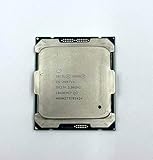
- Intel Xeon Processor E5-2697 v4 SR2JV
- 45 MB Intel Smart Cache
- 2.3GHz
- 18-Core
What X99, C612 and firmware can change
An X99 board may expose more clock, ratio or voltage controls than a server board, but motherboard features and CPU ratio lock are separate constraints. C612 platforms, OEM systems from vendors such as Dell, HP or Lenovo, and dual-socket boards commonly prioritize validated operation and may hide or disable tuning controls. Even an “overclocking-capable” board cannot normally turn a locked E5-2600 v4 into an unlocked processor.
BCLK adjustment
Some motherboards allow reference-clock adjustment, sometimes with an external clock generator; others do not. This is board- and firmware-dependent, not a guaranteed Broadwell-EP feature. BCLK changes are not multiplier unlocks and may affect memory or other buses depending on the platform implementation, creating stability risks beyond the CPU. Intel characterizes Xeon tuning as limited and platform-dependent. Do not treat a particular BCLK target or expected performance gain as assured.
Rank #4

- Manufacturer: Intel CPU Frequency: 2.20 GHz CPU Max Turbo Frequency: 3.60 GHz Number of Cores: 22 Threads: 44 Cache: 55 MB Intel Smart Cache Number of UPI Links: 0 Lithography: 14 nm Thermal Design Power: 145 W Memory Types: DDR4 1600/1866/2133/2400 Max Memory Size: 1.5 TB Max # Memory Channels: 4 Sockets Supported: FCLGA2011-3 E5-2699v4
Turbo-ratio changes and modified BIOSes
Unofficial firmware methods may try to hold an existing Turbo ratio across more cores, change power behavior, or exploit a particular BIOS or microcode combination. Those techniques are distinct from freely raising a multiplier. Their outcome can depend on motherboard model, BIOS version, microcode, Management Engine firmware, operating system and power limits; they are not a universal or Intel-supported unlock method.
Free tools Windows power users keep installed
One-click scans. No signup required.
Intel warns that changing clock frequency or voltage can reduce stability, affect component life and potentially affect warranty coverage (Intel Xeon overclocking guidance). On a workstation or server, instability can jeopardize long computations, virtual machines or data even if a short benchmark completes.
Best Value

- Powerful Processing: 14 cores and 28 threads for multi-tasking and high-performance computing
- High Base Frequency: 2.4 GHz for quick data processing and efficient multitasking
- Large Cache Size: 35 MB for faster data access and improved system performance
- Energy Efficient: 120W TDP for reduced power consumption and lower operating costs
- Scalable Performance: Part of the Intel Xeon Scalable Processor family for flexible and efficient data center solutions
Why engineering-sample reports are not proof about retail CPUs
Engineering samples (ES), qualification samples (QS) and OEM-only processors may differ in identification, microcode, ratio limits, power behavior and BIOS support. A report that a particular sample overclocks does not establish that the corresponding retail Xeon has an unlocked multiplier. For an unusual chip, the exact model, stepping and S-Spec matter; reports about the E5-2697 v4 illustrate the question but do not override the general production-CPU rule (Intel Community discussion of the E5-2697 v4; discussion of engineering-sample multipliers).
Do not use an engineering-sample result to characterize the retail Broadwell-EP family. Intel’s E5-2600 v4 specification update is the authoritative reference for family-level specification clarifications and errata, not a guarantee that a user can overclock a specific processor (Intel Xeon E5-2600 v4 specification update).
How to verify a specific CPU and board
- Identify the processor. Read the exact model in BIOS, CPU-Z, HWiNFO or the operating system. Record its stepping and S-Spec, if available.
- Check the official frequency specifications. Find the model in Intel’s E5 v4 family listings and note its base and maximum Turbo frequencies.
- Check the platform documentation. Consult the motherboard manual and BIOS release information for supported ratio and BCLK controls. A visible menu can be ignored, limited or applicable only to another CPU family.
- Test under a repeatable load. Apply a ratio change only if the firmware allows it, then monitor effective clock under sustained load with a repeatable workload. A transient reading is not evidence of a stable, user-selected overclock.
- Restore defaults if unstable. If the system fails to boot or becomes unreliable, use the board’s documented recovery or CMOS-reset procedure before further testing.
For a normal retail E5-26xx v4, an attempted higher multiplier is generally ignored, capped or overridden by the processor’s own controls. Do not infer unlock status from a BIOS option, a displayed Turbo ratio, a momentary clock spike or an ES/QS report.
Should you buy Broadwell-EP for overclocking?
No if conventional multiplier overclocking is the main reason for the purchase. Do not pay extra for a high-end X99 board expecting it to unlock an E5-2600 v4 ratio. These processors may still suit buyers who prioritize many cores, ECC-capable workstation configurations, virtualization or value on the used market. If frequency tuning is the priority, choose a platform and processor explicitly designed for unlocked multiplier overclocking.
For an existing system, sensible performance work is different from an unlock: ensure cooling is adequate, Turbo Boost operates correctly, memory is populated and configured according to platform support, and the firmware does not impose unnecessary thermal or power throttling. Undervolting may be possible on some platforms, but it reduces voltage rather than unlocking the multiplier and remains board-dependent.
Quick Recap
Product prices and availability are accurate as of the date/time indicated and are subject to change. Any price and availability information displayed on Amazon at the time of purchase will apply.

