Do these 3 things before closing this tab:
1Scan for outdated or missing drivers - takes under a minute2Repair Windows errors before they cause bigger problems3Fix the driver behind crashes, sound loss and screen glitchesSome links on this page are affiliate links: if you buy through them we may earn a commission, at no extra cost to you.
Micron introduced its 9550 NVMe SSD on July 23, 2024, as a data-center drive with up to 14,000 MB/s sequential reads, up to 10,000 MB/s sequential writes, and two endurance classes: 9550 PRO at 1 drive write per day (DWPD) and 9550 MAX at 3 DWPD. It is an enterprise PCIe Gen 5 SSD in U.2, E1.S, and E3.S form factors—not a standard M.2 drive for a desktop or gaming PC.
The headline speed is a peak sequential-read specification, not a promise that every model or application will transfer data at 14 GB/s. And the largest endurance figures apply only to specific capacities and stated write patterns. Buyers should match the exact SKU, server platform, cooling, and workload before treating those numbers as deployment expectations.
| # | Preview | Product | Price | |
|---|---|---|---|---|
| 1 |

|
Micron MTFDLAL7T6THA-1BK1DABYYR 7.6TB 9550 Pro NV Me U.2 15 mm Enterprise SSD | $7,269.75 | Buy on Amazon |
| 2 |

|
MICRON 9550 PRO 3840GB NVMe U.2 SSD | $4,134.00 | Buy on Amazon |
| 3 |
|
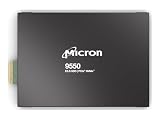
MICRON 9550 PRO 3840GB NVMe E3.S SSD | $5,019.64 | Buy on Amazon |
| 4 |
|
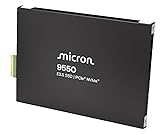
MICRON 9550 PRO 15360GB NVMe E3.S SSD | $14,299.99 | Buy on Amazon |
| 5 |

|
WD_Black SN8100 2TB NVMe SSD - PCIe 5.0x4, M.2 2280, Up to 14,900MB/s Read Speed, up to 11,000MB/s... | $480.00 | Buy on Amazon |
Micron 9550 specifications at a glance
| Specification | 9550 range or maximum |
|---|---|
| Product class | Enterprise/data-center NVMe SSD |
| Interface | PCIe Gen 5 x4 |
| Sequential read | Up to 14,000 MB/s (128KB transfers) |
| Sequential write | Up to 10,000 MB/s (128KB transfers) |
| Random 4KB read | Up to 3,300 KIOPS |
| Random 4KB write | Up to 720 KIOPS in the current specification |
| Typical latency | 60µs read, 10µs write; 4KB queue-depth-1 median values |
| PRO capacities | 3.84TB, 7.68TB, 15.36TB, 30.72TB |
| MAX capacities | 3.2TB, 6.4TB, 12.8TB, 25.6TB |
| Endurance class | PRO: 1 DWPD; MAX: 3 DWPD |
| Form factors | U.2 15mm, E1.S 15mm, E3.S 1T 7.5mm |
| Protocol and management | NVMe 2.0b, NVMe-MI 1.2c; OCP 2.0 compliance and partial OCP 2.5 telemetry support |
| Power | Idle listed at 5W; example average active figures vary roughly from 14W to 23W by workload and form factor |
These are family-level maximums, not a guarantee that every capacity and form factor reaches every performance figure. Micron’s technical specification defines its performance methodology and notes that results depend on system configuration and test conditions.
Quick wins for a faster PC:
Fix the driver behind crashes, sound loss and screen glitchesFind Drivers →Repair Windows errors before they cause bigger problemsFix Now →Scan for outdated or missing drivers - takes under a minuteDriver Scan →What the 14 GB/s figure means
“Up to 14,000 MB/s” refers to sequential 128KB reads under enterprise SSD test conditions. It is a useful indicator for moving large, contiguous data sets, such as loading model data, streaming datasets, or reading checkpoint files. Sequential write throughput—up to 10,000 MB/s—can matter when creating large checkpoints or ingesting data.
#1 Best Overall
- SSD Capacity: 7.68 TB
- SSD Form Factor: U.2
- Interface: PCI Express 5.0
- Memory Type: 3D TLC NAND
- Component: Server/workshop
It is not a universal application speed. Random IOPS and latency are often more relevant for databases, metadata-heavy operations, and mixed workloads. Even then, the drive is only one part of the path: CPU scheduling, queue depth, filesystem and storage software, encryption or compression, PCIe topology, network bandwidth, and thermal limits can all constrain observed performance. PCIe Gen 5 x4 provides the host bandwidth for this class of throughput, but the server must support it and keep the SSD adequately cooled.
Micron described the drive as the world’s fastest data-center SSD at launch. Treat that as a Micron claim tied to its July 2024 comparison basis, not an unqualified ranking of every enterprise SSD available in 2026. The launch release also cited 400 KIOPS random writes in a competitive comparison; that figure should not be confused with the current technical specification’s up-to 720 KIOPS maximum, which reflects a different stated reference.
9550 PRO versus 9550 MAX
| Family | Rated endurance | Capacities | Typical fit |
|---|---|---|---|
| 9550 PRO | 1 DWPD | 3.84TB, 7.68TB, 15.36TB, 30.72TB | Read-heavy or balanced enterprise use where the write rating is sufficient |
| 9550 MAX | 3 DWPD | 3.2TB, 6.4TB, 12.8TB, 25.6TB | Higher-write workloads such as sustained ingestion, logging, write-intensive databases, or cache churn |
DWPD means drive writes per day: a 3 DWPD rating means the drive’s rated user capacity can, in principle, be written three times per day over the rating period under the vendor’s qualification conditions. It is an endurance classification, not a promise of unlimited writes or identical performance at every point in a drive’s life. MAX is distinguished principally by its endurance rating; do not assume it is universally faster than PRO. Check the exact SKU’s performance data for the workload you care about.
As a practical choice, start with measured or projected writes per day, then account for write amplification and the operational cost of replacing drives. PRO is the sensible fit if the application stays within its endurance class and capacity is the priority. MAX merits consideration when sustained write activity approaches the higher rating, especially when replacement work or downtime would be costly.
Rank #2
- Micron 9550 PRO 3840GB NVMe U.2 SSD
Endurance decoded: TBW depends on capacity and write pattern
Micron’s detailed table provides different total-bytes-written (TBW) values for 4KB random and 128KB sequential writes. Those patterns yield materially different totals, so a single “up to” TBW number is not representative of every workload or SKU.
| Family | Capacity | 4KB random TBW | 128KB sequential TBW |
|---|---|---|---|
| PRO | 3,840GB | 7,008TB | 29,400TB |
| PRO | 7,680GB | 14,016TB | 58,300TB |
| PRO | 15,360GB | 28,032TB | 104,500TB |
| PRO | 30,720GB | 56,064TB | 201,200TB |
| MAX | 3,200GB | 17,520TB | 37,200TB |
| MAX | 6,400GB | 35,040TB | 74,200TB |
| MAX | 12,800GB | 70,080TB | 143,100TB |
| MAX | 25,600GB | 140,160TB | 282,600TB |
The often-repeated 28,032TB PRO figure is the 15.36TB PRO model’s 4KB-random TBW; the 70,080TB MAX figure is the 12.8TB MAX model’s 4KB-random TBW. Neither is a family-wide figure. TBW values are vendor calculations for specified transfer patterns, not a guarantee of real service life. Micron says actual lifetime varies with workload and recommends monitoring the SMART “Percentage Used” value.
Where the 9550 may help AI and other data-center workloads
Micron positions the 9550 for AI training and inference, HPC, high-performance databases, OLTP, caching, high-frequency trading, and cloud storage. Storage can be especially important when accelerators are waiting for data, when large models or datasets must be staged, or when jobs repeatedly write checkpoints. But a fast SSD does not by itself guarantee faster AI training: GPU utilization, host CPU overhead, PCIe switch layout, DMA support, dataset locality, drive count, and filesystem behavior all affect the outcome.
Micron reports workload-specific gains including up to 33% faster workload completion, 60% faster feature aggregation, 43% lower average SSD power in specified AI workloads, and 34% higher throughput for NVIDIA GPUDirect Storage in a launch claim. These are vendor results for particular software stacks and workload conditions—not general benchmarks that apply to every AI cluster. Evaluate the named setup, such as Big Accelerator Memory, NVIDIA Magnum IO or GPUDirect Storage, and the relevant GNN or LLM workload, against your own infrastructure. Power per unit of useful work matters more than a peak throughput number in isolation.
Rank #3
- Micron 9550 PRO 3840GB NVMe E3.S SSD
The drive integrates Micron’s controller ASIC, NAND, DRAM, and firmware; the technical brief identifies Micron G8 TLC NAND. Micron also lists enterprise power-loss protection and end-to-end data protection, features intended for server deployment rather than ordinary desktop convenience.
Compatibility: this is not a desktop M.2 upgrade
The 9550 is offered in enterprise U.2 15mm, E1.S 15mm, and E3.S 1T 7.5mm formats. These dimensions and connectors do not match a standard M.2 2280 slot. A typical consumer motherboard cannot directly accept one; adapting the connector alone does not provide the correct mounting, power delivery, airflow, or platform qualification.
Before ordering, confirm all of the following with the server vendor or integrator:
The Tool Desk
Outbyte Driver Updater FREEFix the driver behind crashes, sound loss and screen glitchesFind Drivers →Outbyte PC Repair FREERepair Windows errors before they cause bigger problemsFix Now →- The host CPU, motherboard, and PCIe slot or backplane support PCIe Gen 5 x4 at the required speed.
- The chassis has the matching U.2, E1.S, or E3.S bay and backplane, cabling, and power delivery.
- Cooling and airflow support a high-performance data-center SSD; inadequate thermal design can reduce sustained performance.
- The server firmware and operating system support the drive and its required NVMe features. Confirm the exact platform and firmware qualification rather than assuming broad OS compatibility is equivalent to vendor validation.
- The deployment supports the required configurable sector size (512-byte or 4,096-byte) and any NVMe-MI management or telemetry needs.
- The selected part number has the required security options, such as a self-encrypting drive (SED), and the desired firmware and support path.
At launch, Micron highlighted work with Intel 4th- and 5th-generation Xeon and Xeon 6 platforms, as well as ecosystem integration involving AMD and NVIDIA technologies. That is evidence of platform and ecosystem work, not proof that every server configuration has been qualified. Check the exact system-vendor compatibility list.
Rank #4
- Micron 9550 PRO 15360GB NVMe E3.S SSD
Security, reliability, and standards: check the exact configuration
Micron lists optional self-encrypting-drive SKUs, TCG Opal 2.02, digitally signed firmware, SPDM 1.2, a Secure Execution Environment, and FIPS 140-3 Level 2 certifiable configurations. “Certifiable” does not mean every 9550 part number is already FIPS-certified; verify the precise SKU and its certification status for regulated deployments.
The drive supports NVMe 2.0b and NVMe-MI 1.2c. Micron describes OCP 2.0 compliance and partial support for OCP 2.5 telemetry features; it says the product complies with most, not all, requirements of the OCP Datacenter NVMe SSD Specification 2.0r21. It should not be described as fully OCP 2.5-compliant.
The specification lists an uncorrectable bit error rate (UBER) below one sector per 1017 bits read and mean time to failure (MTTF) of 2.0 million hours at 0–55°C or 2.5 million hours at 0–50°C. MTTF is a population reliability statistic under stated conditions, not a prediction that an individual drive will operate for millions of hours.
Who should consider it—and who should look elsewhere?
- Consider the 9550 if a qualified data-center server has PCIe Gen 5 x4 drive support and the workload can use substantial sequential bandwidth, random-read performance, or the higher MAX write rating. AI/HPC operators, cloud and OEM buyers, and database teams are plausible candidates.
- Choose PRO when the workload fits 1 DWPD and the capacity options suit the deployment; choose MAX when write intensity, write amplification, and replacement costs justify 3 DWPD.
- Consider a lower-tier enterprise drive if the host is limited to Gen 4, the application is light or cannot use the bandwidth, or power, cooling, and procurement costs outweigh the performance gain. Micron’s 7600 family may be worth evaluating when maximum 9550 performance is unnecessary; its 6500 ION is a capacity-oriented comparison when density or cost per terabyte matters more than peak Gen 5 performance.
- For a new platform design, Micron’s newer 9650 Gen 6 family is another comparison point, but it may be a poor fit for a Gen 5 host or a constrained deployment budget. Compare qualified systems, not interface generations alone.
- For a desktop or gaming PC, look for a consumer M.2 SSD instead. The 9550’s enterprise form factors, power, cooling, and procurement model make it an inconvenient and generally unsuitable drop-in choice.
Availability and buying considerations
Micron announced availability in July 2024, but that does not establish current stock, lead times, or pricing for a specific configuration. Micron’s product and part-catalog pages do not present a standard public retail checkout or MSRP. Treat procurement as a quote-based enterprise purchase through Micron, an OEM, or a system integrator, and confirm regional availability and support terms.
Best Value
- This product has been replaced by our latest generation. Please search for the SANDISK Optimus GX PRO 8100 PCIe 5.0 NVMe SSD.
- EXPERIENCE PCIe Gen 5: Drastically enhance your gaming and content creation experience with this PCIe Gen 5.0x4 NVMe M.2 SSD.
- BREAKNECK SPEEDS: Your drive reaches sequential read speeds up to an astonishing 14,900MB/s, sequential write speeds up to 14,000MB/s (2TB-4TB model), and over 2,300,000 IOPS (2TB-4TB Models) of random performance.
- AN INDUSTRY-LEADER IN POWER EFFICIENCY: Enjoy over 100% more power efficiency (1TB – 4TB models) than our PCIe Gen4 drive at an average operating power of 7.5W or under. Experience astonishing speeds without any added stress to your system.
- ROOM FOR REVOLUTION: Hold your biggest projects and still have room for OS updates, models for AI-powered applications, and your game library thanks to immense capacities up to 8TB. SANDISK SOFTWARE: Help maximize your drive’s performance, monitor its health and keep it up to date with SANDISK Dashboard (Windows only). Plus, effortlessly migrate your data with Acronis True Image for Sandisk.
Use the 9550 part catalog to identify the relevant capacity, form factor, sector-size and security combination, then obtain a quote for that exact part number. Compare it with qualified alternatives—including Micron’s other data-center families or equivalent PCIe Gen 5 products from Kioxia and Samsung—at the same capacity, endurance class, workload, and support level. Micron’s launch-era competitive claims were based on publicly available datasheets for selected performance-focused 1-DWPD drives as of July 23, 2024; they are not a 2026 independent benchmark across every model.
Before committing, ask the supplier to confirm platform qualification, firmware maintenance, replacement stock, warranty terms, and whether the quoted performance and endurance apply to the exact SKU. For an enterprise drive, procurement support and a validated deployment path are part of the fit—not afterthoughts.
Verdict
The Micron 9550 is a high-throughput, high-endurance enterprise SSD for servers that can use PCIe Gen 5 and need data-center features. Its 14,000 MB/s sequential-read ceiling is meaningful for large transfers, while the PRO/MAX split lets buyers choose between 1 and 3 DWPD. The headline TBW totals need capacity and workload context, and the form factors rule it out as a normal consumer M.2 upgrade. It makes sense when a qualified workload can justify its bandwidth, endurance, and platform requirements—not simply because the largest number looks impressive.
Quick Recap
Product prices and availability are accurate as of the date/time indicated and are subject to change. Any price and availability information displayed on Amazon at the time of purchase will apply.

